A Creator's Guide to AI Watermark Video Remover Tools

Discover how a watermark video remover can elevate your content. Our guide covers AI tools, quality preservation, and legal best practices for creators.
When you're serious about creating content, you quickly realise that a top-notch watermark video remover isn't just a nice-to-have—it's a must-have. It’s all about reclaiming your video's visual identity, giving you that clean, professional look you need when repurposing content for platforms like TikTok and Instagram. The best tools out there now use AI to perfectly rebuild the video, so you can forget about the blurry messes left by older, clunky methods.
Why AI Watermark Removers Are a Game-Changer for Creators
In the high-speed world of social media, getting the most out of every piece of content is key. A single brilliant video can be a hit on TikTok, a viral Reel on Instagram, a popular YouTube Short, and a shareable clip on X. The catch? Each platform slaps its own logo on your work, which looks messy and unprofessional when you start cross-posting.
This is more than just an aesthetic issue. A video with a rival platform's watermark just feels off, instantly telling your audience it’s repurposed. This can subtly chip away at your brand's credibility and even lower engagement. For anyone trying to build a polished, seamless brand, those little logos are a massive pain.
The Old Way vs. The New Way
For years, the "solutions" were pretty awful and did more harm than good. Creators were stuck with frustrating options:
- Cropping: Literally chopping off parts of the video frame, which often wrecked the composition and messed up the aspect ratio.
- Blurring: Smacking an ugly, obvious blur over the watermark, which somehow made it even more distracting.
- Covering: Trying to hide the watermark with another logo or graphic, which never looked quite right.
These techniques always made videos look worse and screamed "this was poorly edited." They fixed one problem by creating an even bigger one. Thankfully, the arrival of dedicated AI watermark video removers has completely changed the game.
To really see the difference, it helps to put the old and new methods side-by-side.
Comparing AI vs Traditional Watermark Removal Methods
| Feature | AI Watermark Remover (e.g., SoReel) | Traditional Methods (Blur, Crop, Manual Edit) |
|---|---|---|
| Video Quality | Preserves original quality by reconstructing pixels. | Degrades quality, often significantly. |
| Final Appearance | Clean and seamless, as if the watermark was never there. | Obvious, distracting, and unprofessional. |
| Effort & Time | Fast and automated – often just a few clicks. | Time-consuming and requires manual adjustments. |
| Accuracy | Precise, pixel-level removal. | Imprecise, often affecting parts of the video beyond the watermark. |
| Versatility | Works on complex backgrounds and moving watermarks. | Struggles with anything other than simple, static backgrounds. |
As you can see, the leap forward is huge. What once took a lot of manual effort and produced poor results is now an almost effortless process.
The AI-Powered Solution
Modern tools like SoReel don't just hide a watermark; they intelligently erase it. The AI uses sophisticated algorithms to analyse the pixels around the logo and then rebuilds the background exactly as it should have been. The result is a flawless finish, making it look like the watermark never existed in the first place.
This kind of pixel-level reconstruction used to be reserved for professional visual effects artists with seriously expensive software. Now, it’s available to everyone. It’s become a cornerstone of efficient content creation. In fact, industry data shows that creators see a huge 35% boost in the perceived quality of their videos after using these tools. This improvement has a direct effect on engagement, with some creators reporting up to double the interaction rates once they’ve removed platform logos.
For any creator serious about growth, maintaining a consistent and professional brand image across all channels is non-negotiable. An AI watermark video remover is the key to unlocking true multi-platform potential without compromise.
This shift is about more than just a quick cosmetic fix; it’s about taking back complete control over your creative work. For marketers, it means their campaigns look polished and native to every platform, which maximises both reach and impact. You can find more strategies for optimising your video content on our blog.
How to Get a Clean Video with AI Tools
Alright, let's move from theory to action. I’ll walk you through exactly how a modern watermark video remover like SoReel takes a logo-stamped clip and turns it into a clean, shareable asset. The whole process is refreshingly simple, but a few insider tips can really make a difference to the final quality. Forget messing around with complex timelines and manual masking—the AI does all the hard work for you.
First things first, you need to get your video into the system. Most AI tools, SoReel included, give you a simple drag-and-drop box or an option to just paste a URL. It’s designed to be quick, so you’re not getting stuck on technicalities before you even begin.
Once it's uploaded, the interesting part starts. The tool will show you a preview of your video, and this is where you step in to guide the AI.
Pinpointing the Watermark for Removal
This is probably the most important thing you'll do in the entire process. You need to tell the AI exactly what to get rid of. With a tool like SoReel, you just draw a selection box right over the watermark on the video preview.
Here’s how to get it right, based on my experience:
- Be Precise, Not Excessive: Draw the box as tightly around the watermark as you can. If you select a huge chunk of the background along with it, you might confuse the AI and end up with some weird-looking artefacts.
- Handle Moving Watermarks: What about those bouncing TikTok logos? A good tool will let you track it. Some advanced platforms can detect its movement automatically, while others let you define its path across the screen.
- Zoom In for Accuracy: If you’re dealing with a tiny or detailed logo, use the zoom function. It lets you draw a much more accurate box, making sure every last pixel of the watermark is selected for removal.
After you've highlighted the area, you just hit the "go" button. The AI then gets to work, analysing the pixels around your selection and intelligently rebuilding the background behind it.
This is a great visualisation of that before-and-after flow.
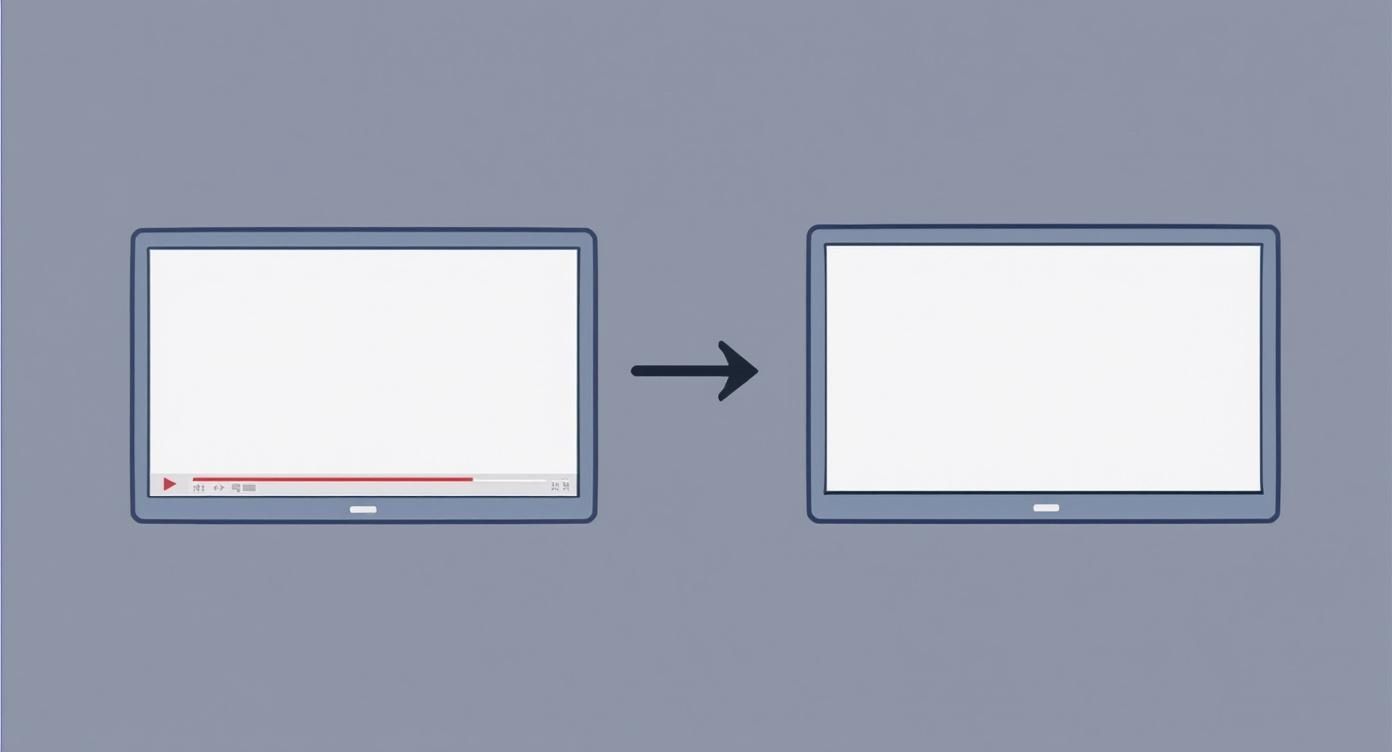
It really shows how the AI turns a cluttered, branded video into a pristine version that’s ready for you to repurpose anywhere.
Previewing and Refining the Result
The processing usually only takes a few moments. Afterwards, you'll get a preview of the finished product. This is your chance to give it a quick quality check before you download.
A quality tool will show you a side-by-side comparison or let you toggle between the original and the new version. Look closely at the spot where the watermark used to be. You’re aiming for a seamless fix where you can't even tell a logo was ever there. No blurs, no smudges, no odd pixel patterns.
Pro Tip: Don't just look at a still frame. Play the video all the way through at least once while you're previewing. Watch the area where the watermark was, especially during movement. A good AI remover makes sure the reconstructed background moves naturally with the rest of the scene.
If it’s not quite perfect on the first attempt, don’t stress. Often, all it takes is a small tweak to your initial selection box. Making it a little tighter or slightly bigger can easily fix any minor imperfections.
Finalising and Downloading Your Clean Video
Once you’re happy with the preview, the last step is simply to download your clean video. The best services give you different output options, so you can pick the resolution and format you need. This is crucial for keeping the quality high when you upload it to TikTok, Instagram, or wherever else it's going.
The entire workflow, from start to finish, is designed to take minutes, not hours. That efficiency is what makes these AI tools so valuable. You can get back to focusing on your content strategy instead of getting bogged down in tedious technical edits.
Preserving Video Quality After Watermark Removal
Getting rid of a watermark is one thing, but ending up with a video that looks just as crisp and vibrant as the original? That’s the real win. It's a common pitfall: you remove the logo perfectly, only to end up with a pixelated, stuttery mess. You've just swapped one problem for another.
Here’s what’s happening behind the scenes. When an AI tool like SoReel reconstructs the pixels where a watermark used to be, the video has to be re-encoded into a new file. Think of it like making a photocopy of a photocopy—if you're not careful with the settings, each new version gets a little bit worse.
The good news is you can control this. A solid watermark video remover gives you the power to manage the output, ensuring the final product is technically sound and ready for any platform.
Mastering Output Settings for Maximum Clarity
The settings you choose when you download your clean video will make or break its quality. Nailing these technical details is how you avoid those ugly compression artefacts—the blockiness in dark scenes or the blur during fast motion that can ruin an otherwise great clip.
Here’s what I always pay attention to:
- Resolution: Stick to the original. If your source video is 1080p, export it in 1080p. Downscaling just throws away detail and makes your video look soft.
- Frame Rate (fps): Consistency is king. Whatever the original frame rate was—be it 24, 30, or 60 fps—match it in your export. Mismatched frame rates create that jerky, unnatural motion that just looks wrong.
- Bitrate: This is arguably the most critical setting. Bitrate is the amount of data used for each second of video. More data means higher quality. If you have a high-action clip, a low bitrate will turn it into a blurry mess because the encoder can't keep up.
For platforms like YouTube or Instagram, I often find a variable bitrate (VBR) works wonders. It intelligently allocates more data to the complex, fast-moving parts of your video and less to the simple, static scenes. It’s a smart way to balance quality with file size.
Choosing the Right Video Format
The file format, or "container," you pick also matters. Most people just default to MP4, and honestly, most of the time they're right. But knowing your options can be useful.
| Format | Best For | Key Characteristics |
|---|---|---|
| MP4 (H.264/AAC) | Universal sharing, social media, web streaming. | Great compression with small file sizes. It's the go-to for pretty much any online platform you can think of. |
| MOV (ProRes) | Professional editing, archiving. | Offers much higher quality with less compression, but the trade-off is massive file sizes. Best for master copies. |
If you're repurposing content for TikTok, Instagram, or YouTube, MP4 is the correct choice almost 100% of the time. It delivers that perfect sweet spot between quality and file size, meaning your audience gets fast-loading, smooth-playing videos.
Stripping Metadata and Digital Fingerprints
This is the step most people skip, and it's a huge mistake if you're serious about repurposing content. When you download a video from a platform like TikTok, it’s not just the video you’re getting. It’s also packed with invisible data—metadata and digital fingerprints. This can include the original account name, the device it was filmed on, and more.
Social media algorithms are smart enough to read this data. If you re-upload a video with another platform’s digital fingerprint still attached, the algorithm can flag it as unoriginal content and tank its reach.
A professional watermark video remover should do more than just visual cleanup. Advanced tools like SoReel also strip this hidden metadata during the processing stage, delivering a truly clean file that appears as a brand-new, original upload to any platform’s algorithm.
This technical "laundering" is crucial. It gives your content a completely fresh start, tricking the platform into treating it as native. It’s a small detail, but in the battle for organic reach, it’s a significant advantage.
Streamlining Your Workflow for Bulk Video Processing
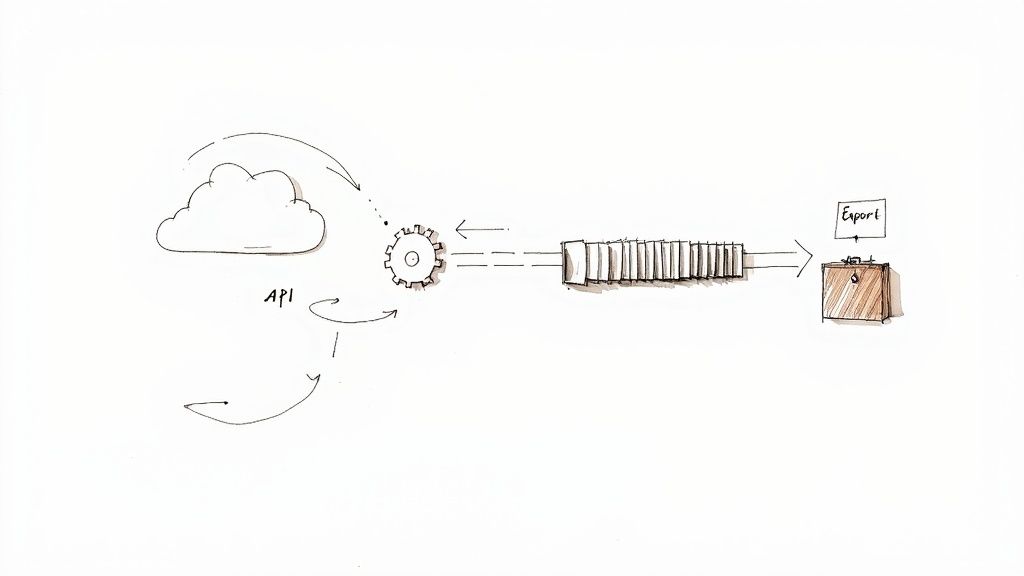
If you're a social media manager, run a marketing agency, or handle any serious volume of video content, you know that removing watermarks one by one is a complete non-starter. The time it eats up is just unsustainable. This is where you have to think bigger and scale your efforts, moving from single, manual edits to a more automated, high-throughput workflow.
The good news is that modern tools are built for this reality. They come packed with features designed specifically to take the grunt work out of the process, letting you chew through dozens or even hundreds of videos without having to babysit each one. It’s a real mind-set shift—you stop being a video editor and become more of an operations manager for your entire content pipeline.
Frankly, this capability is what separates a basic tool from a professional watermark video remover. When you’re staring down daily uploads for multiple clients or platforms, efficiency isn't just a nice-to-have; it's absolutely critical to staying competitive and profitable.
Embracing Batch Processing for Efficiency at Scale
Batch processing is your most direct route to clawing back huge chunks of time. Forget the tedious cycle of upload, select, remove, and download for every single clip. Instead, you can queue up an entire folder of videos and let the AI do the heavy lifting in one go.
Let's say you're an agency tasked with repurposing 30 client videos for a new Instagram Reels campaign. Doing that manually is a full day of soul-crushing, repetitive clicking. With batch processing, you upload the whole lot, apply the same removal settings across the board, and just walk away. The system chugs through the queue on its own and pings you when all the clean, post-ready files are good to go.
This kind of workflow is a lifesaver for situations like:
- Archiving Content: Cleaning up a whole back catalogue of branded videos before moving them into storage.
- Campaign Preparation: Prepping an entire week’s worth of social media content in a single afternoon.
- User-Generated Content (UGC): Processing huge volumes of creator submissions to give a campaign a unified, professional look.
By grouping these similar tasks, you reclaim hours that are far better spent on creative strategy or actually talking to your clients. It turns a major production bottleneck into a simple, automated step.
Integrating an API for True Automation
While batch processing is a massive step up, an API (Application Programming Interface) takes automation into another league entirely. For any business with established digital workflows, an API lets a watermark remover plug directly into the systems you already rely on every day.
Think of an API as a special bridge that allows different pieces of software to talk to each other without your involvement. Instead of you manually uploading files to a tool's website, your own system—be it a cloud storage folder or a custom content management system (CMS)—can automatically send a video for watermark removal the second it's added.
An API integration means the watermark removal process becomes an invisible, automated step in your content pipeline. New videos are processed in the background, with the clean versions appearing exactly where your team needs them, with zero manual intervention.
For instance, a media company could set up a process where any video dropped into a specific Google Drive folder is automatically sent to SoReel’s API. The clean, watermark-free version is then sent back to a different "Ready for Publishing" folder, which in turn triggers a notification to the social media team. This completely removes the human element, ensuring consistency and speed, especially when you're dealing with thousands of assets.
You can find out more about the specific plans that include API access to see how it can fit into your operations by exploring the different SoReel pricing tiers.
Real-World Scenarios for Advanced Workflows
Let’s ground all this in a couple of practical examples.
A growth marketing agency running a huge UGC campaign might receive hundreds of TikTok videos from different creators. Using an API, they could build a system that automatically pulls these videos from a submission form, sends them off for watermark and metadata stripping, and then files the clean versions directly into their ad manager, ready to be deployed.
Or, consider a content studio that creates training materials. At the end of each production cycle, they could use batch processing to upload a folder containing 50 new tutorial videos. In one action, they can remove a temporary "Draft" watermark from all of them simultaneously, ensuring the final versions are ready for distribution on their learning platform by the next morning. These are the kinds of advanced workflows that make handling video content at a professional scale not just possible, but easy.
Using Watermark Removers Legally and Ethically
AI tools are incredibly powerful, but that power comes with a responsibility to use them correctly. A professional watermark video remover is a brilliant asset for any content creator, but it's absolutely vital to know where the line is between legitimate use and copyright infringement. Getting this wrong isn't just poor etiquette; it can land you in serious legal hot water.
The guiding principle couldn't be simpler: you must have the right to modify the video. If you don't own the content or have a licence to alter it, then removing a watermark is almost always a breach of copyright. The tool itself isn't the problem—it's all about how you use it.
I like to think of it like this: a locksmith's tool is fantastic for getting you back into your own house when you're locked out. But using that same tool to get into your neighbour's house is breaking the law. The exact same logic applies here.
So, When Is It Okay to Remove a Watermark?
There are plenty of common, totally legitimate scenarios where creators and marketers need to clean up their own assets. These situations are all about reclaiming your own work, not taking someone else's.
Here are a few clear-cut examples I see all the time:
- Your Own Social Media Content: You've downloaded a video you made for one platform, but it’s now stamped with their logo. You have every right to remove that watermark before you repurpose your original work somewhere else.
- Licensed Stock Footage: You've paid for a licence for a stock video, but the only copy you have has a "preview" watermark splashed across it. Removing it to use the clip in your project, as laid out in your licensing agreement, is perfectly fine.
- Old Company Branding: Your company has just gone through a rebrand, and you need to update a whole library of old promotional videos by removing the outdated logo. Since your company owns the footage, this is a completely valid use case.
The golden rule is ownership. If you created the video, paid for the rights to it, or work for the company that owns it, you are generally on safe legal ground.
Where You Cross the Line into Infringement
The legal and ethical boundaries are crossed the second you modify content you don't have permission to touch. Removing a watermark from someone else's video to pass it off as your own is a direct violation of copyright law in the UK and most other countries. This isn't a grey area; it is theft of intellectual property.
This includes grabbing a video from another creator's YouTube channel, a clip from a film, or a viral video you found on X and scrubbing the logo to re-upload it. This kind of action can lead to platform strikes, account suspension, or even legal action from the original copyright holder. For total clarity on how service providers like SoReel view this, you can always review our terms of service.
To make sure you stay on the right side of the law, I’ve put together a simple table outlining what’s okay and what’s not.
Permissible vs. Prohibited Uses of Watermark Removers
This table provides a clear guide to help you navigate common scenarios and avoid accidentally infringing on someone's copyright.
| Scenario | Generally Permissible (with rights) | Generally Prohibited (Copyright Infringement) |
|---|---|---|
| Your Own TikTok Video | Removing the TikTok logo to post the clean clip on Instagram Reels. | N/A |
| Another Creator's Video | N/A | Removing their channel logo to re-upload it on your own account. |
| Licensed Stock Video | Removing the preview watermark after purchasing a full licence. | Removing the watermark without buying the licence to use it for free. |
| Movie or TV Show Clip | N/A | Removing a network's logo to create a "clean" version for a fan edit. |
Ultimately, it comes down to respecting the original creator and their ownership of the content.
The Bigger Picture: AI and Ethical Creation
The conversation around AI video tools also touches on the growing problem of media manipulation. The explosion of deepfakes has sparked a global push for better detection tech, with some projections suggesting 8 million deepfake files will be shared in 2025 alone.
In response, laws like the UK Online Safety Act now hold platforms accountable for removing illegal synthetic content. While a watermark remover is very different from a deepfake tool, it’s part of the same ecosystem of AI media editing. This just underscores the need for all of us to use these tools responsibly. Acting ethically means respecting other creators and their intellectual property, ensuring you always work with integrity.
Common Questions About AI Watermark Removal
When you first start using AI to clean up your videos, it's natural to have a few questions. Even with a powerful watermark video remover, you’ll want to know how it affects your final product, what its limits are, and how to use it responsibly. I've heard these queries time and again from creators, so I've put together some straight answers to help you use these tools with confidence.
Let's clear up any confusion so you can get back to what you do best: creating brilliant content that looks completely professional.
Will I Lose Video Quality When I Remove a Watermark?
This is the big one, isn't it? And for good reason. The short answer is, no, a top-tier AI tool shouldn't visibly degrade your video quality. The magic is in how the AI works. It’s not just slapping a blur or a clumsy patch over the logo. Instead, it intelligently rebuilds the pixels that were hidden behind the watermark, aiming for a finish that looks like the logo was never there in the first place.
That said, the quality of your final video really comes down to two things: the tool you're using and the settings you choose. To get the best results every time:
- Garbage in, garbage out. Always start with the highest quality source file you have. A crisp, high-resolution video gives the AI much more data to work with, leading to a far cleaner removal than a pixelated, heavily compressed file.
- Mind your export settings. As we covered earlier, this is where most people go wrong. Exporting your video with the right resolution, frame rate, and a healthy bitrate is absolutely critical. Mismatched settings are the number one culprit behind quality loss.
A professional-grade tool is built to maintain the integrity of your original footage. For anyone watching, any change in quality should be completely unnoticeable.
Can These Tools Get Rid of Moving or Dynamic Watermarks?
Absolutely. The best AI watermark removers are more than capable of handling those bouncing TikTok logos or other dynamic watermarks. This is a massive leap forward from older, manual editing techniques that were a nightmare to use on anything that wasn't perfectly still.
From your perspective, the process is simple. You just select the watermark, and the tool's tracking algorithm locks on, following its movement throughout the entire clip. It then gets to work on the pixel reconstruction process for every single frame where the watermark appears.
This frame-by-frame analysis is the secret sauce. It allows the AI to adapt its reconstruction in real-time as the logo moves across different backgrounds. The result is a smooth, clean video without any of the ghosting or smudged artefacts you'd get from a less sophisticated tool.
Is It Legal to Use a Watermark Video Remover?
This question is all about context and intent. A watermark remover is just a tool, like any other piece of software. Using it is perfectly legal as long as you are working on content that you own or have the explicit rights to modify.
You are completely in the clear if you are:
- Removing a platform’s logo (like TikTok or Instagram) from a video you created.
- Taking off a "preview" watermark from a stock video clip that you have officially licensed.
- Updating your business's archival footage by removing an old, outdated company logo.
The legal red line is crossed when you use it on content that isn't yours. Removing a watermark from another creator's video to pass it off as your own is copyright infringement. It's as simple as that. Always stick to editing your own assets.
How Long Does the Removal Process Actually Take?
The processing time can vary based on a few things: the video's length and resolution, and how complex the background is behind the watermark. But for the vast majority of short-form social media clips—usually under 60 seconds—the whole thing is remarkably quick.
With an efficient tool, you can expect the AI to process a standard 1080p video in just a couple of minutes. This speed is one of the biggest draws of a dedicated watermark video remover, because it lets you keep your content workflow moving without getting bogged down in tedious, frame-by-frame editing. If you're dealing with a large volume of clips, features like batch processing make it even faster.
Ready to create perfectly clean, professional videos without the hassle? SoReel uses advanced AI to remove watermarks flawlessly while preserving your video's original quality. Try it now and see how easy it is to reclaim your content. Learn more at https://soreel.app.