12 Best Video Watermark Remover Free Tools (2025 Guide)

Discover the top video watermark remover free tools for 2025. This guide covers online, desktop, and mobile apps for clean, professional video.
Finding a high-quality video watermark remover free of charge can be a significant challenge, especially for professionals needing reliable results without compromising on video quality. Distracting logos or text overlays can undermine the professional appearance of marketing materials, user-generated content (UGC) campaigns, or repurposed social media clips. This is particularly true for agencies, developers, and creators who handle video content at scale and require a seamless, clean final product for multi-platform distribution.
This practical guide is organised to help you quickly identify the best solution for your specific needs. We have tested and compiled a definitive list of the most effective free tools available today, from powerful desktop applications and convenient online platforms to mobile apps for on-the-go edits. We also cover manual techniques for those who prefer more granular control.
Each entry provides an honest assessment of its capabilities and limitations, including step-by-step instructions, screenshots, and direct links to get you started immediately. We analyse key factors such as processing speed, privacy considerations, file size restrictions, and output quality. Whether you are a social media manager needing to repurpose TikTok videos, a developer integrating video processing via API, or a brand needing to batch-process content, this resource will guide you to the right tool for the job.
1. SoReel
SoReel positions itself as a studio-grade, all-in-one video enhancement platform, making it a powerful choice for creators and agencies who need more than just a basic video watermark remover free of charge. It excels by using an advanced AI model for pixel-level reconstruction, which removes watermarks with a claimed 99.9% accuracy without introducing the blurring or artefacts common with simpler tools. This technical precision makes it ideal for professionals who cannot afford any drop in visual quality.
The platform is engineered for a comprehensive, single-pass workflow that goes far beyond simple watermark removal. It's designed to prepare videos, particularly those generated by AI like Sora, for high-stakes social media campaigns.

Key Features and Workflow
SoReel integrates several critical tools into one streamlined process:
- AI Watermark Removal: Instead of just blurring or cropping, its AI rebuilds the pixels underneath the watermark, preserving the video's natural look.
- Metadata & Fingerprint Stripping: This feature is crucial for social media marketers, as it helps reduce the risk of platforms like TikTok or Instagram shadow-banning repurposed or AI-generated content.
- Audio Enhancement: The tool can automatically reduce background noise, normalise volume, and improve voice clarity.
- AI Upscaling: It can upscale footage to Ultra-HD, effectively reducing compression artefacts and denoising the video for a crisper finish.
The workflow is straightforward: users can paste a video URL or upload a file directly. The platform processes it through the selected AI pipeline, delivering a ready-to-publish video in minutes.
Ideal Use Case and Limitations
SoReel is best suited for social media managers, content agencies, and developers needing to process videos at scale. Its support for batch processing and a robust API makes it perfect for automated, high-volume workflows. While its core watermark removal from a URL and metadata stripping are noted as free tools, the platform operates on a credit-based subscription model (starting at $29.99/month). Advanced features like audio enhancement and upscaling consume credits, which could become costly for long-form projects. Users must also be mindful of the ethical and legal implications of removing watermarks and should always comply with platform terms of service. For those interested in its capabilities, you can find more details in the SoReel FAQ.
2. HitPaw Watermark Remover (Windows/Mac desktop)
HitPaw offers a dedicated desktop application for Windows and macOS that provides more granular control than many online tools. It’s designed specifically for removing unwanted elements like watermarks, logos, or timestamps from videos. The software stands out by offering multiple removal modes, including an AI model alongside various filling techniques like smooth, gaussian, and colour filling, allowing you to experiment to find the best result for your specific video.
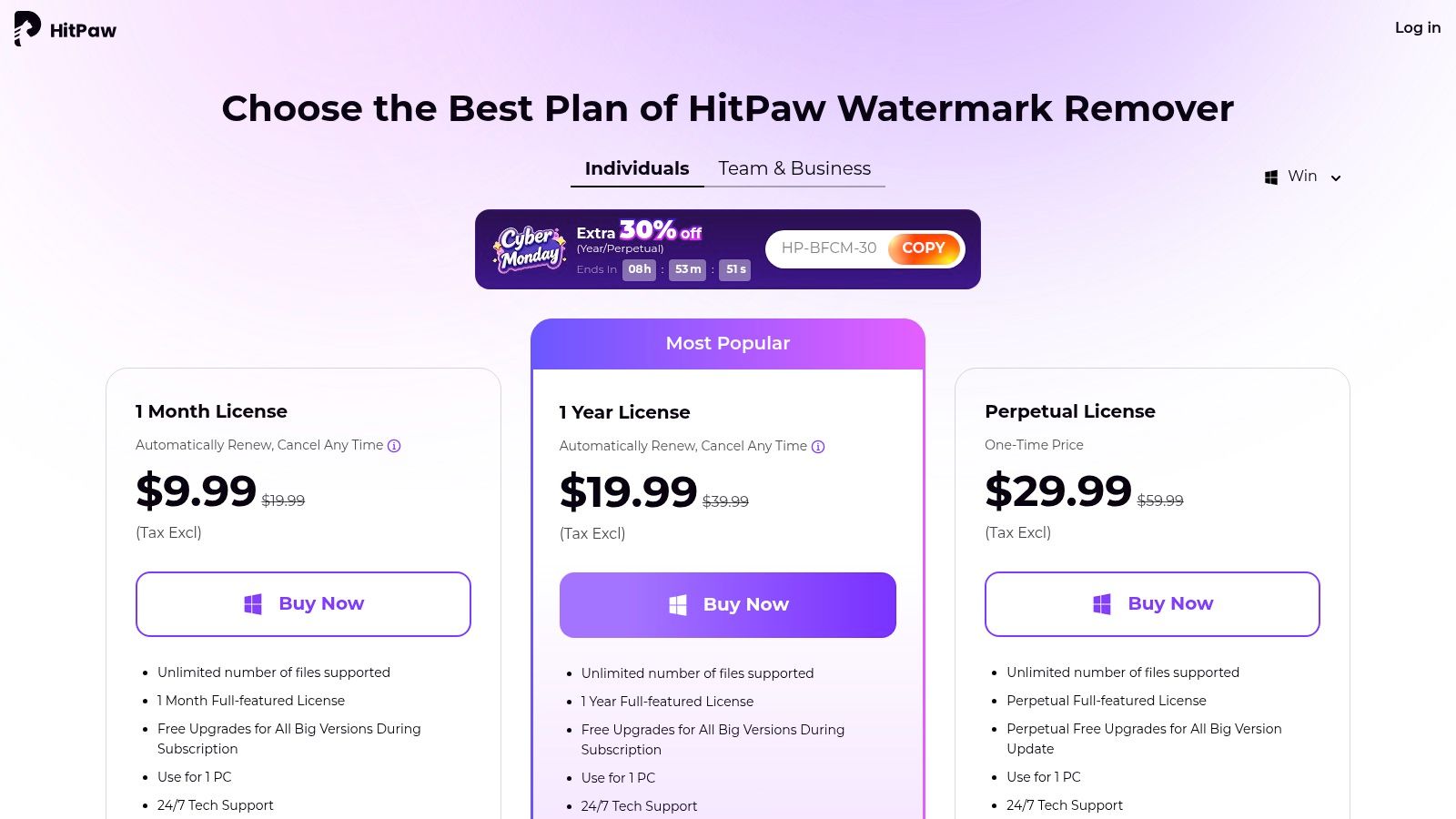
While it operates on a subscription model, HitPaw provides a free trial to test its capabilities before committing. A significant advantage is the availability of a perpetual (one-time purchase) licence, which is great for users who dislike recurring payments. For anyone needing a reliable video watermark remover free from the constraints of an internet connection, this desktop utility is a strong contender. The interface is straightforward, making it accessible even for beginners, and batch processing support is a key feature for those with multiple files.
Key Features & User Experience
- Multiple Removal Modes: Choose between AI-powered removal or manual fill modes (Smooth, Gaussian, Colour, Matte) for tailored results.
- Perpetual Licence Option: Unlike many subscription-only services, HitPaw offers a one-time purchase option for lifetime access.
- Batch Processing: The paid versions allow you to process multiple videos simultaneously, a major time-saver for agencies or creators with high-volume needs.
- Free Trial: You can download the application and test its output on your video before purchasing a licence. Note that the free trial exports videos with a HitPaw watermark.
| Platform | Price | Best For |
|---|---|---|
| Windows & macOS | Free Trial; Paid plans start from £19.99/month | Users needing offline access and more control over the removal process. |
Website: https://www.hitpaw.com/purchase/buy-hitpaw-remove-watermark.html
3. HitPaw Online Video Watermark Remover (browser-based)
As the browser-based counterpart to its desktop software, HitPaw Online Video Watermark Remover offers a zero-install solution for quick edits on the go. It’s ideal for users who need a fast, accessible tool without downloading any applications, making it functional across any device with a modern web browser. The platform works by letting you upload your video, select the watermark area, and then preview the result before committing to a paid export. It’s a straightforward workflow designed for simplicity and speed.

While the free tier is primarily for previewing the tool's capability, upgrading to a paid plan removes the export watermark and unlocks faster processing speeds. This makes it a practical video watermark remover free from installation hassles, though it is best suited for smaller files due to its 500 MB upload cap. For those who value the convenience of an online tool but may need more powerful features for larger projects, comparing the pricing of different services can provide more clarity. Its accessibility and simple interface make it a great choice for one-off tasks or for users who frequently switch between different computers or operating systems.
Key Features & User Experience
- Browser-Based Accessibility: No installation is required, allowing you to remove watermarks from any device with an internet connection.
- Simple Selection Tool: The interface provides a simple box selection tool to cover the watermark you wish to remove.
- Free Preview: You can upload your video and see a preview of the watermark removal before deciding to pay for the final, unwatermarked export.
- Part of a Larger Suite: A paid subscription grants access to HitPaw’s entire suite of online video editing tools, not just the watermark remover.
| Platform | Price | Best For |
|---|---|---|
| Web Browser | Free Preview; Paid plans from £8.99/week | Users needing a quick, one-off watermark removal without software installation. |
Website: https://online.hitpaw.com/purchase/buy-hitpaw-online-video-watermark-remover.html
4. Apowersoft Watermark Remover (desktop)
Apowersoft offers a dedicated desktop program for both Windows and Mac that handles watermark removal for videos and images. Its primary strength lies in its simplicity and direct approach. Users can quickly select the watermark area and let the software process the file, making it a good choice for those who prefer a straightforward, no-fuss application over complex video editors. The tool is designed for users who want a reliable desktop solution without the need for an internet connection to process files.
While it is a paid tool, Apowersoft provides various licensing options, including monthly, annual, and a lifetime plan, often available at competitive promotional prices. This flexibility caters to different user needs, from short-term projects to long-term use. For anyone looking for a simple video watermark remover free from the complexities of advanced editing, this desktop app offers a clean and focused experience, backed by active support channels and a money-back guarantee for peace of mind.
Key Features & User Experience
- Dual Functionality: Supports watermark removal from both video and image files within the same interface.
- Batch Processing: Users can queue up multiple files to remove watermarks simultaneously, which is highly efficient for bulk tasks.
- Lifetime Licence: A one-time purchase option is available, appealing to users who dislike recurring subscription costs.
- Straightforward Workflow: The interface is clean and intuitive, allowing users to select and remove watermarks in just a few clicks.
| Platform | Price | Best For |
|---|---|---|
| Windows & macOS | Paid; Plans include Monthly, Annual, and Lifetime options | Users wanting a simple, offline desktop tool for both video and image tasks. |
Website: https://www.apowersoft.com/shop/watermark-remover.html
5. Apowersoft Online Watermark Remover (web tool)
Apowersoft offers a straightforward, browser-based solution for quick watermark removal, eliminating the need to install any software. This tool is ideal for one-off tasks or for users who need to process a file quickly without commitment. It supports a wide array of video formats, including MP4, MOV, and AVI, making it a versatile choice for various source files. The interface is clean and guides you through the simple process of uploading a video, selecting the watermark area, and processing the file.
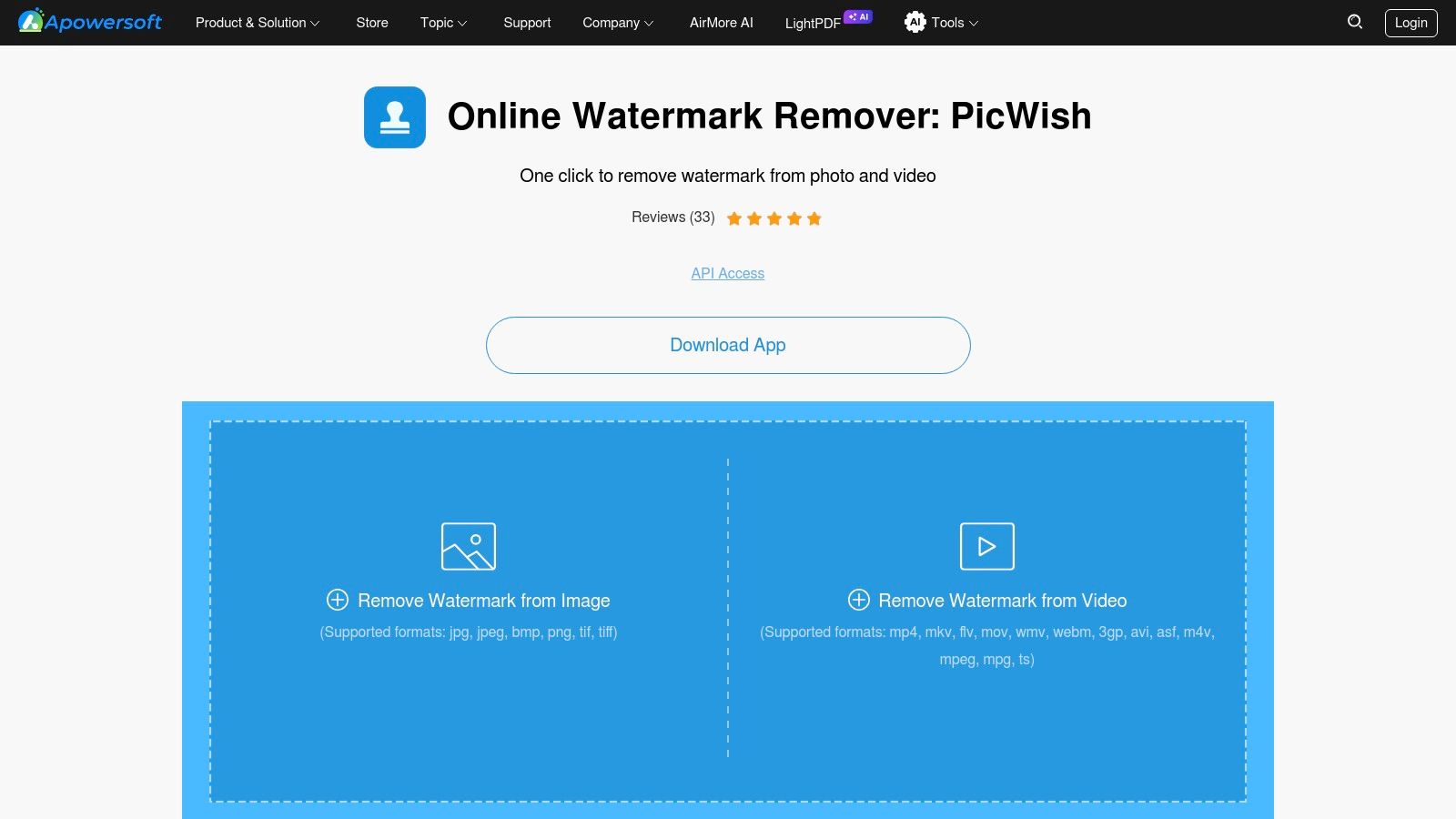
As a completely free online tool, Apowersoft is an accessible option for anyone looking for a video watermark remover free of charge. Its main appeal lies in its simplicity and broad format compatibility. However, being a web-based service means performance is dependent on your internet connection speed for uploads and downloads. For users handling sensitive or client content, the privacy implications of uploading files to a third-party server should be a key consideration. It's best suited for non-confidential, personal projects where convenience is the top priority.
Key Features & User Experience
- No Installation Required: As a purely online tool, it runs directly in your web browser, saving local disk space and setup time.
- Broad Format Support: Handles a wide variety of video file types, such as MP4, MKV, MOV, WMV, and WebM, ensuring high compatibility.
- Batch Processing: The tool allows you to select multiple watermark areas in a single video or upload several files to process at once.
- Simple Interface: The user experience is very intuitive, with clear progress indicators during the upload and processing stages.
| Platform | Price | Best For |
|---|---|---|
| Web Browser | Free | Quick, one-off removals of non-sensitive content without software installation. |
Website: https://www.apowersoft.com/online-watermark-remover
6. SoftOrbits “Remove Logo Now!” (Windows desktop)
SoftOrbits offers a specialised Windows utility, “Remove Logo Now!”, designed specifically for deleting logos and watermarks from video files. As a long-standing tool in this niche, it focuses on automatic detection, meaning it can find and track watermarks, including those that fade in and out, without manual selection. The software leverages an FFmpeg-based engine, which means it doesn’t require a powerful GPU to run effectively, making it accessible on a wider range of hardware.
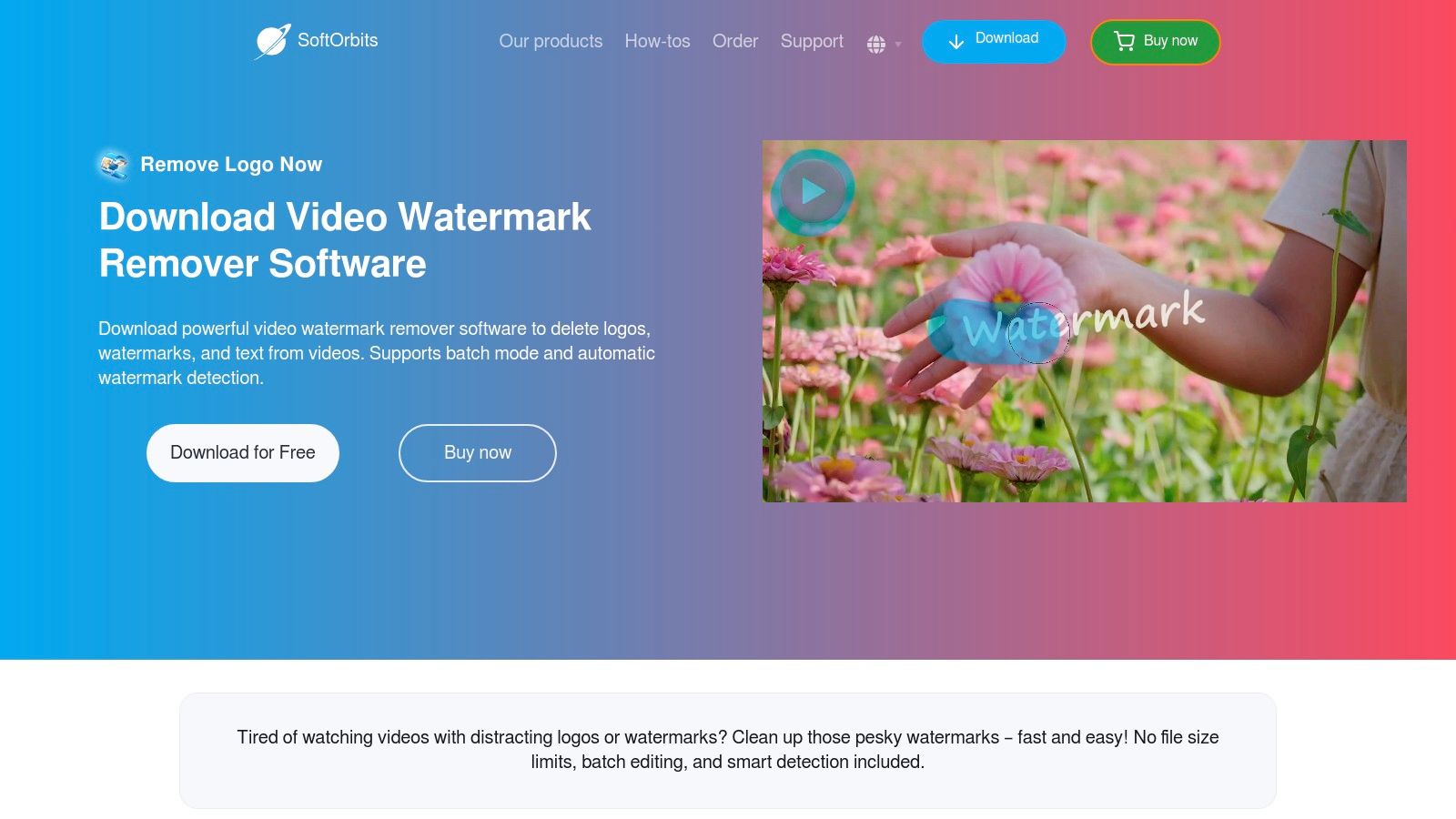
While the tool is primarily a paid product, it provides a free trial for users to evaluate its performance. It’s important to note that its current removal methods often rely on blurring or concealing the watermark rather than perfectly reconstructing the pixels underneath. For users looking for a straightforward, offline video watermark remover free from complex editing controls, the auto-detection feature makes this a compelling option to try, especially for static logos.
Key Features & User Experience
- Automatic Watermark Detection: The software can automatically locate and select static or time-based watermarks, simplifying the removal process.
- Batch Processing: A key feature for users who need to process multiple videos at once, saving significant time and effort.
- CPU-Based Engine: Runs on an FFmpeg engine, removing the need for a dedicated or high-end graphics card.
- Free Trial: You can test the software's capabilities on your own videos before committing to a purchase.
| Platform | Price | Best For |
|---|---|---|
| Windows | Free Trial; Paid licence is around £49.99 | Users needing an automated, offline tool for batch processing videos. |
Website: https://www.softorbits.net/remove-watermark-from-video
7. Media.io Online Watermark Remover (Wondershare / web tool)
Media.io, part of the Wondershare suite, offers a fully browser-based tool powered by AI to tackle unwanted watermarks. This platform is designed for convenience, allowing users to upload, mark, and process videos without any software installation. Its core strength lies in its simplicity and integration with other online editing tools, making it a go-to for social media creators who need to quickly edit and repurpose content for platforms like TikTok, Shorts, or Reels. The tool supports batch processing, which is a significant plus for users with multiple clips.

This video watermark remover free service is particularly handy for straightforward removal tasks on clear backgrounds. Users can simply paint over the watermark using a brush tool, and the AI works to fill in the space. While it aims to minimise blur, the results can vary depending on the complexity of the video’s background. The free tier is excellent for testing, but higher resolution exports or more intensive use may require a subscription, a common trade-off for the accessibility of powerful web-based applications.
Key Features & User Experience
- AI-Powered Removal: The tool uses AI to analyse the pixels around the marked area to provide a cleaner removal, aiming to reduce common blur artefacts.
- Browser-Based Convenience: No software downloads are required, offering cross-platform access from any device with a modern web browser.
- Integrated Toolset: Part of a larger suite of online video tools, allowing for a seamless workflow if you need to trim, crop, or add effects afterwards.
- Batch Processing: The ability to upload and process several videos at once is available, catering to users with higher volume needs.
| Platform | Price | Best For |
|---|---|---|
| Web Browser | Free with limitations; Paid plans offer more features | Social media creators needing a quick, no-install solution for simple removals. |
Website: https://www.media.io/watermark-remover.html
8. EaseUS AI Video Watermark Remover (web tool)
EaseUS offers a straightforward online tool that combines AI automation with manual control, making it a practical choice for quick, occasional tasks. The platform provides a generous daily allowance of two free removals, which is ideal for users who need to process a couple of short clips without committing to a paid plan. It supports both local file uploads and direct imports via URL, adding a layer of convenience. The clear documentation on its privacy policy and usage limits helps build user trust.
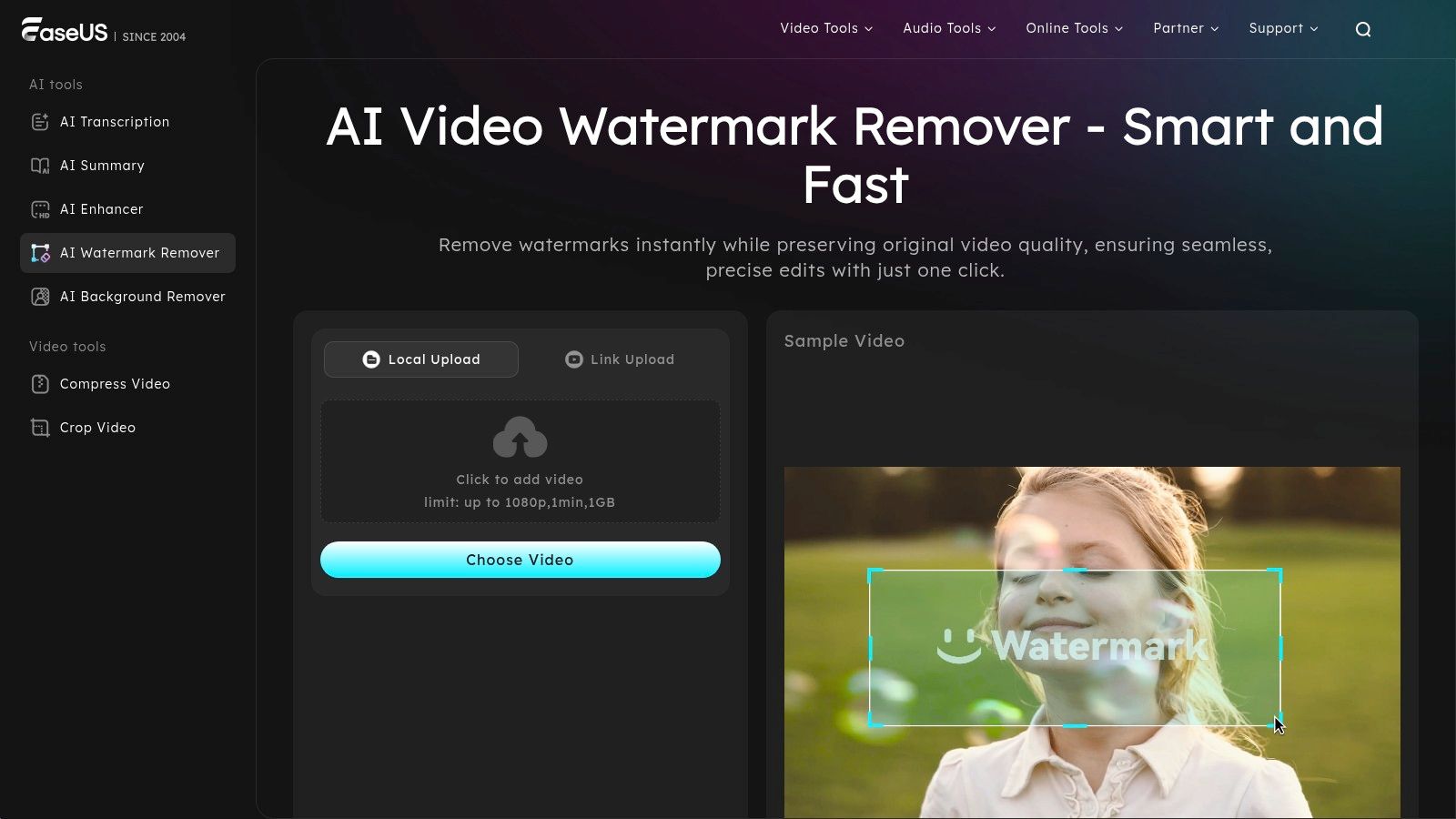
This tool stands out for its well-defined free tier, which allows users to process videos up to one minute long, 1 GB in size, and at 1080p resolution. While these constraints mean it's not suitable for longer or larger projects without upgrading, it's a perfectly capable video watermark remover free for social media clips or quick edits. The guided interface is simple enough for beginners to use effectively for one-off jobs, striking a good balance between accessibility and functionality.
Key Features & User Experience
- AI 'Smart Remove': Automatically detects and removes watermarks with a single click, simplifying the process.
- Generous Free Daily Quota: The free plan includes two watermark removals per day, which is great for light and consistent use.
- Clear Usage Limits: Free tier limits are explicitly stated (1 minute, 1 GB, 1080p), so users know exactly what to expect.
- URL Import Support: In addition to local uploads, you can paste a video URL directly for processing, which saves time and bandwidth.
| Platform | Price | Best For |
|---|---|---|
| Web-based | Free (2 removals/day); Paid plans for higher limits | Users needing a reliable online tool for short, daily removal tasks. |
Website: https://multimedia.easeus.com/video-watermark-remover
9. iMyFone MarkGo (Windows desktop)
iMyFone MarkGo is a dedicated Windows application designed for both video and image watermark removal. It streamlines the process with an AI-powered auto-detection feature that can quickly identify and select logos or objects for removal, making it a highly efficient tool. The software is built for users who need a focused utility without the complexity of a full video editor, offering a clean interface for adding and removing watermarks.
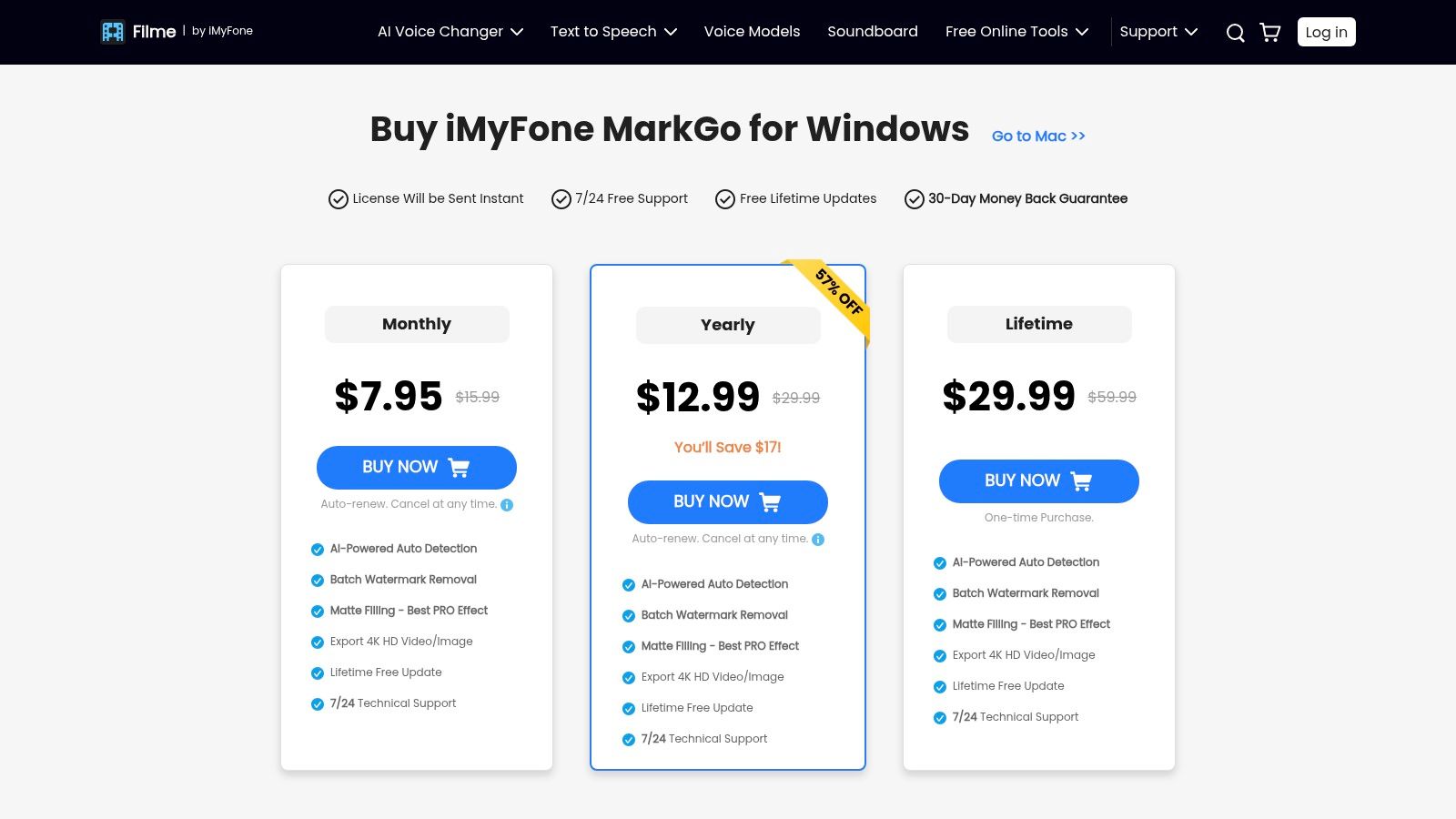
While it is a paid tool, you can download a free version to test its AI detection and removal capabilities on your files. The catch is that exporting the final video is locked behind a subscription. For those needing a reliable video watermark remover free from trial limitations, a paid plan is necessary. However, the ability to process files in batches and export in up to 4K resolution (on paid tiers) makes it a powerful option for high-volume users. The 30-day money-back guarantee also provides a safety net for new buyers.
Key Features & User Experience
- AI Auto-Detection: Automatically identifies logos and objects, significantly speeding up the selection process.
- Batch Removal: The paid version allows you to remove watermarks from multiple videos or images simultaneously.
- High-Resolution Support: Capable of exporting videos in up to 4K quality, preserving detail in high-definition source files.
- Free Testing: The free version allows users to test all features except for exporting the final result, ensuring it meets their needs before purchase.
| Platform | Price | Best For |
|---|---|---|
| Windows | Free to test; Paid plans start from £14.99/month | Windows users needing an AI-assisted tool for quick and batch removals. |
Website: https://filme.imyfone.com/watermark-remover/purchase/
10. Joyoshare VidiKit – Watermark Wizard (Windows/Mac desktop)
Joyoshare VidiKit is a comprehensive desktop toolkit for Windows and macOS, where the "Watermark Wizard" module serves as a capable remover and adder. This tool is ideal for users who need more than just a watermark remover, bundling it with a video editor, converter, and screen recorder. Its strength lies in precision, allowing you to select specific time ranges or segments for removal, which is perfect for dynamic watermarks that appear intermittently.
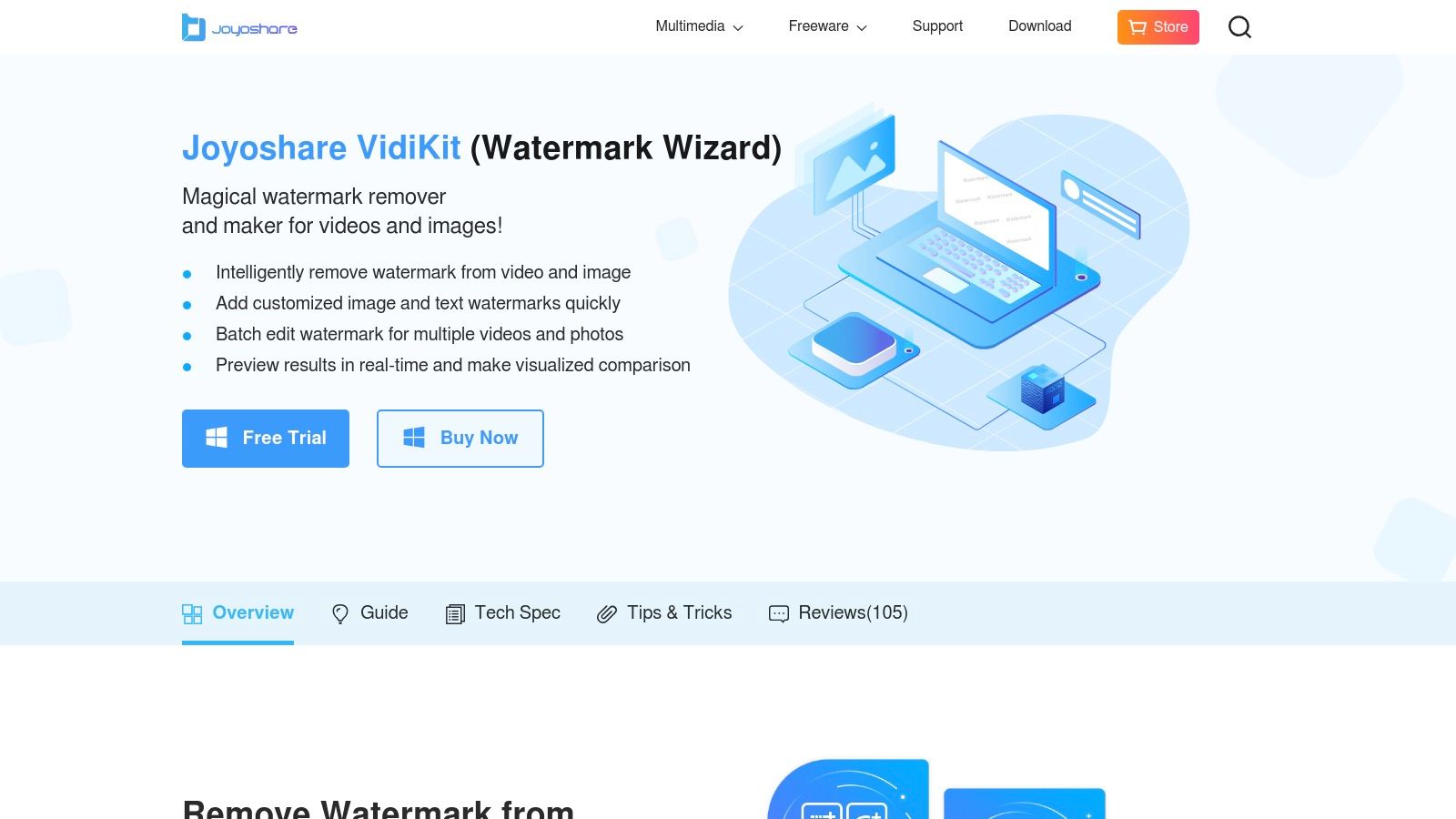
The live preview feature is particularly useful, letting you see the results of your adjustments in real-time before committing to the export. While the software itself is a paid product, it provides a trial to test the watermark removal functionality. For those seeking an all-in-one solution and who are willing to invest in a broader video editing suite, Joyoshare VidiKit offers a powerful and integrated approach to creating clean, professional-looking content. It’s a solid option for anyone looking for a video watermark remover free from the limitations of single-function online tools.
Key Features & User Experience
- Part of a Video Toolkit: The watermark remover is integrated into a larger suite that includes an editor, converter, and recorder, offering great value.
- Segment-Based Removal: You can select specific time segments in the video to apply the watermark removal effect, providing precise control.
- Live Preview: Instantly see how the final video will look as you adjust settings, which speeds up the editing process significantly.
- Batch Processing: The "apply to all" feature simplifies removing the same watermark from multiple clips in one go.
| Platform | Price | Best For |
|---|---|---|
| Windows & macOS | Free Trial; Paid plans start from £14.95/month | Users wanting an all-in-one video toolkit alongside watermark removal features. |
Website: https://www.joyoshare.com/vidikit/edit-watermark/
11. FFmpeg (open-source command-line)
For technical users, developers, and those who prefer complete control, FFmpeg is the ultimate solution. This powerful, open-source command-line toolkit is the backbone of many video processing applications. Rather than a user-friendly interface, it operates via text commands, offering unparalleled flexibility and automation. Its delogo filter works by precisely identifying the watermark's coordinates and interpolating the surrounding pixels to blur or obscure it, providing a fully scriptable method for batch jobs.
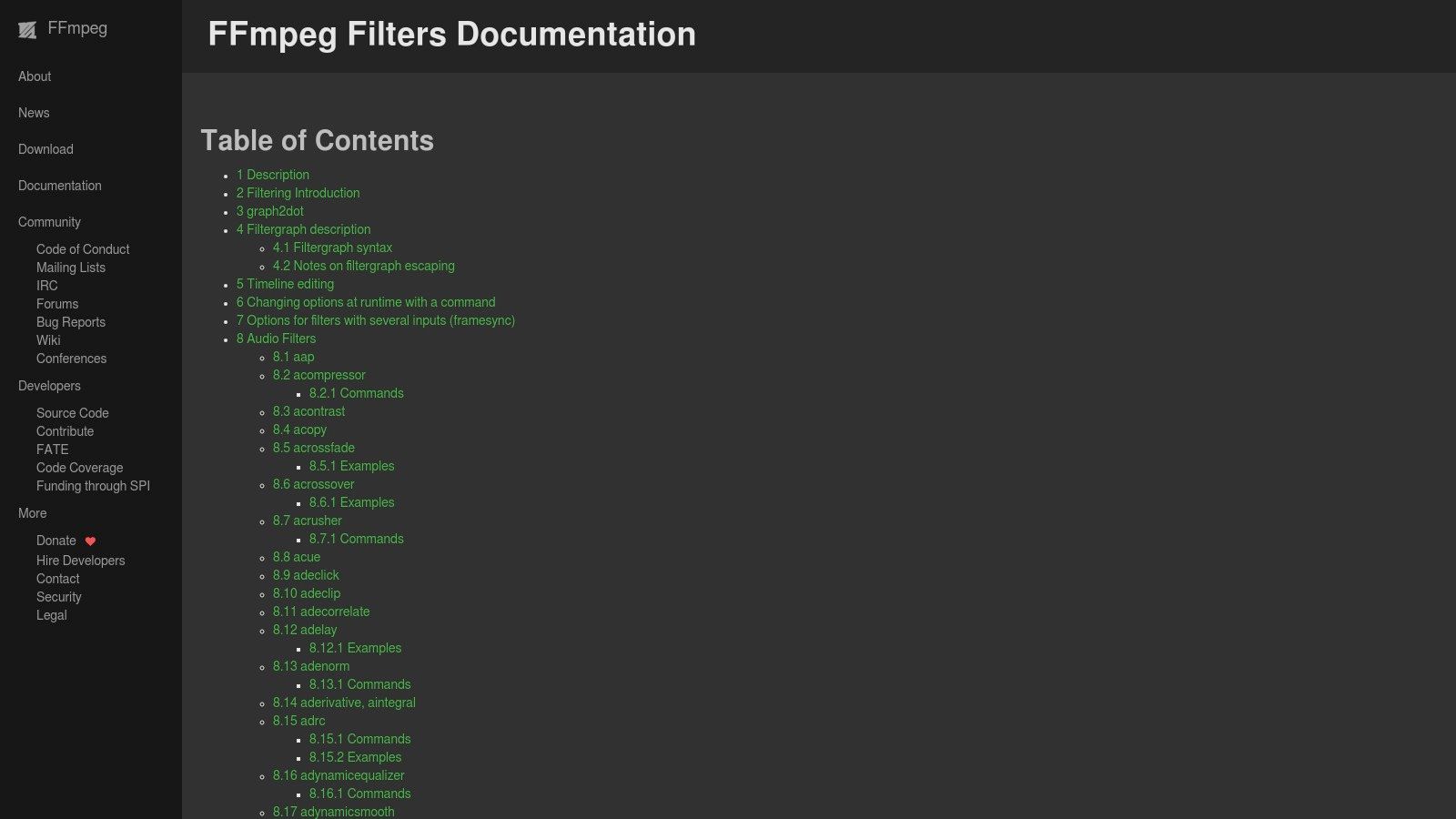
FFmpeg is a completely video watermark remover free from any costs, limitations, or privacy concerns associated with online tools. The steep learning curve is its main drawback, as users must become comfortable with command syntax. However, for those needing to integrate watermark removal into automated workflows or professional pipelines, its power is unmatched. For more insights on advanced video editing techniques, you can explore the SoReel blog. Its cross-platform compatibility (Windows, macOS, Linux) makes it a universally accessible tool for any serious video work.
Key Features & User Experience
- Delogo Filter: A specific filter designed to suppress logos by defining the x/y coordinates and width/height of the watermark area.
- Fully Scriptable: Ideal for batch processing hundreds of videos or integrating watermark removal into larger automated media workflows.
- Completely Free & Open Source: No subscriptions, ads, or limitations on file size, resolution, or usage. It works entirely offline.
- Transparent Controls: Users have exact, granular control over the removal process, though it requires precise parameter tuning for optimal results.
| Platform | Price | Best For |
|---|---|---|
| Windows, macOS, & Linux | Completely Free | Developers and technical users needing a powerful, scriptable, and offline tool. |
Website: https://ffmpeg.org/ffmpeg-filters.html
12. Video Eraser: Retouch Removal (Apple App Store — iPhone/iPad)
For users who primarily work on their iPhone or iPad, Video Eraser offers a convenient on-the-go solution. This app is designed for quick edits, allowing you to remove watermarks, logos, or other unwanted objects directly from your mobile device using a simple touch-based interface. Its standout feature is AI object tracking, which helps automate the removal process even when the watermark or object is in motion, simplifying a normally complex task.
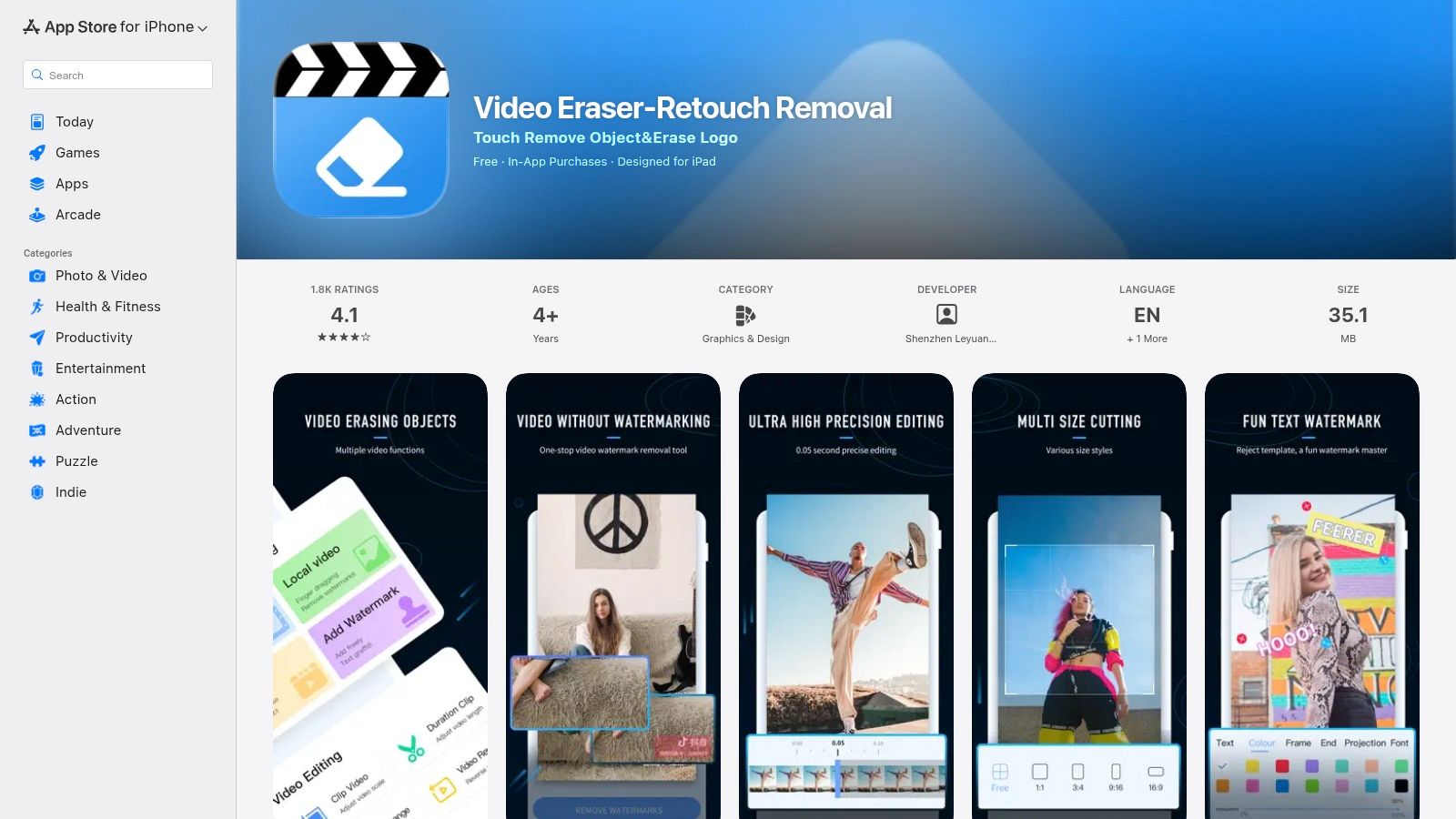
While the app is free to download and use for basic functions, exporting your final video without limitations or accessing premium features requires an in-app purchase. This freemium model lets you test its capabilities on your footage before committing to a subscription. As a dedicated mobile video watermark remover free to download, it's an excellent choice for creators who need to make quick, effective edits without transferring files to a desktop computer. The frequent updates suggest active development and support.
Key Features & User Experience
- AI Object Tracking: Automatically tracks and removes moving logos or watermarks, saving significant manual effort.
- Touch-Based Interface: The erasing process is intuitive and optimised for touch screens, making it easy to select the area for removal.
- All-in-One Editor: Beyond removal, the app also includes tools for adding your own watermarks, text, or images.
- Freemium Model: You can download and try the app for free, with in-app purchases available to unlock VIP features and unlimited exports.
| Platform | Price | Best For |
|---|---|---|
| iPhone & iPad | Free to download; In-app purchases for VIP features | Users needing a convenient, mobile-first tool for quick edits on the go. |
Website: https://apps.apple.com/us/app/video-eraser-retouch-removal/id1577015775
Free Video Watermark Removers — Top 12 Comparison
| Product | Core features | Quality & UX | Price & Value | Target audience | Unique selling points |
|---|---|---|---|---|---|
| SoReel 🏆 | Watermark removal 99.9%; metadata/fingerprint strip; audio restore; AI upscaling; batch & API | Studio-grade, single-pass, fast; ★★★★★ | 💰 Starter $29.99/mo; Pro $49.99; Premium $99; credit-based | 👥 Creators, marketers, studios, agencies | ✨ Pixel-level reconstruction; metadata scrub; platform-ready outputs; automation (API & batch) |
| HitPaw Watermark Remover (Desktop) | Multiple removal/fill modes; batch; Windows/Mac | GUI-friendly; results vary by mode; ★★★★ | 💰 One-time or subscription; free trial | 👥 Casual creators, editors | ✨ Multiple fill modes; perpetual license option |
| HitPaw Online (Browser) | No-install web tool; preview free; paid export; 500 MB cap | Fast for small files; cross-device; ★★★ | 💰 Freemium (paid exports/upgrades) | 👥 Quick edits, mobile users | ✨ Zero-install, device-agnostic workflow |
| Apowersoft Watermark Remover (Desktop) | Video & image removal; batch; multiple licenses | Simple workflow; supported; ★★★★ | 💰 Monthly/Annual/Lifetime (promos) | 👥 Teams, users preferring desktop | ✨ Lifetime & volume licensing options |
| Apowersoft Online (Web) | Free online tool; broad format support; batch | Easy quick tests; progress indicators; ★★★ | 💰 Free tier (server/upload limits) | 👥 One-off users, quick tests | ✨ Wide format compatibility for fast checks |
| SoftOrbits “Remove Logo Now!” (Windows) | Auto watermark detection; FFmpeg engine; batch | Focused tool; static marks OK; ★★★ | 💰 Home license ≈ $59.99 | 👥 Windows users, niche use | ✨ Auto detection for static/time-based marks |
| Media.io Online (Wondershare) | AI removal; brush selection; batch; MP4 HD export | User-friendly; social-video focus; ★★★★ | 💰 Freemium; paid tiers for higher res | 👥 Social-video creators | ✨ AI-assisted minimal-blur removal; tool integrations |
| EaseUS AI Video Watermark Remover | AI Smart Remove + manual; 2 free removals/day; URL/local | Good for light tasks; clear limits; ★★★ | 💰 Freemium (daily free quota) | 👥 Light/occasional users | ✨ Daily free quota; explicit limits & privacy note |
| iMyFone MarkGo (Windows) | AI auto-detect; batch; 4K export (paid) | Streamlined trial workflow; ★★★★ | 💰 Freemium with paid export; IAPs | 👥 Windows users testing before buy | ✨ AI detection + 4K export when paid |
| Joyoshare VidiKit – Watermark Wizard | Remove/add watermarks; segment/time-range; live preview | Part of full toolkit; iterative preview; ★★★★ | 💰 Paid as VidiKit bundle (discounts) | 👥 Users needing editor/recorder/converter | ✨ Time-range edits, live preview, multi-tool suite |
| FFmpeg (Open-source CLI) | delogo filter; scriptable; cross-platform; offline | Extremely flexible & automatable; technical; ★★★★ | 💰 Free, open-source | 👥 Developers, pros, automation pipelines | ✨ Full control, scripting & no export limits |
| Video Eraser: Retouch Removal (iOS) | Touch-based erasing; AI tracking for moving objects; freemium | Convenient on-device edits; ★★★ | 💰 Freemium with IAPs/subscription | 👥 iPhone/iPad creators | ✨ On-device touch + AI tracking for moving logos |
Final Thoughts
Navigating the landscape of free video watermark removers reveals a diverse array of tools, each with a distinct set of strengths and limitations. As we've explored, the ideal solution is not one-size-fits-all but rather depends entirely on your specific project requirements, technical comfort level, and the scale of your operations. From simple, browser-based tools perfect for a one-off edit to powerful desktop applications and even command-line utilities, the options are plentiful.
The journey to finding the perfect video watermark remover free of charge often involves a trade-off. Online tools offer unparalleled convenience and accessibility with no installation required, but frequently come with constraints on file size, processing speed, and may raise privacy concerns. Desktop software, on the other hand, typically provides more robust features, better performance, and greater security, but requires a download and installation process.
Choosing Your Ideal Watermark Removal Tool
To make the best choice, consider these key decision-making factors based on your primary use case:
- For Quick, Single-Video Edits: If you need to quickly clean up a single clip for a social media post, a user-friendly online tool like Media.io or HitPaw's online version is likely your most efficient option. They get the job done with minimal fuss.
- For Higher Quality & Control on Desktop: For content creators and marketers who need more precision and better output quality without batch processing, dedicated desktop software such as Apowersoft Watermark Remover or HitPaw's desktop app offers a significant step up in control and final results.
- For Technical Users & Developers: If you're comfortable with a command-line interface and require maximum control and integration possibilities, the open-source power of FFmpeg is unmatched. It’s the ultimate tool for custom workflows and automation.
- For On-the-Go Mobile Editing: When you're away from your desk and need to edit directly on your mobile device, a dedicated app like Video Eraser for iOS provides a surprisingly capable solution right in your pocket.
- For Professional, Scalable Workflows: For agencies, developers, and high-volume marketers, the limitations of most free tools become a significant bottleneck. When privacy, batch processing, API integration, and studio-grade enhancement are non-negotiable, a professional-grade solution like SoReel becomes the clear choice, bridging the gap between simple free tools and enterprise-level requirements.
Ultimately, the best video watermark remover free tool is the one that aligns with your workflow, quality standards, and long-term goals. We encourage you to experiment with the options presented in this guide to find the one that empowers you to create clean, professional, and on-brand video content efficiently.
Ready to move beyond the limitations of basic free tools and experience studio-grade video processing at scale? Explore SoReel to see how our advanced AI, secure batch processing, and developer-friendly API can transform your video workflow. Start creating watermark-free, professionally enhanced videos today by visiting SoReel.