How to Get a TikTok Without Watermark A Creator's Guide

Learn safe and effective methods to get a tiktok without watermark. Our guide covers top tools and ethical best practices for repurposing your content.
Getting your TikTok video without that pesky watermark is simpler than you might think. The trick is to use a third-party downloader that grabs the original, clean video file before TikTok slaps its logo on it. This is a much cleaner and more professional approach than trying to crop or blur the watermark out after you've already saved it.
For creators and marketers needing pristine clips for other platforms, this is the only way to go.
Why You Need Watermark-Free TikTok Videos
Ever posted what you thought was a brilliant TikTok to your Instagram Reels, only for it to get almost no views? That small, bouncing logo in the corner is often the culprit. While the TikTok watermark is fantastic for giving credit on its home turf, other platforms' algorithms can see it as a signal that the content is repurposed, potentially limiting its reach.
But it’s not just about pleasing the algorithm. Having a clean version of your own video gives you complete creative control. It lets you maintain a consistent brand look across all your social channels without the visual distraction of another platform's logo. A carefully curated Instagram feed, for instance, can look jarring with a random logo popping up.
This image really drives home the difference between a standard download and a clean one.

The change is subtle, but it makes a world of difference. The clean version feels more professional and looks like it was made specifically for whichever platform you post it on, which can have a real impact on how your audience perceives it.
Before diving into the "how," let's quickly summarise the best approaches.
Top Methods for Watermark-Free TikTok Downloads
A quick look at the most effective download methods covered in this guide, helping you find the right solution at a glance.
| Method | Best For | Key Feature | Effort Level |
|---|---|---|---|
| SoReel Downloader | Batch processing & high-quality outputs | Supports 8K upscaling and audio optimisation | Low |
| Screen Recording | Quick, one-off downloads on mobile | Built into most smartphones | Low |
| Manual Cropping | When you have no other option | A last-resort fix for existing videos | Medium |
| Third-Party Apps | Convenience on the go | Direct downloads to your phone's camera roll | Low |
Each method has its place, but using a dedicated tool like a downloader almost always yields the best results.
Maximising Your Content's Reach
Think of your video content as a flexible asset. Once you have a watermark-free version, you can seamlessly repurpose it for all sorts of things:
- Professional Portfolios: A showreel for potential clients or employers looks far more polished without another company's branding on it.
- Marketing Campaigns: Weave your best-performing clips into email newsletters or embed them on your website without any distracting logos.
- Multi-Platform Strategy: Get the most out of your hard work by reposting your best videos to Instagram Reels, YouTube Shorts, and Pinterest Idea Pins.
A watermark-free video is a blank canvas. It gives you the freedom to adapt your content for any audience on any platform, ensuring your message—not the logo—is what stands out. This flexibility is essential for building a cohesive and professional online presence.
The UK Creator Economy Demands It
The sheer volume of content being produced today makes this even more important. In the UK, TikTok's growth has been staggering, with active users predicted to hit 23.3 million by 2025. That audience is expected to generate an incredible 4.7 billion videos that same year, meaning the battle for attention has never been more intense.
For UK-based creators trying to make their mark, cross-posting high-quality, unbranded content isn't just a good idea—it's a vital part of any growth strategy. You can find out more about these UK TikTok trends and their impact on creators.
At the end of the day, downloading your TikToks without a watermark is about taking back ownership of your creative output. It gives you the power to control how and where your content is seen, ensuring it always looks its best and performs as well as possible, wherever you choose to share it.
Comparing Your Options for Downloading TikToks
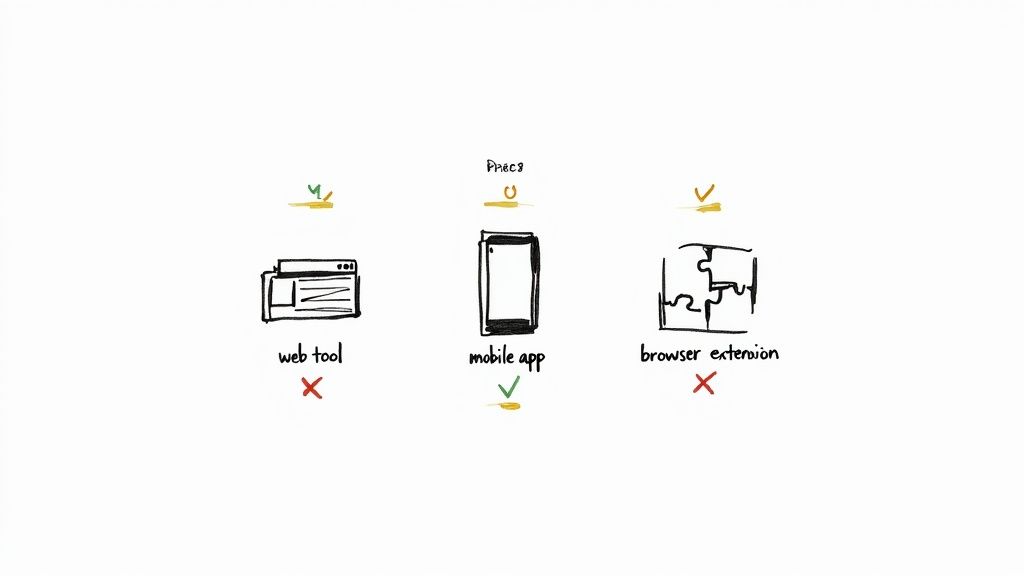
When you start looking for a way to download TikToks without a watermark, you’ll find a ton of tools all promising the world. But here's the reality: the best tool is the one that fits your workflow. A social media manager needing a single clip for an urgent Instagram Story has completely different needs than a video editor building a high-resolution portfolio.
Let's cut through the noise and look at the main options out there: web-based downloaders, dedicated mobile apps, and handy browser extensions. Getting a feel for how each one works will save you a lot of time and hassle down the road.
Web-Based Downloader Tools
Online downloaders are usually the first thing people try, and for good reason. Their biggest draw is accessibility – you don’t need to install a single thing. Just find a site, paste in the TikTok link, and hit download. For a quick one-off job, they’re fast, free, and incredibly simple.
But that convenience often comes with a catch. Many free sites are loaded with aggressive ads, some of which can be pretty sketchy. You also run the risk of clicking misleading pop-ups or download buttons that aren’t what they claim to be. Quality can be a bit hit-or-miss, too, as some sites compress the video, leading to a noticeable drop in clarity.
Still, if you're that social media manager who just needs one video, right now, a reputable web tool is a perfectly fine choice.
Dedicated Mobile Apps
Since most of us live on our phones, a mobile app offers a much more integrated experience. It makes perfect sense to download the content right where you consume and create it. These apps often give you a smoother workflow, letting you share a TikTok link directly to the app and save it straight to your camera roll, watermark-free.
Many of these apps pack in some seriously useful extra features, too:
- Batch Downloading: Need to grab a dozen clips? You can queue them all up at once. This is a game-changer for agencies and content creators.
- Built-in Editing: Some come with basic tools for trimming or making quick adjustments.
- Better Organisation: Your downloaded clips are often kept in a neat library within the app.
The main downside is usually the cost. While you can find free versions, they’re often riddled with ads or have limitations. To really unlock the good stuff, you’re typically looking at a subscription or a one-time purchase. Just be sure to check the app’s permissions and stick with trusted developers to keep your data safe.
Browser Extensions
If you spend most of your time on a desktop, a browser extension can feel like magic. Once you install one, it usually adds a little download button right on the TikTok interface. No more copying and pasting links—it’s a one-click process that feels like it’s part of the platform itself.
This is brilliant for grabbing videos as you browse. The obvious limitation, of course, is that it's tied to your desktop browser, so it's not much help if you do everything on your phone. And just like any extension, it pays to be cautious and only install one from a source you trust.
Comparing Watermark Removal Methods
To help you decide at a glance, here’s a side-by-side comparison. Think about what matters most to you—speed, quality, or features—to find your perfect match.
| Method Type | Ease of Use | Cost | Output Quality | Best Use Case |
|---|---|---|---|---|
| Web-Based Tools | Very high; copy, paste, and download. | Usually free, but often supported by ads. | Can be variable; some sites compress files. | Quick, one-off downloads when convenience is key. |
| Mobile Apps | High; integrates well with the mobile UI. | Free (with ads/limits) or paid subscriptions. | Generally good, with some offering HD. | Batch downloading and managing a library on the go. |
| Browser Extensions | Excellent; one-click download from the page. | Mostly free. | Usually high, as it grabs the source file. | Frequent desktop users who want a seamless experience. |
Ultimately, there isn't one "best" method, just the one that slots most cleanly into your creative process and respects your time.
The need for these tools isn't surprising, especially in highly active markets. Projections show that UK TikTok users in 2025 will spend an average of 49 hours and 29 minutes per month on the app. This incredible engagement creates a constant stream of content, making watermark removal essential for creators repurposing clips for things like the 5,000 daily TikTok Live shopping sessions that drove huge sales in 2024. If you're interested, you can read more about the rise of TikTok engagement in the UK.
Your Guide to Using a Downloader Tool
Alright, we’ve looked at the different ways to grab TikToks, so let's get down to the nitty-gritty. Honestly, using a dedicated downloader tool is almost always your best bet for getting a clean, high-quality tiktok without watermark. This method fetches the original video file straight from the source, so you don't have to deal with the fuzzy quality that comes from screen recording or clumsy manual cropping.
The whole process is pretty simple, but a few small details can make a world of difference in your final video. I'll walk you through a typical workflow, pointing out the key steps and features that separate a basic download from a truly professional-grade clip. We'll use a solid tool like SoReel as our example to see how it's done.
Finding and Copying the TikTok URL
First things first, you need the video’s unique web address. This is the link that points the downloader tool to the exact clip you want to save.
Getting this URL is easy, whether you're on your phone or computer.
- On Your Phone: Fire up the TikTok app and go to the video. Tap the 'Share' arrow on the right side of the screen. A menu will pop up—just look for the 'Copy Link' button. Tap it once, and the link is saved to your clipboard.
- On a Desktop: Head to the TikTok website and find the video you're after. You can either grab the URL right from your browser's address bar or click the 'Share' icon and choose 'Copy link'.
That link is your golden ticket. Now you're ready to head over to the downloader.
Pasting the Link and Choosing Your Options
With the URL copied, open up your chosen downloader tool. You'll typically see a clean interface with a big input box right in the middle. This is where you’ll paste that link.
Once you paste the URL, the tool will take a moment to analyse it and pull up the video. This is where you can really tell a good downloader from a basic one. Instead of just a single "Download" button, the better tools give you a few options to control the final output.
You might see choices like:
- Video Quality: Look for options like "HD," "1080p," or "Original Quality." Always, always pick the highest quality available. You want your video looking sharp.
- File Format: MP4 is the industry standard and works everywhere, so it's usually the safest bet.
- Audio Options: Some tools let you download the video without sound. This is super handy if you plan on adding your own voiceover or a different music track later.
Getting these settings right is crucial. If you choose the highest quality now, your video won't look blurry or pixelated when you repost it to Instagram Reels or YouTube Shorts, where it will get compressed all over again.
Think about it: a marketing agency repurposing a viral client TikTok for a paid ad campaign needs the absolute best quality to protect the brand's image. A casual user might not be as picky, but it's a good habit to always start with the best possible source file. If you're curious about a tool that offers these kinds of options, you can see it in action on the SoReel downloader page.
Beyond a Single Download: Advanced Features
For anyone managing a ton of content—like social media managers or agencies—downloading videos one by one is a massive time-waster. This is where the more powerful downloader tools really prove their worth. Keep an eye out for features built to handle video at scale.
Batch Downloading
Imagine needing to archive a whole month's worth of TikToks for a client or creating a "best-of" compilation from your top 10 posts. A batch download feature is an absolute lifesaver. You can just paste a whole list of TikTok URLs in at once, and the tool will queue them up and process them all in one go. It saves you from endless clicking and copy-pasting, turning what could be an hour-long chore into a quick, automated task.
API Access for Developers
For businesses that need to plug watermark-free downloading directly into their own apps or marketing software, an API (Application Programming Interface) is a game-changer. It lets your own systems talk directly to the downloader service, opening the door for custom automated workflows. For example, a social media scheduling tool could use an API to automatically pull a client's latest TikToks, strip the watermark, and drop them into a content library, ready to be scheduled on other platforms—all without a human lifting a finger. That's how you do content creation at a serious scale.
How to Maintain Video Quality After Downloading
Getting that TikTok downloaded without a watermark is a great start, but it's only half the job. The real challenge is making sure the video looks just as crisp and sounds just as clear as it did on the app. I’ve seen it countless times: someone downloads a video, and it ends up looking fuzzy, pixelated, or just a little off. It completely undermines the reason for removing the logo in the first place.
This quality drop usually comes down to video compression. To save space and speed things up, downloader tools and platforms often shrink the file. In doing so, they strip out visual data, which leads to those blocky artefacts and a general loss of sharpness. You put effort into your content; the last thing you want is for it to look amateurish when you repost it.
Choosing the Right File Format and Bitrate
To sidestep that quality loss, you have to pay attention to the video's technical specs. It's a bit like choosing the right paper to print a photo on—the better the raw material, the better the final result. For video, that starts with the file format.
The most reliable and universally accepted format is MP4. It strikes a perfect balance between high quality and a manageable file size, which is why it’s the standard for virtually every social platform, from Instagram to YouTube. If your downloader gives you options, sticking with MP4 is almost always your best bet.
Beyond the format, bitrate is another critical piece of the puzzle. Bitrate is essentially the amount of data used to create one second of video. A higher bitrate means more data, which translates directly to a clearer, more detailed picture. When you’re downloading a TikTok without a watermark, always hunt for the highest available quality or bitrate setting. Starting with a high-bitrate file gives you more room to play with and ensures your video can handle the inevitable compression that happens when you upload it elsewhere.
Key Takeaway: Always download in the highest resolution and bitrate you can get. You can always compress a high-quality video later, but you can never truly claw back the quality of a low-resolution file once it's gone.
Optimising Your Audio for a Professional Feel
Everyone obsesses over visual quality, but I can tell you from experience that bad audio will kill a great video much faster. Once you've downloaded your clip, take a moment to listen to it properly, ideally with a decent pair of headphones. Sometimes, the audio can get knocked slightly out of sync during the download, or the volume levels can be all over the place.
Here are a few quick checks I always recommend:
- Audio Sync: Watch the video closely. Do the lip movements match the sound perfectly? If they're off, even by a fraction of a second, you can usually nudge the audio track in a simple video editor to fix it.
- Volume Normalisation: Is the audio whisper-quiet or painfully loud? Use an editor to normalise the volume. You want it to be clear and consistent, so your viewers aren't constantly reaching for their volume controls.
- Noise Reduction: If there's a distracting hum or background hiss, many modern editing tools have simple noise reduction features that can clean it up with just a click or two.
This simple workflow shows the fundamental steps for grabbing a clean video using a typical downloader tool.
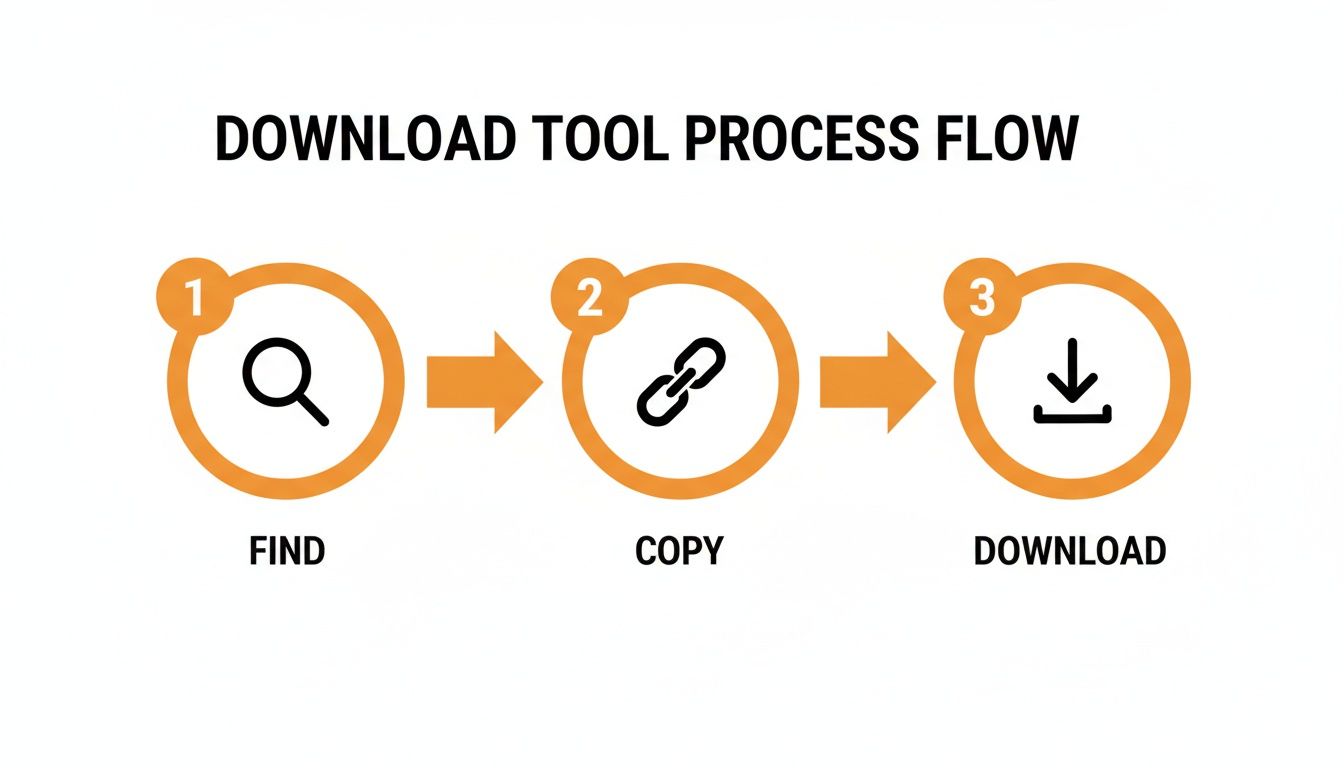
This process—find, copy, download—is the foundation. But it’s these post-download quality checks that turn a simple repost into something that looks and feels professional.
Using AI Upscaling to Rescue Quality
But what if you're stuck with a lower-resolution video? In the past, that was pretty much a dead end. Today, AI-powered upscaling tools can be absolute game-changers. These aren't like the old software that just stretched the pixels, making everything blurry. Modern AI intelligently analyses the image and generates new pixel data to fill in the gaps, effectively rebuilding the video at a higher resolution.
This technology is a lifesaver for breathing new life into older clips or fixing a video that was accidentally downloaded in poor quality. Some tools, like SoReel, even build AI upscaling right into their workflow. This allows you to not only get a TikTok without a watermark but also to enhance its resolution, smooth out compression artefacts, and denoise the footage all in one go. It’s a powerful way to make sure every clip you use looks polished and ready for any professional use case.
Ethical Reposting and Copyright Best Practices
Having the ability to download any TikTok without a watermark is a powerful tool, but with great power comes great responsibility. Let's be clear: these tools are at their best when you're managing your own work. Think archiving your creative portfolio, keeping a clean backup of your best videos, or repurposing something you made for another platform. That’s the most straightforward, ethical way to use them.
The moment you download content made by someone else, however, you're wading into a tricky area of copyright, ethics, and basic online etiquette. This isn't just about sidestepping legal issues; it’s about respecting the time and creativity other people pour into their work. Ignoring these unwritten rules can hurt your reputation and, frankly, makes the creator community a worse place for everyone.
The golden rule is beautifully simple: always get explicit permission before you even think about reposting someone else’s video. A quick, friendly DM is usually all it takes. Most creators are happy to be featured, provided you give them proper credit for their hard work.
The Non-Negotiable Rule of Giving Credit
Just grabbing a video and uploading it as if it’s yours is a huge no-go. Proper credit isn't just a nice-to-have; it's the bare minimum for responsible sharing. And no, a vague "credit to TikTok" in the comments doesn't cut it. You have to point directly and clearly to the person who made the video.
When you're sharing on a platform like Instagram, great attribution has a couple of layers. Don’t just bury their handle in a wall of hashtags where no one will see it. To do it right, you should:
- Tag the creator in the video itself. Use the platform’s built-in tagging feature. This makes their profile instantly accessible with a single tap.
- Mention them right at the start of the caption. Lead with something like, "Incredible video by @[creator's handle]" or "All credit for this brilliant clip goes to @[creator's handle]". This puts their name front and centre.
This two-step approach ensures your audience can easily find and follow the original creator, which is the whole point. You’re not just sharing a cool video; you’re amplifying another creator's voice and sending new fans their way. It’s a win-win.
Reposting without clear, upfront credit is the digital equivalent of plagiarism. The goal isn't just to share content you like, but to amplify the voice of the person who made it. Make their handle the first thing your audience sees.
Understanding Copyright and Fair Dealing
It’s important to realise that downloading someone's content without their go-ahead can be copyright infringement. In the UK, creative work is automatically protected by copyright law from the moment it’s made. The creator holds all the rights to how their video is used, shared, and displayed. Reposting it without their say-so could lead to a takedown notice or, in serious cases involving commercial use, legal trouble.
Some might think their repost falls under "fair dealing"—the UK’s version of fair use—but that’s a risky assumption. This concept is quite specific and usually only applies to things like criticism, review, or news reporting. It almost certainly won't cover simply re-uploading a video to boost your own feed's engagement.
To get a better sense of your responsibilities, it’s always a good idea to check the terms of any service you use. For example, you can read the SoReel terms of service, which clearly outlines the user's obligation to respect intellectual property rights.
Best Practices for Responsible Sharing
So, before you hit 'download' on that viral clip, run through this quick mental checklist. It will help you stay on the right side of creators, platforms, and your own conscience.
- Focus on Your Own Content: The safest, most ethical reason to use a downloader is for your own videos. Let that be your primary motivation.
- Ask for Permission, Clearly: Always ask first. If they say no, respect it. If they don't reply, that's not a "yes".
- Give Prominent Credit: If you get the green light, make your attribution impossible to miss. Tag them in the post and mention them at the very top of your caption.
- Never Use for Commercial Gain Without a Licence: If you want to use someone's video in an ad or for any other money-making purpose, a DM asking for permission isn't enough. You need a formal licensing agreement in place.
Following these guidelines means you can make the most of repurposing content while being a positive, respected member of the creator community.
Common Questions About Watermark-Free TikToks
Trying to download a TikTok without that pesky watermark often brings up a handful of questions. You might be wondering about the legal side of things, whether you'll lose video quality, or simply which tools are actually safe to use. It’s smart to get these things cleared up before you start.
Let's dive into some of the most common queries I hear, so you can go about this confidently.
Is It Actually Legal to Download a TikTok Without a Watermark in the UK?
This is a big one, and the answer isn't a simple yes or no. It all comes down to whose video it is.
If you’re downloading your own content—videos you filmed and own the rights to—you're generally in the clear. Most good tools are designed for exactly this, letting you back up your work or share it on other platforms without the TikTok branding.
The line gets crossed when you download someone else's video. In the UK, that content is protected by copyright. Re-uploading it without getting clear permission from the original creator, especially if you're using it for your own brand or business, could land you in hot water. We're talking takedown notices or even legal trouble.
As a rule of thumb, if it's not yours, you need consent and you must give proper, visible credit. Anything less is a big risk, both legally and ethically.
Does Removing the Watermark Ruin the Video Quality?
This is a common misconception, but here's the good news: no, not if you use the right tool. A top-tier downloader doesn't actually "remove" the watermark by editing it out.
Instead, it cleverly grabs the original, high-resolution video file directly from TikTok's servers before the platform stamps the watermark on it. This means you get the video in its pure, source quality.
On the other hand, methods like screen recording or using dodgy, low-quality apps will almost always degrade the quality because of compression. Always opt for a tool that's known for keeping the resolution intact.
Can I Get Rid of a Watermark on a Video I’ve Already Saved?
Technically, you can, but I really wouldn't recommend it. Once you’ve saved a video from the TikTok app, that watermark is baked into the video frames for good.
Getting rid of it means using video editing software to either crop the video (chopping off the edges) or blur out the logo. Both options just look clumsy and unprofessional. Cropping messes with the framing, and a blurry spot is a dead giveaway that the video has been tampered with. It's always better to go back to the original video link and use a proper downloader from the start.
Are There Any Safe and Free Downloader Tools Out There?
Absolutely, there are plenty of free options, but you need to be a bit careful. Many free online tools are funded by ads, which can be annoying at best and malicious at worst.
When you're checking out a free service, look for these signs of a trustworthy tool:
- A Clean Interface: Good sites usually have a simple, uncluttered design without being plastered in pop-ups.
- Good Reviews: See what other people are saying online. It’s a great way to gauge if a tool is reliable and safe.
- No Personal Info Needed: A downloader has no reason to ask for your TikTok password or any other personal details.
For one-off downloads, a well-regarded online tool is a solid choice. If you have more questions, it's worth checking out a more detailed FAQ about video downloading.
Ready to create pristine, professional-grade videos without the hassle? SoReel uses advanced AI to deliver perfectly clean, high-quality clips every time. Try SoReel today and see the difference for yourself.