tiktok watermark remover: expert tips for creators

Discover a tiktok watermark remover to use on your own videos. Trusted tools, step-by-step workflows, and practical tips to protect originality.
For any creator or brand serious about their video strategy, a TikTok watermark remover has become an indispensable part of the toolkit. It’s all about taking a video you’ve poured your heart into and making it look sharp and professional, no matter where you post it. Think of it as creating a clean, master version of your work, ready for Instagram Reels, YouTube Shorts, or any other channel where you want to make an impact.
This ensures your brand looks cohesive and polished everywhere, not like an afterthought copied from somewhere else.
Why You Should Be Repurposing Your TikToks
Let’s be honest: creating great video content takes real time and effort. It's a huge waste to let that hard work sit on just one platform. Repurposing your TikToks is simply a smart way to get the most out of your creative investment, allowing you to connect with new audiences and drive your message home without having to constantly reinvent the wheel.
But here's the catch—slapping a video with a blatant TikTok watermark onto a rival platform like Instagram just doesn't feel right. It instantly tells your audience (and, more importantly, the platform's algorithm) that the content is a hand-me-down. A clean, watermark-free video isn't just a nice-to-have; it's a strategic move.
Widen Your Audience and Keep Your Brand Looking Sharp
Picture this: you're a UK-based boutique and you've just nailed a product showcase video on TikTok. It's getting great engagement. That exact same video could be a top performer on Instagram Reels, pushing sales, or it could help you build a loyal following over on YouTube Shorts.
By removing the watermark, you present that content as if it were made specifically for each platform. It’s about maintaining a seamless, professional brand identity that feels intentional, not lazy. This isn't just about looking good, either. It’s about performance. Platforms are designed to promote original-feeling content, and a watermark from a competitor can sometimes get your video pushed down the feed.
A clean version of your video gives it the best possible shot at organic success, free from any distracting cross-platform branding. It’s about taking full ownership of your creative work.
The UK Scene is All About Multi-Platform Content
This strategy is becoming more and more vital, especially here in the UK. TikTok’s grip on the market is massive, with forecasts suggesting it could hit 62.5 million users in the UK by 2025. That incredible audience makes it the go-to spot for creating content, but the smartest creators and marketers know the journey doesn't stop there.
As more and more content gets made for this booming audience, the need for tools to adapt it for other channels is exploding. That's why a good TikTok watermark remover is no longer a niche tool—it's a standard part of a modern creator's workflow. For more on content strategies and the tools that power them, you can always explore the articles on our blog.
More Than Just a Quick Fix
Thinking of watermark removal as just a technical tick-box exercise is missing the point. It’s the foundational step in building a powerful content strategy that lets you:
- Create a Unified Brand: Your presence looks consistent and professional, no matter where people find you.
- Squeeze Every Ounce of Value from Your Content: Why make one video for one platform when it can work for you on three or four?
- Shape How Your Audience Sees You: Deliver content that always feels native, polished, and high-quality.
The table below breaks down exactly why a clean, unbranded video is so valuable across different social media channels.
Platform-Specific Benefits of Clean Video
| Platform | Primary Benefit | Strategic Use Case |
|---|---|---|
| Instagram Reels | Increased Organic Reach | Instagram's algorithm prioritises content that feels native. A clean video is more likely to be featured on the Reels tab and Explore page. |
| YouTube Shorts | Building Channel Authority | Presenting polished, watermark-free Shorts helps establish your channel as a credible source, encouraging subscriptions. |
| Facebook Reels | Maximising Ad Potential | When running video ads, a clean version looks far more professional and can lead to higher conversion rates without promoting a rival platform. |
| Pinterest Idea Pins | Aesthetic Cohesion | Pinterest is a highly visual platform. A watermark-free video fits seamlessly into curated boards and maintains a polished aesthetic. |
Ultimately, repurposing isn't just about saving time; it's about being strategic. Starting with a clean, un-watermarked video gives you the flexibility to win on every platform.
A Practical Workflow for Clean Watermark Removal
Getting a truly clean, professional-looking video isn't about spending hours in a complicated editing suite. It all comes down to a solid, repeatable workflow. I'm going to walk you through a process that delivers flawless results every time, moving beyond the basic advice you see everywhere else. This is about understanding the small choices that make a huge difference to your final video.
Fundamentally, you're going to start in one of two ways: either you have the direct link to the TikTok, or you've already saved the video file to your device. Each route has its place, and a good tool will handle both without breaking a sweat. Pasting a URL is usually the quickest way to get the job done, while uploading a file you already have gives you a bit more control.
URL vs. Upload: Which Is Right for You?
So, when should you use a link versus uploading a file? It really just depends on your immediate goal.
If you’ve just seen a great clip of yours on TikTok that you want to share on Instagram Stories right now, grabbing the URL is the fastest path. You just copy the link, paste it in, and let the tool do its thing. It’s a direct line to the source.
On the other hand, let's say you've spent the week downloading a batch of your best-performing videos. Now you want to edit them into a compilation for YouTube. In that case, uploading the files straight from your computer or phone is the way to go, especially if you’ve already trimmed them or made other tweaks offline.
This simple infographic really nails the modern creator's journey: create, clean, then share.
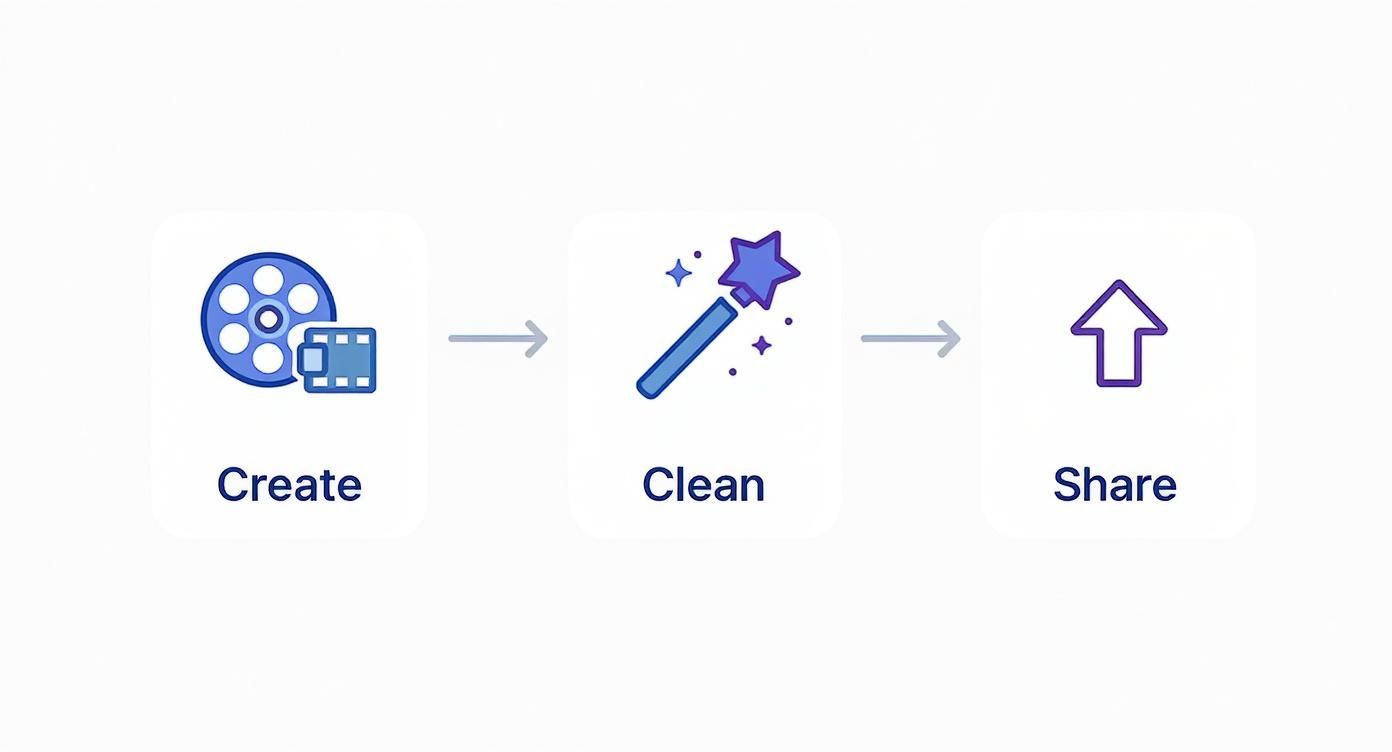
As you can see, watermark removal isn't an afterthought; it’s a critical bridge between creating your content and getting it out to a wider audience on different platforms.
Whichever method you pick, a modern tool like SoReel keeps the process dead simple, with a clean interface that doesn't leave you guessing.
How the AI Actually Reconstructs Your Video
Here’s what really separates the good TikTok watermark removers from the bad ones: the tech working under the bonnet. Older, clunkier tools would just blur or crop out the watermark, leaving an ugly, distracting smudge. That’s not going to cut it anymore.
Today's smart AI tools are far more sophisticated. They don't just hide the watermark; they perform invisible pixel reconstruction.
In essence, the AI analyses the pixels around the watermark in every single frame. It then uses that visual information to predict and generate brand-new pixels to fill the space, effectively rebuilding that part of the image from scratch.
This means you get no blurry patches or weird distortions. The final video looks like the watermark was never there in the first place, maintaining the original quality of your hard work. It's a complex process that, thankfully, happens in seconds.
The Key Settings for a Perfect Result
While the AI handles the heavy lifting, a few settings can take your video from good to great. When you're using a professional-grade tool, look for options that go beyond just the basics.
Metadata Stripping: This is a big one that most people miss. Video files contain hidden data—digital "fingerprints"—from their original source. Stripping this metadata helps your video look like native content when you upload it elsewhere, which can help avoid getting penalised by the algorithm.
Audio Optimisation: TikTok's audio is often heavily compressed. When you repurpose it for another platform, the sound can come across as a bit weak or tinny. Look for audio enhancement options that can normalise the volume or boost clarity. Crisp audio is just as important as clean visuals.
Resolution Upscaling: Was your original TikTok not filmed in glorious 4K? An AI upscaling feature can be a real lifesaver. It intelligently enhances the video resolution, sharpening the details and making your content look even better than the source file.
Ticking these boxes turns a simple removal job into a full video enhancement process. This is the kind of detail that makes your content stand out and perform better across every channel you post on.
Advanced Tips for a Truly Professional Finish
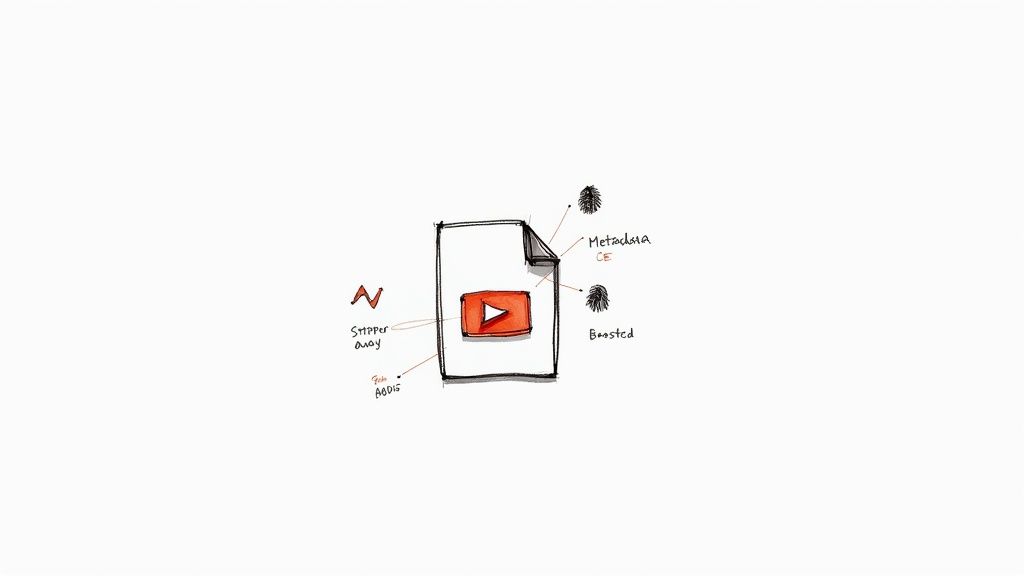
Running your clip through a tiktok watermark remover is a great start, but it’s really just scratching the surface of a professional workflow. If you want your repurposed content to genuinely look and feel native on other platforms, you have to think beyond what you can see. The tiny, often invisible details are what separate amateur reposts from high-performing content.
To really level up, you need to look under the bonnet of the video file itself. This means getting rid of the digital breadcrumbs left behind, like metadata, and making sure the audio is as clean as the visuals. Taking these extra steps will give your content a serious edge, making it seem like it was tailor-made for every platform you post it on.
Wiping the Digital Fingerprints
Every video you download from a platform like TikTok carries hidden information embedded in the file, known as metadata. Think of it as a digital tag that can reveal things like the original creation date, the device it was filmed on, and, crucially, that it came from TikTok. When you upload that video to Instagram or YouTube, their algorithms can potentially read this tag.
While platforms don't shout about it, a lot of creators have noticed that this can lead to their reach being throttled. It makes sense—algorithms are designed to favour original content created for their platform. Just cropping the watermark out does nothing to solve this; the digital fingerprint is still there.
A proper tiktok watermark remover doesn't just paint over pixels. The best tools will also strip this metadata clean, giving you a completely fresh file that looks brand new to any algorithm.
I can't stress this enough: it's one of the most overlooked parts of repurposing content, but it can make a massive difference. You're no longer just reposting a video; you're strategically redeploying a creative asset for maximum impact.
Optimising Audio for a Premium Feel
We've all been there—you see a great-looking video, but the audio is terrible. Bad sound kills good content, simple as that. TikTok often compresses audio to keep file sizes down, which works fine in its own ecosystem. But on platforms like YouTube, where viewers might be using headphones or high-quality speakers, that same audio can sound tinny and flat.
This is where you can really add a professional polish. When you're picking a tool, check for built-in audio optimisation features. These are the key things I look for:
- Volume Normalisation: This levels out the audio so there are no sudden loud bursts or moments that are too quiet. It just makes for a much better listening experience.
- Noise Reduction: AI-powered noise reduction is brilliant for cleaning up any background hiss or ambient noise from the original recording, making the important stuff stand out.
- Voice Clarity Enhancement: If you're doing talking-head videos or voiceovers, this is a game-changer. It boosts the specific frequencies of the human voice, making it crisp and clear.
Sorting out the audio gives your content a much more premium, polished feel. It's an attention to detail that helps your video hold its own against native content.
From Standard Definition to Stunning HD
Another powerful feature you should keep an eye out for is AI-powered video upscaling. Let's imagine you recorded a TikTok in 1080p, but now you want to feature it in a 4K YouTube video. If you just stretch the original clip, it’s going to look blurry and pixelated.
AI upscaling is far more intelligent. It analyses the video frame by frame and cleverly adds new pixels to boost the resolution without wrecking the quality. This process can bring out hidden details, smooth over compression artefacts, and make your video look sharp and clear, even on a big screen. It’s an absolute must if you want your content to meet the high standards of every platform, making your brand look top-notch and your videos far more engaging.
Taking Your Content Repurposing to the Next Level
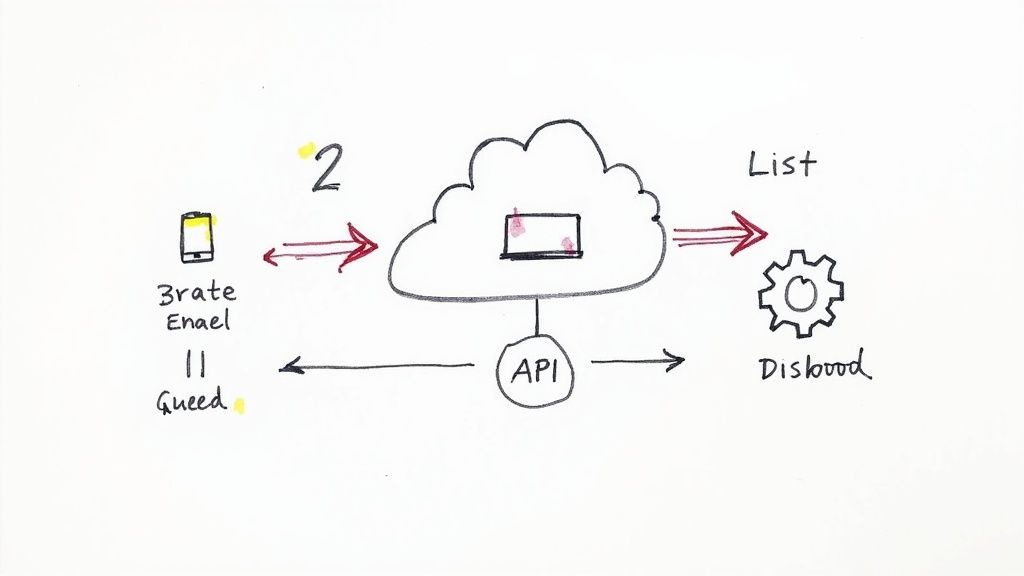
If you're a solo creator, processing one video at a time is perfectly fine. But when you’re an agency, a social media manager, or a brand juggling a packed content calendar, that manual process quickly grinds everything to a halt. When you’re faced with dozens of videos every week, you need a workflow that helps you scale, not one that holds you back.
This is the point where you shift from one-off edits to a truly systematic approach. The real aim is to win back all those hours spent on repetitive clicks, freeing you and your team up to focus on the creative and strategic work that actually matters. Thankfully, modern tools are designed to solve exactly this problem.
Get Efficient with Batch Processing
Let’s say you’ve just wrapped up a brilliant campaign and now have 30 new TikToks you want to get onto Instagram Reels and YouTube Shorts. Honestly, the thought of copying and pasting 30 individual links is tedious enough to make you put it off until tomorrow. This is precisely where batch processing comes in.
Instead of working through a one-by-one queue, you can upload multiple video files or just paste a whole list of URLs and let the tiktok watermark remover handle them all at once. It’s a simple concept, but the impact on your productivity is huge.
Batch processing isn’t just about being faster; it’s about being smarter with your time. You can queue up a whole batch of videos, go grab a coffee, and return to a folder full of clean, ready-to-post content. For any busy team, that’s a game-changer.
This method is ideal for:
- Weekly Content Sprints: Process all of last week's TikToks in one go.
- Campaign Rollouts: Get all your video assets ready for a multi-platform launch simultaneously.
- Archiving Your Work: Create clean master copies of your entire video library for future campaigns.
Go Fully Automated with API Integration
For marketing agencies, developers, or any business running custom content systems, even batching might not be enough. If you need to plug watermark removal directly into your existing applications or automated sequences, what you're looking for is an API (Application Programming Interface).
An API basically acts as a secure bridge, allowing different software systems to communicate and work together. For our purposes, it lets your Content Management System (CMS), social media scheduler, or custom-built app send a video to a service like SoReel for cleaning and receive the finished version back—all without a single manual click.
This kind of integration opens up a completely new way of working.
How an API Works in the Real World
Let's get practical. Here’s how different businesses could actually use an API for removing TikTok watermarks:
- Social Media Scheduling Tools: A scheduler could be set up to automatically grab a new TikTok, send it through the API for cleaning, and then drop the watermark-free video right into the content library, ready for scheduling on Reels and Shorts.
- Digital Asset Management (DAM) Platforms: An agency's DAM could have a rule that any video tagged "TikTok" is automatically sent for processing, has its metadata stripped, and is saved as a "master file" for the team to repurpose.
- User-Generated Content (UGC) Platforms: A brand collecting UGC could use an API to instantly clean videos submitted by creators before they’re featured on the company website or other social channels.
This transforms watermark removal from a manual chore into an invisible, automated process that just runs in the background. By building this capability directly into your workflow, your team can create powerful, efficient content pipelines that operate at any scale. A good starting point is to explore the different API and batch processing options in SoReel’s pricing plans to see what fits your team's specific needs.
Navigating Copyright and Ethics in the UK
https://www.youtube.com/embed/1PvjRIkwIl8
Using a tool to remove a TikTok watermark is incredibly useful, but it also carries some serious responsibilities, especially under UK law. The technology itself isn't the problem; it’s all about how you use it. Getting this right is more than just dodging legal headaches—it's about protecting your reputation as a creator and respecting the community you're a part of.
At its heart, the whole issue comes down to one simple question: who owns the content?
If you're stripping the watermark from a video you filmed, edited, and own, you're almost certainly in the clear. You’re simply preparing your own intellectual property to be shared on other platforms, which is a savvy and completely legitimate content strategy.
However, things get complicated fast when you use a tool on someone else's video without getting their permission first. That's when you can easily wander into the territory of copyright infringement.
Understanding the Legal Lines
In the UK, copyright isn't something you have to apply for; it's an automatic right given to the person who creates an original piece of work. The second someone records a TikTok video, they own the copyright. Using their work without their say-so—which includes downloading it, removing their watermark, and reposting it—can be a direct breach of their rights under the Copyright, Designs and Patents Act 1988.
TikTok's own policies are crystal clear on this, too. The watermark is there for a reason: to protect and promote creators. Trying to get around it for content that isn't yours goes against their community guidelines and the whole spirit of the platform.
The demand for these tools is huge. Just look at the numbers: worldwide, TikTok saw around 192 million downloads in the second quarter of 2025. While it’s tricky to get exact figures for watermark removal apps in the UK, the country's massive TikTok audience means a lot of people are searching for these solutions. You can dig into more global app download trends on Statista.com.
The Golden Rule of Ethical Repurposing
So, what's the right way to handle this? The answer is actually pretty simple: always put permission and attribution first. If you find an amazing video you want to share, the best methods are built right into the app. Use the Duet or Stitch features, as they automatically preserve the original creator's credit.
If you feel you absolutely must have a clean version of their clip, you need to ask them for permission. A quick DM can make all the difference.
When you do have permission to repurpose someone else's video, make sure you give them clear and obvious credit in your caption. Tagging their handle and adding a line like "Credit: @creatorname" should be your absolute minimum.
This simple act of crediting shows respect for the original creator and builds trust with your own audience.
Here’s a quick guide to keep you on the right track:
- Your Own Content: Go for it. Use a watermark remover to get clean master copies of your videos ready for Instagram, YouTube Shorts, or anywhere else.
- Someone Else's Content: Never, ever remove the watermark without explicit permission from the person who made the video.
- Always Give Credit: Even when you have permission, always tag and credit the original creator in your post.
Following these principles will help you build a solid reputation, steer clear of legal issues, and contribute to a more respectful and creative online space. For a closer look at the rules for specific tools, it’s always a good idea to read through the user agreements, like the ones detailed in our breakdown of SoReel's terms.
Your Top Questions About Watermark Removers, Answered
Once you start looking into repurposing your videos, a few questions always pop up. It's totally normal. Using a TikTok watermark remover can feel a bit like navigating a grey area, and it's smart to think about video quality, platform rules, and the legal stuff.
We’ve pulled together the most common queries we get from creators and marketers here in the UK to give you some straight answers. Let's clear up the confusion so you can get on with creating.
Is It Actually Legal to Remove a TikTok Watermark in the UK?
This is the big one, and the answer really boils down to how you plan to use the video.
If you’re taking the watermark off your own original content—videos you shot and created yourself—to post on other channels like Instagram Reels or YouTube Shorts, you're generally in the clear. You own the intellectual property, and you're just getting it ready for a wider audience.
Where you run into trouble is when you remove a watermark from someone else's video and pass it off as your own without permission. That’s a fast track to copyright infringement under UK law. The golden rule? Always stick to your own work. If you absolutely must repurpose someone else's clip, get their explicit permission first and make sure you credit them properly.
Will My Video Quality Drop After Removing the Watermark?
Not if you're using the right tool. This is a massive fear for anyone who's seen the blurry, pixelated mess that older apps used to create. Those tools often just crudely cropped the video or smudged the watermark, which screamed "cheap repost" and looked awful.
Today's best tools are built to protect your video's quality. Advanced AI-powered removers, like SoReel, don’t just slap a box over the watermark. They actually analyse the pixels around it and intelligently reconstruct the missing area. The result is a seamless removal that’s virtually undetectable, with no noticeable drop in quality. Some can even upscale your video to look even better than the original.
Can Instagram Tell I've Repurposed a TikTok and Penalise Me?
Yes, they absolutely can, and it's something you need to be aware of. The algorithms are getting smarter every day. They're not just scanning for a visible watermark; they can dig into hidden video metadata and digital ‘fingerprints’ that are unique to each platform. This is exactly why simply cropping out the logo isn’t enough.
If Instagram’s algorithm spots these digital breadcrumbs, it might flag your video as non-native content and throttle its reach. Your video just won't perform as well. A professional TikTok watermark remover that also scrubs this metadata clean is your best defence. It gives your video a fresh start, making it far less likely to be penalised and helping it perform as if it were made for Instagram from the get-go.
What's the Best Free TikTok Watermark Remover?
Look, there are heaps of free online tools out there, but they almost always come with a catch. You’ll often run into frustrating limitations like:
- Low-Resolution Exports: Many free services cap you at 720p, which just doesn't cut it if you want a professional look.
- Annoying Ads: Some sites are a minefield of pop-ups and distracting banners.
- Painfully Slow Speeds: Free servers get bogged down, meaning you could be stuck waiting around for your video to process.
- Dodgy Security: Let's be honest, you don't always know who is behind a free site, and some can be a gateway to malware.
For anyone serious about their content, a reliable paid tool is a much better investment in the long run. The "best" free option is one that works without compromising your computer's security, but it's never going to match the features and reliability you get from a premium service. Most of the top-tier platforms offer a free trial, so you can test the quality for yourself before you commit.
Ready to create clean, professional videos that perform everywhere? With SoReel, you can remove watermarks, strip metadata, and enhance your video quality in a single step. Try SoReel today and see the difference for yourself!
Article created using Outrank