How to Get a TikTok Video Without Watermark

Discover the best methods to download a TikTok video without watermark. This guide covers safe online tools, desktop software, and key ethical considerations.
Grabbing a TikTok video without the watermark is a must for any creator looking to get more mileage out of their work. If you're cross-posting to Instagram Reels or YouTube Shorts, a clean, unbranded video is essential to avoid being penalised by their algorithms. It's all about maintaining a professional look and ensuring brand consistency, all while preserving the original video quality and respecting copyright.
Why Bother Getting a Watermark-Free TikTok Video?
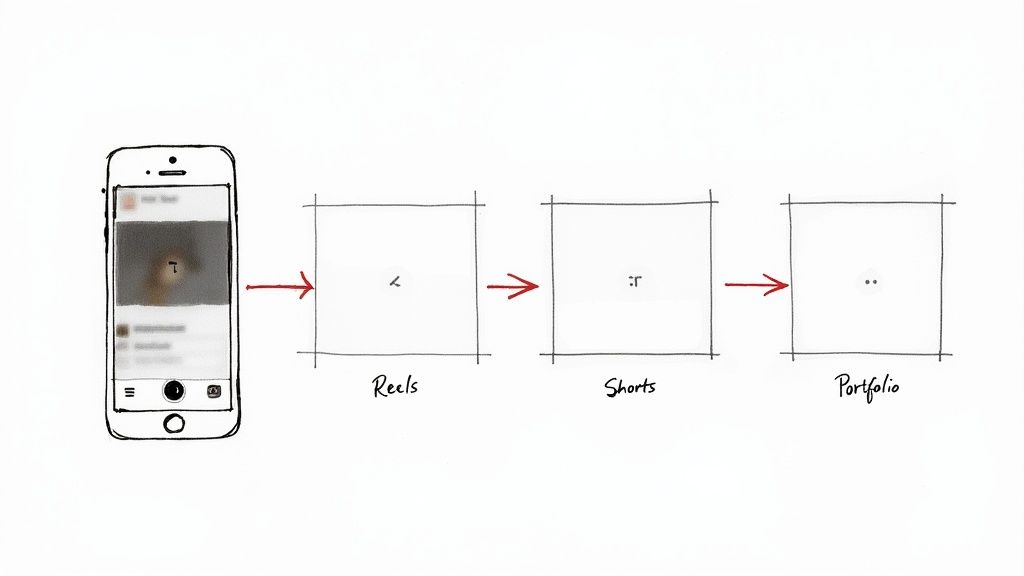
So, you’ve put in the work—the edits are flawless, the timing is perfect, and you've nailed a trending sound. But the moment you save it, that little TikTok logo starts bouncing around your masterpiece. It’s a clever branding play by TikTok, sure, but it's a real pain for creators and marketers trying to repurpose their content.
Getting Your Content Seen Everywhere
The main driver here is having a smart multi-platform content strategy. It's a well-known secret that platforms like Instagram can suppress the reach of content that obviously comes from a rival app. That TikTok watermark on your Instagram Reel is a dead giveaway to the algorithm that you're just recycling, and it could seriously limit who sees it.
For creators, every view counts. Removing the watermark isn't about hiding where the video came from; it's about giving your content the best possible chance to perform well on every single platform you're active on.
This isn't a niche trick; it's standard practice. With TikTok's UK user base predicted to reach 23.3 million by 2025, the sheer amount of content being produced is staggering. A huge chunk of that is being repurposed, and from what we've seen in influencer campaigns, a good 60-70% of cross-posted videos are shared without the watermark to keep things looking slick. In fact, some research suggests this one small change can lift engagement by as much as 25% on other platforms. You can dig deeper into UK TikTok trends on Limelight Digital.
Keeping Things Looking Professional
Beyond just dodging algorithms, a clean video just looks better. Simple as that. Whether you’re putting together a digital portfolio, cutting a showreel, or pulling together user-generated content for a brand campaign, those bouncing watermarks are just distracting. They break the visual flow and can make your work feel less polished. A clean clip keeps the focus right where it should be: on your content.
Here are a few common scenarios where this really matters:
- Brand Campaigns: Imagine trying to stitch together clips from ten different influencers into one seamless ad. Watermarks would make it a mess.
- Digital Portfolios: When you're trying to impress potential clients, the last thing you want is a competing logo on your best work.
- Internal Presentations: Using social media examples in a corporate meeting looks far more professional without the distracting branding.
At the end of the day, having a clean, watermark-free version of your video gives you total creative control. It means you can adapt, edit, and share your own work however you see fit, without any limitations.
Choosing Your Tool: Online Downloaders vs Desktop Apps
When you need to get a TikTok video without the watermark, you've really got two main routes: quick-and-easy online downloaders or the more robust desktop applications. There’s no single "best" choice here; it all boils down to what you’re actually trying to do.
Think of it this way. If you’re a social media manager and just need to snag one clip to pop into a client’s Instagram Story, a web-based tool is your best friend. It’s fast, there’s nothing to install, and the whole thing is over in seconds. You just paste the link and you're done.
But what if you're an agency handling a dozen creator accounts? That one-by-one process quickly turns into a massive time-sink. This is where desktop software really comes into its own, offering powerful features like batch processing that most online tools just can't compete with.
Speed and Convenience vs Power and Security
The main draw for online downloaders is their sheer simplicity. No software to install, no updates to worry about, and they work on pretty much any device that has a web browser. This makes them the perfect solution for those urgent, one-off tasks.
The catch? You often have to navigate a minefield of intrusive ads, and there are potential privacy risks to consider. Plus, video quality can sometimes take a hit due to server-side compression. You're essentially placing your trust in a third-party website, which isn’t always ideal for professional work where quality is paramount.
Key Takeaway: For a quick, one-time download, a reputable online tool will do the trick. For anything more involved, especially client work or handling multiple videos, the control and security of a desktop app are non-negotiable.
Desktop applications, on the other hand, run locally on your own computer. This immediately gives you a more secure and stable environment to work in. They almost always deliver higher-quality results, offer advanced features like AI-powered watermark removal, and let you queue up a whole list of videos to download at once. Yes, there's an initial setup, but for anyone who downloads TikToks regularly, the long-term workflow benefits are huge.
Comparing Watermark Removal Methods
To help you decide, let's put these two approaches head-to-head. Consider what you do most often and see which column feels like a better fit for your day-to-day needs.
| Feature | Online Downloaders | Desktop Applications |
|---|---|---|
| Best For | Quick, one-off downloads and immediate needs. | Batch processing, high-quality outputs, and regular use. |
| Convenience | Extremely high; just copy, paste, and download. | Lower initial convenience; requires installation. |
| Security | Variable; potential for malware and data tracking. | Generally higher; processes files locally on your machine. |
| Quality | Often compressed, potential for quality loss. | Preserves original HD quality, with options for upscaling. |
| Features | Basic download functionality. | Advanced features like batch processing and AI editing. |
| Cost | Usually free with ads. | Often requires a one-time purchase or subscription. |
In the end, it’s all about matching the tool to the task. If you’re just grabbing the occasional video for fun, stick with a trustworthy online downloader. But if getting a TikTok video without a watermark is a fundamental part of your creative or marketing workflow, investing in a proper desktop application will save you a world of time and deliver a much better final product.
Using Online Tools for Quick Downloads
When you just need a TikTok video without a watermark right now, a web-based downloader is your best bet. They’re brilliant for grabbing a single clip on the fly, without the faff of installing any software. The whole process is dead simple: find the TikTok, copy its URL, paste it into the website, and download the clean file.
The real challenge isn't how to do it, but finding a decent tool you can actually trust. A quick search brings up a minefield of websites, many of them riddled with dodgy pop-ups, confusing download buttons, and potential security headaches. Over the years, I've got a quick mental checklist I run through before I’ll even think about pasting a link.
How to Spot a Safe Online Downloader
Before you dive in, just take a moment to eyeball the website. A few seconds of caution can save you a world of pain later on. A legitimate service will usually look clean and professional, not cluttered and desperate for your clicks.
Here are the key things I always look out for:
- Minimal and Unobtrusive Ads: Look, free sites have ads. That's fine. But they shouldn't get in the way of you actually using the tool. If you can't figure out which download button is the real one, it’s time to close the tab.
- No Software Installation Prompts: The entire point of an online tool is to avoid installing anything. If a website starts pushing an extension or an ‘.exe’ file on you, that’s a massive red flag. Back away slowly.
- A Clear Privacy Policy: Trustworthy sites will have a link to their privacy policy somewhere. It shows they’ve at least thought about how they handle your data, which is a good sign.
- HTTPS Encryption: Always check for that little padlock icon in your browser's address bar. This confirms your connection to the site is secure – a basic standard for any reputable website these days.
This little flowchart can help you decide whether a quick online tool or a more robust desktop app is the right fit for what you're doing.
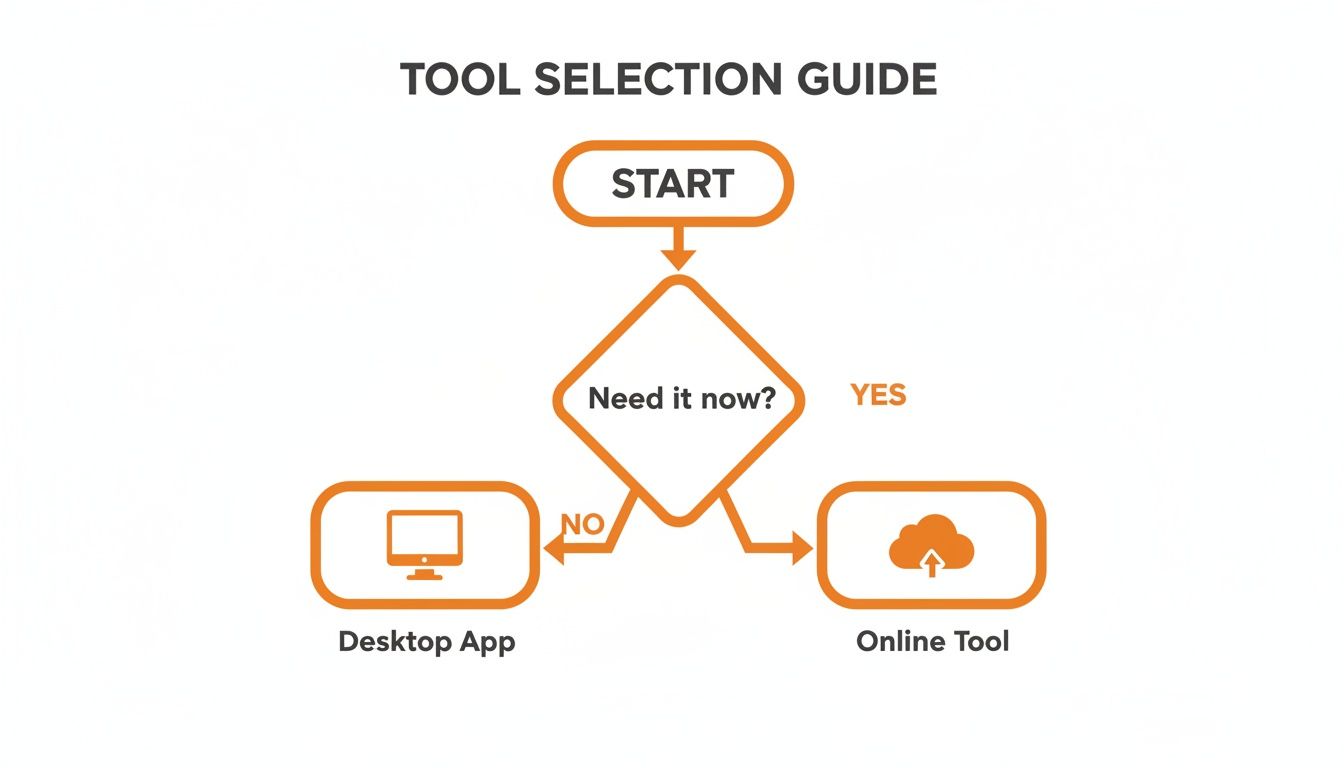
As you can see, the choice often boils down to urgency versus needing more powerful, repeatable features for regular use.
A Practical Walkthrough
Let’s quickly run through a real-world scenario. You’ve just spotted the perfect user-generated clip for a campaign and need to get it into an Instagram Reel, pronto.
First, you’ll open the TikTok app and go to the video you want.
Tap the ‘Share’ icon (the little arrow) and then choose ‘Copy Link’. That puts the video's unique URL straight onto your clipboard. Now you’re ready to paste it into the online downloader you’ve chosen and grab the clean version.
Pro Tip: Always give the downloaded file a quick quality check. Some of these free services compress videos quite aggressively, which can lead to a noticeable drop in resolution. If it looks grainy or pixelated, you might want to try a different tool or even think about using a desktop application for a better-quality result.
By sticking to reliable online tools, you can get a watermark-free TikTok video ready for repurposing in just a few minutes. For any busy social media manager needing to jump on trending content, this simple workflow is an absolute lifesaver.
Advanced Techniques with Desktop Software
When you find yourself needing consistently high-quality results or you're juggling a bunch of videos at once, it’s time to look beyond the quick-fix online tools. Stepping up to desktop software isn’t just about downloading a video; it's about building a reliable, professional workflow. For social media managers and content agencies, this is where the real work gets done efficiently.
Working with desktop applications puts you firmly in the driver's seat. Instead of leaving the final quality to a website's compression settings, you're processing everything locally on your own machine. This almost always gives you a cleaner, higher-resolution video—something that's essential when repurposing content for a major brand or a high-profile client.
Plus, dedicated software opens up far more sophisticated ways to get a TikTok video without a watermark. These aren't just simple downloaders; they are powerful editing and processing suites built for the job.
Exploring AI-Powered Watermark Removal
One of the most impressive methods available right now is using AI-powered video software. These tools don't just crudely crop or blur the watermark. Instead, they intelligently analyse the pixels around it and then reconstruct the area underneath. The result is a seamless removal that leaves virtually no trace, something that's just not possible with simpler methods.
This technique is a real game-changer because the TikTok watermark moves around. A simple static overlay or a clumsy crop just won't cut it. AI, on the other hand, can track the watermark's position frame by frame and apply the fix dynamically throughout the entire video.
Key Insight: AI-driven removal is about pixel reconstruction, not just covering things up. It figures out what should be behind the watermark and generates it, making the video look as if the logo was never there in the first place.
Many modern video editors are starting to build these features in. For those after a dedicated solution, you can explore the advanced AI capabilities of platforms that specialise in this. You can learn more about how to download a professional watermark removal tool that uses this exact technology for clean, studio-grade results.
High-Resolution Screen Recording
Another pro-level technique is to capture the video before the watermark even gets baked in. With high-resolution screen recording, you can record the TikTok video as it plays in a desktop browser, but before you hit the 'Save' button that adds the branding.
This method takes a little more setup but gives you total control over the quality.
- Maximise Your Browser: Play the video in a full-screen, distraction-free browser window. This helps you capture the highest possible resolution.
- Use Quality Recording Software: Tools like OBS Studio or ScreenFlow let you set specific recording parameters, ensuring a crisp, high-bitrate capture.
- Trim Precisely: Once you've recorded it, you’ll just need to pop it into a video editor to trim the start and end of the clip for a clean loop.
It’s definitely more hands-on, but this approach completely bypasses the download process, guaranteeing you get a pristine version of the video. It’s a go-to method for many professionals who need a foolproof way to grab a clean clip. For agencies managing dozens of accounts, combining these powerful desktop techniques creates a workflow that is not only efficient but also guarantees a top-quality final product every single time.
Legal and Ethical Rules You Must Follow

It’s one thing to know how to use a watermark removal tool, but it's another thing entirely to know when you should. Before you download any TikTok video without a watermark, you've got to understand the legal and ethical lines. This isn't just about covering your back; it's about respecting the time and effort other creators pour into their work.
The whole thing really boils down to one simple question: who owns the content? If you're downloading your own video to repurpose for Instagram Reels or to add to your portfolio, you're generally on safe ground. It's your creation, you own the rights, and you're just reusing your own work. No problem there.
But the game changes completely when you're dealing with someone else's video. Grabbing another creator's content, stripping off their watermark, and passing it off as your own isn't just bad form—it's a straight-up violation of copyright law and TikTok's Terms of Service. It’s a move that can land you in serious trouble.
Understanding Copyright and Fair Dealing
Copyright isn't something you have to apply for; it's automatic. The second a creator posts a video, they own the copyright to it. Using their work without permission is infringement, simple as that. The only real exception is if your use falls under a specific legal concept like "fair dealing" (which is the UK’s version of the US "fair use" doctrine).
Fair dealing isn't a free-for-all, though. It typically only covers very specific scenarios, like:
- Criticism or review: Using clips to analyse or comment on the video.
- Parody or satire: Transforming the original work to create something new and funny.
- Reporting current events: Including a clip as part of a news story.
Just reposting someone’s dance video on your own profile, even if you pop a credit in the caption, almost never counts as fair dealing. The purpose of your use needs to be genuinely transformative, not just a copy-and-paste job.
Crucial Takeaway: Just because a tool makes it possible to remove a watermark doesn't give you the legal or ethical green light. The responsibility is always on you to make sure you have the right permissions for any content that isn't yours.
It’s also worth remembering that when you use online tools, your data is subject to their terms. It’s always smart to check out their policies to see how your information is being handled. For instance, you can see how a typical service operates by reviewing SoReel’s approach to user privacy.
The Golden Rules of Reposting
So, what if you really want to use someone else's content? The only way to do it right is to get their explicit permission. A quick DM asking if you can repost their video with credit is all it takes, and most creators are pretty open to it when asked respectfully.
If you get the thumbs up, always give clear and prominent credit. That means tagging their handle directly in the video itself and mentioning them right at the top of your caption. Proper credit isn't just a legal safeguard; it's about being a good citizen in the creator community. Using these tools responsibly protects everyone.
Common Questions About Removing TikTok Watermarks
Diving into the world of watermark removal often brings up a few tricky questions. Getting straight answers is key to making smart, safe choices, whether you're just backing up your own work or need a clean clip for a new project. Let's tackle some of the things people ask most often.
The big one is always about legality. It's generally fine to download your own content for personal use or to cross-post it on other platforms you manage. The real trouble starts when you take someone else’s video, strip their branding, and re-upload it. That can be a direct violation of copyright law and TikTok's own Terms of Service. If you plan to use content you didn't create, especially for anything commercial, getting permission from the original creator isn't just polite—it's essential.
Does Quality Suffer During Removal?
Another huge concern is whether the video quality will take a hit. Honestly, it all comes down to the tool you use. Many free online downloaders compress the video heavily to keep their server costs down, which often leaves you with a noticeable drop in sharpness and clarity.
To sidestep this, always look for tools that specifically promise an 'HD' or 'Original Quality' download. Most reputable online services and nearly all dedicated desktop apps are built to preserve the video's original resolution.
A good rule of thumb is to always compare your final downloaded file with the original video on TikTok. If it looks pixelated or blurry, that’s a dead giveaway the tool is using aggressive compression, and you should probably find a different service.
Technical and Safety Considerations
People often ask if it's possible to download a private TikTok video without the watermark. The short answer is a firm no. Every single watermark removal tool needs a public URL to find and process the video file. Since private videos aren't publicly accessible, these services simply can't reach them.
Safety is another massive factor, particularly with those free online downloaders. While some are perfectly legitimate, many are unfortunately littered with aggressive pop-up ads and could potentially hide malware.
Here’s how to stay protected:
- Use an ad-blocker to keep the disruptive and potentially malicious ads at bay.
- Never download executable files (like a .exe file) from these sites. You don't need them to get a video.
- Avoid providing any personal information, no matter what the site claims to offer in return.
For a deeper dive, you can explore more details in our complete TikTok watermark removal FAQ, which covers a much wider range of technical and practical questions.
Ready to create pristine, professional-grade videos without the hassle? SoReel uses advanced AI to remove watermarks cleanly, enhance quality, and get your content ready for any platform. Try SoReel today and see the difference for yourself.