Save (save tiktok video without watermark) Easy steps to download TikTok clips

Learn how to save tiktok video without watermark with simple steps and trusted tips. Download your favorites quickly and watermark-free.
If you're in a hurry, the quickest way to save a TikTok video without a watermark is a simple, built-in trick. Just before you post, switch the audience to "Only Me" and make sure the "Save to device" option is toggled on. When you hit post, a clean, watermark-free version lands right in your phone's camera roll. It’s a neat little workaround for saving your own content without needing any external tools.
Why Does Everyone Want to Save TikToks Without a Watermark?

Ever filmed the perfect TikTok, only to see the jumping watermark clutter the frame when you try to share it somewhere else? You're definitely not the only one. The quest to download TikToks without the logo isn't some niche hack; it’s become a standard need for millions of creators and social media managers across the UK.
For anyone managing social channels, the main reason is cross-platform repurposing. A great clip on TikTok could do brilliantly on Instagram Reels or YouTube Shorts. The problem is, rival platforms aren't too keen on promoting their competitors. Instagram's algorithm, for example, is notorious for limiting the reach of videos that clearly sport a TikTok watermark. It’s an instant red flag that the content is recycled, which can kill its visibility before it even has a chance to take off.
Everyday Reasons for a Clean Download
But it’s not just about dodging algorithms. There are plenty of practical, day-to-day reasons why someone would want a clean copy of a video.
Think about these scenarios:
- Building a Professional Portfolio: A freelance video editor needs to show potential clients their best work, and a platform's branding just gets in the way.
- Offline Learning: A dancer wants to download a tutorial to practise a tricky routine over and over without burning through mobile data.
- Creating Fan Edits: A fan wants to make a compilation of their favourite creator's best moments, and it looks so much cleaner without watermarks popping up every few seconds.
- Archiving Your Own Work: Content creators need to back up their videos in the highest possible quality, free of any branding, just in case their account gets hacked or deleted.
The sheer scale of TikTok makes this a huge deal. By 2025, UK users are projected to create an incredible 4.7 billion videos. That’s a 261% jump from 2020. With every single one of those videos getting a watermark by default, it's no surprise that millions are looking for ways to get a clean version for their projects. You can dig deeper into these UK user stats over at Limelight Digital.
Ultimately, removing the watermark is about taking back creative control. It lets the actual content—the comedy sketch, the dance, the tutorial—be the star of the show, not the platform where it started.
This isn't about stealing content; it's about making your own content more versatile. Whether you're using it for marketing, personal archives, or just a creative side project, an unbranded video file is a much more flexible asset. That's why knowing how to do it safely and effectively is a crucial skill for anyone in the short-form video game today.
Simple Manual Methods for Quick Downloads

Before we get into dedicated tools, let's cover a few handy tricks you can use right away. These are perfect for those one-off situations where you need to save a TikTok video without a watermark and don't fancy installing new software. They’re quick, accessible, and all you need is your phone or a web browser.
The demand for these simple fixes has shot up as the platform's user base has exploded. In the UK alone, TikTok now has 24.8 million users aged 18 and over—that's nearly half the adult population and a massive 55% surge from the previous year. This has made saving clean, unbranded videos a common task for everyone from trend-spotters to content creators needing clips for offline review. You can dive deeper into these UK TikTok insights for marketers to see just how big the platform has become.
Let’s start with the most basic approach and then move on to a slightly more technical but much cleaner browser trick.
The Quick Crop Method
The most direct way to get rid of a watermark? Just cut it out. Most modern smartphones come with built-in video editing tools that make cropping a doddle. Simply open the video, hit the edit button, and adjust the frame to chop off the top and bottom edges where the watermark bounces around.
This method wins on speed. If you need a clip for an Instagram Story and you need it now, cropping gets the job done in seconds.
The big drawback, though, is that you’re sacrificing part of the video. If the action is tightly focused in the centre, you might get away with it. But for many videos, cropping can completely ruin the composition, slice off crucial on-screen text, or even give the subject an unfortunate haircut. It’s a classic trade-off: speed for video integrity.
Uncovering the Video Link with Your Browser
For a much better solution that keeps the full video frame intact, you can use your desktop browser’s developer tools. It sounds a bit technical, but it’s surprisingly straightforward once you know the steps. The idea is to find the direct source file for the video, neatly sidestepping the watermarked version TikTok serves up.
Here’s how to do it on a desktop computer:
- First, open the TikTok video you want to save in a browser like Chrome or Firefox.
- Now, right-click anywhere on the page (just not on the video itself) and choose “Inspect” or “Inspect Element”. This pops open a panel showing the website's code.
- Inside this new panel, look for a tab labelled “Network” and click it. You might need to refresh the page to get it to start listening.
- In the filter bar within the Network tab, type “mp4”. This tells it to only show you video files.
- Press play on the TikTok video. A new entry should appear in your filtered list. Right-click on this file, hover over “Copy,” and select “Copy link address.”
- Finally, paste this link into a new browser tab and hit enter. The raw, watermark-free video will load up. From there, just right-click the video and choose “Save video as...” to download it to your computer.
This browser inspection method is a fantastic middle ground. It's far more effective than cropping because it keeps the original video dimensions, but you don't have to rely on a third-party website or app.
It might take a minute to get the hang of it, but after a couple of tries, it becomes a fast and reliable way to grab clean video files. It's a great skill for any social media manager or content creator to have in their back pocket.
To help you decide which quick method is right for you, here’s a quick comparison.
Comparing Quick Methods to Save TikToks Without Watermarks
| Method | Ease of Use | Video Quality | Best For | Key Drawback |
|---|---|---|---|---|
| Cropping | Very Easy | Reduced (Altered aspect ratio) | Extremely fast saves where video composition isn't critical. | Loses part of the original video frame, potentially cutting off important content. |
| Browser Inspect | Moderate | Excellent (Original quality) | Preserving the full, original video without third-party tools. | Requires a desktop browser and is a bit technical for beginners. |
Each of these methods has its place. Cropping is the go-to for pure speed, while the browser inspect trick is for those who value quality and don't mind a few extra clicks. For anything more demanding, like downloading multiple videos at once, you’ll want to look at a more specialised tool.
How to Choose the Right Tool for the Job
While the manual tricks are great in a pinch, if you find yourself regularly needing to save a TikTok video without a watermark, a dedicated tool is the only way to go. The web is swimming with options—from online converters to slick mobile apps—all promising the same thing: instant, clean downloads. But they're not all built the same, and picking the wrong one can be a fast track to security headaches or just a folder full of grainy, low-quality videos.
You've got to be a bit savvy to navigate this space. With the sheer amount of content flying around, the demand for reliable downloaders has exploded. To put it in perspective, UK TikTok users in 2025 are spending an average of 1 hour and 53 minutes a day on the platform. That adds up to a staggering 49 hours and 29 minutes each month on Android devices alone—that's 36% more time than they're on YouTube. This firehose of engagement fuels the creation of 4.7 billion videos a year, and as many UK forum users will tell you, downloading a few of them has become a weekly ritual. You can delve into more fascinating UK TikTok statistics to see just how big this trend is.
So, let's walk through what you actually need to look for to find a tool that’s not just effective, but also safe for your devices and your data.
What to Look for in a Good Downloader
When you're sifting through the options, some features are simply non-negotiable. Don't get distracted by flashy "instant download" promises; focus on the fundamentals that separate a genuinely useful service from a glorified pop-up machine. A solid tool should do more than just the basics—it should actually make your life easier.
Here’s a checklist of must-haves:
- High-Resolution Downloads: Your top priority should be quality. The tool must let you download the video in its original resolution, ideally offering HD or even 4K if the source supports it. Repurposing a pixelated video just makes your work look unprofessional.
- Batch Processing: For any social media manager or serious content creator, downloading videos one-by-one is a soul-crushing waste of time. Look for tools that let you paste multiple URLs at once, or even a creator's profile link, to grab their videos in bulk.
- Speed and Stability: The service should feel snappy, processing and delivering your file without endless buffering or failed attempts. A good test is to try downloading one video first just to see how it performs.
- Works on All Your Devices: A great tool is one that’s there when you need it, wherever you are. The best options offer both a web-based version for your computer and a properly designed app for your phone.
A truly effective downloader respects your time and the quality of the content. If a tool forces you to compromise on resolution or makes you download videos one by one, it’s not built for a serious creator’s workflow.
How to Spot the Red Flags of Unsafe Tools
This is, without a doubt, the most critical part of your decision. The world of free downloaders can feel a bit like the Wild West, and some services are deliberately designed to cause more harm than good. Learning to recognise the warning signs can save you from malware, data theft, and a mountain of frustration.
Be on high alert for any tool that shows these characteristics:
- Aggressive Pop-Up Ads: A few banner ads are standard for a free service. But if the site starts hitting you with a barrage of pop-ups, shady redirects, or ads for gambling and adult content, that's a massive red flag. These are often gateways for malicious software.
- Asks for Personal Information: A downloader has absolutely no good reason to ask for your email address, social media login details, or any other personal data just to save a public video. If it's forcing you to sign up or log in, be extremely sceptical.
- Requires You to Install Software: Trustworthy online tools do their job right in your browser. If a website insists you need to download an "installer," a ".exe" file, or a browser extension to continue, just close the tab. This is a classic trick for bundling adware or spyware with the download.
- No Privacy Policy: Any legitimate service will have a clear, easy-to-find privacy policy that explains what data they collect and why. If you can't find one, it's safe to assume they have little respect for your privacy.
Ultimately, making a smart choice is about balancing useful features with robust security. A tool that offers batch downloading is worthless if it infects your computer. Always put safety first, even if it means trying out a few different options before you find one you can trust.
A Practical Walkthrough: Using SoReel for Bulk Downloads
While the odd manual download is fine, it just doesn’t work when you’re dealing with volume. For social media managers, creators, or anyone needing to save TikTok videos without watermarks regularly, a dedicated tool isn't a luxury—it's a core part of an efficient workflow. This is exactly where a platform like SoReel shines, turning a slow, one-by-one job into a fast, automated process.
Unlike those free online converters that are often sluggish, riddled with ads, or spit out a pixelated mess, SoReel is built for people who care about speed, quality, and powerful features. Let’s walk through how to use it, from grabbing a single clip to unlocking its bulk-downloading muscle.
Getting Started: The Simple URL Download
The most direct way to use SoReel is for a one-off video. It’s perfect for when you find a viral sound you need to analyse or want to archive a specific post without any fuss. The whole process is incredibly clean.
First things first, you need the video’s URL.
- Open TikTok (app or website) and navigate to the video.
- Tap the ‘Share’ icon (the little arrow).
- Choose ‘Copy Link’ from the pop-up menu.
Once the link is on your clipboard, the hard part is over. Just head to the SoReel download page where a simple input field is waiting for you.
As you can see, the interface is minimalist and gets straight to the point. Paste your URL into the box, and the platform gets to work. It fetches the original, high-quality video file and strips away the watermark without adding any extra compression.
Unleashing the Power of Batch Processing
Right, let’s get to the feature that really separates the pros from the amateurs: batch downloading. Imagine needing to pull every video from a competitor’s profile for an audit, or maybe you’re a creator who wants a complete backup of your own work. Doing that one link at a time would be a nightmare.
SoReel turns this into a surprisingly simple task. Instead of feeding it a single video URL, you can just give it the link to a creator's entire profile. The platform will then intelligently scan the account and pull up a list of all their public videos, ready for you to download in one go.
This is a complete game-changer for a few key reasons:
- Serious Time-Saver: It turns hours of tedious clicking and pasting into a job that takes just a few minutes.
- Keeps You Organised: All your files come from one source, which makes managing and archiving them far easier.
- Total Peace of Mind: You can be confident you’ve got a complete collection for your analysis or backup, with nothing missed.
Being able to download an entire profile’s worth of content is what separates casual use from a professional workflow. It's a feature built for people who know that in the world of content, volume and consistency are everything.
This capability is essential for anyone doing serious trend analysis or competitor research. A marketing agency, for example, could download a brand's entire TikTok history to break down their content strategy, posting frequency, and what's actually resonating with their audience.
A Quick Guide to Choosing Your Tool
Before you settle on any downloader, it’s always a good idea to run through a quick mental checklist to make sure it’s safe, reliable, and actually does what it promises.
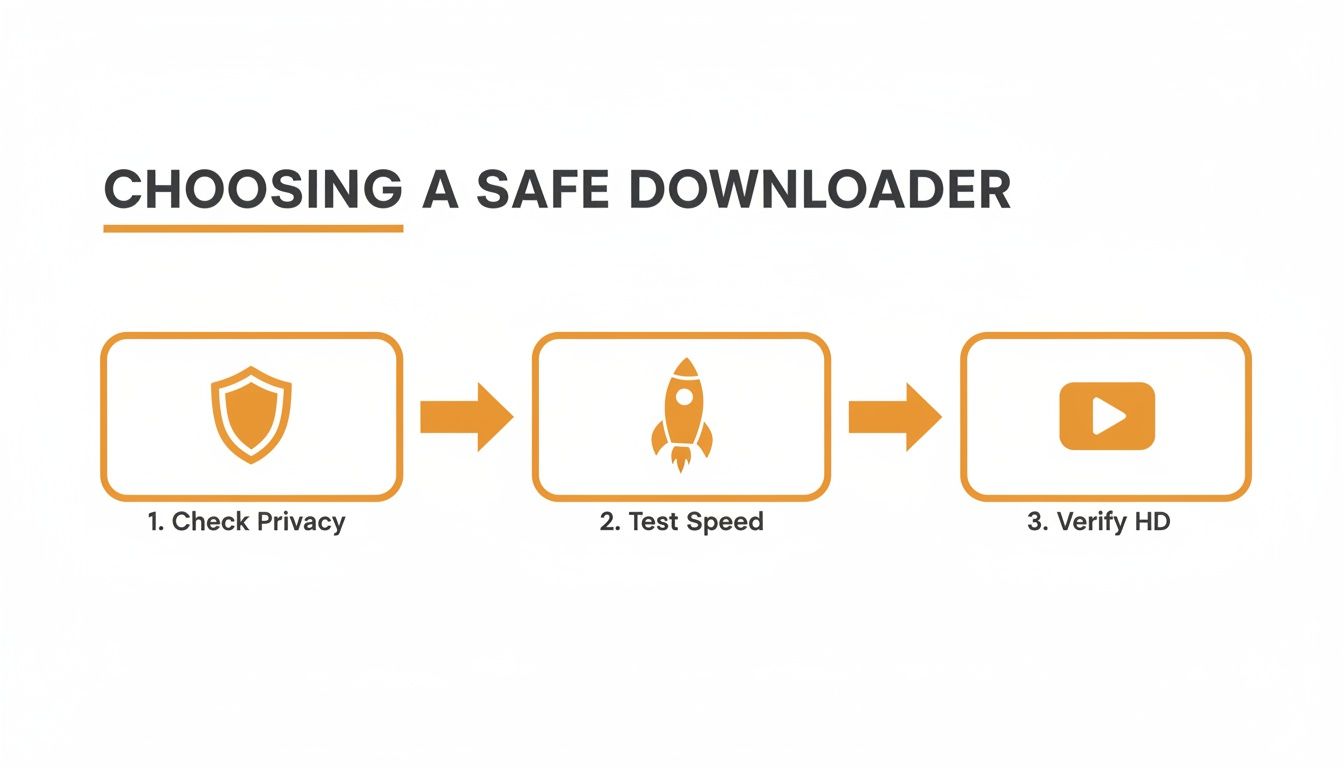
This quick three-step check is my go-to: first, always scan the privacy policy. Then, test its speed with one video. Finally, check the downloaded file to verify you’re getting true HD quality. Following this simple process helps you steer clear of tools that are insecure, slow, or just give you poor-quality results.
Beyond the Interface: API Integration
For the most demanding users—developers, agencies juggling multiple clients, or businesses building custom content pipelines—even a slick web interface has its limits. This is where an Application Programming Interface (API) comes in.
Put simply, an API is a way for different pieces of software to communicate with each other. With the SoReel API, you can plug its watermark removal and video-grabbing power directly into your own apps, scripts, or automated systems.
What does that actually mean in the real world?
- A social media analytics platform could use the API to automatically fetch and archive watermark-free videos from accounts it’s tracking.
- A content management system (CMS) could be set up to pull in relevant user-generated TikToks, clean them up, and have them ready for repurposing.
- A marketing automation tool could be programmed to download any video that uses a trending hashtag, building a real-time library of relevant content.
While using an API requires a bit of technical know-how, it’s the ultimate in efficiency. It lets you build a system where the need to save a TikTok video without a watermark is handled automatically in the background, triggered by rules you set. This level of automation is what allows content strategy and analysis to happen at a massive scale, freeing up your team to focus on the creative work that matters, not the repetitive tasks.
Managing Your Downloads and Protecting Your Privacy
Getting a clean, watermark-free copy of a TikTok is a great start, but the job isn’t quite done. What you do after you save a TikTok video without a watermark is just as crucial, particularly if you’re planning to republish it somewhere else. This is where you can fine-tune for quality and, importantly, look after your digital privacy.
It’s easy to overlook these post-download steps, but they add a real layer of professionalism and security to your workflow. From making sure your video looks sharp to stripping out hidden data, these practices put you back in control of your content and your digital footprint.
Optimising for the Best Possible Quality
The whole point of removing a watermark is to make the content look native and high-quality wherever you post it next. A blurry or pixelated video is an immediate red flag that it’s a re-upload, and that usually means lower engagement. The very first thing you should do is check the video’s resolution.
A decent downloader tool will always give you the video in its original quality, which for most modern TikToks is 1080p (Full HD). Anything less, like 720p, is going to look noticeably worse, especially if someone is watching on a larger screen.
Here’s a quick quality control checklist I run through:
- Check the Resolution: Is the downloaded file at least 1080x1920 pixels?
- Watch for Artefacts: Look for those blocky or blurry patches that come from heavy compression. A good tool will keep this to a minimum.
- Listen to the Audio: Make sure the sound is crisp and perfectly in sync. I’ve seen some low-quality tools cause audio drift or a muffled sound, which ruins the whole video.
If the quality just isn't there, it’s a strong sign your chosen download method is adding its own compression on top. That’s when it’s time to find a better tool that actually respects the source file’s integrity.
Understanding and Removing Metadata
This is the bit of digital housekeeping that so many people miss. Every single digital file, videos included, contains hidden information called metadata (or EXIF data). You’d be surprised how much detail can be packed in there—details you probably don’t want to be sharing publicly.
For a downloaded TikTok, this data could include things like:
- The exact date and time it was created and downloaded.
- Information about the specific software or tool used to save it.
- A unique file ID that could potentially be traced back to your download session.
So, why should you care? Social media platforms are incredibly smart when it comes to analysing uploaded files. If you re-upload a video that still has metadata from a third-party downloader attached, it’s like leaving a digital fingerprint. This can be a major red flag for algorithms designed to spot and suppress recycled content, which could seriously hurt your reach.
Removing metadata isn't just a privacy move; it's about giving your content a completely fresh start. It signals to platforms that this is a new, original upload, helping you dodge potential algorithmic penalties before they even happen.
How to Strip Video Metadata
The good news is you don’t need to be a tech genius to view and remove this hidden data. There are plenty of free and simple tools out there. On a desktop, you can often see basic metadata by right-clicking the file and choosing "Properties" (Windows) or "Get Info" (Mac).
To wipe it clean, you can use dedicated metadata removal tools. Many video converters actually have this feature built-in—sometimes, all you need to do is re-save the file and tick a "remove metadata" box. For a more thorough job, look for standalone apps designed specifically for stripping this kind of information.
Reputable download services get how important this is. High-quality platforms often handle this automatically, making sure the video you get is clean not just on the surface, but under the hood, too. For more insight on how your data is handled, you can always check a platform's commitment to user privacy. You can explore SoReel's privacy practices to see how a professional tool approaches this. Taking these few extra minutes to check quality and clean your files ensures your content is polished, professional, and private.
Navigating the Rules: Using TikTok Content Legally and Ethically
Alright, so you’ve got the technical know-how to save a TikTok video without a watermark. But this is where the real work begins—understanding your responsibilities. Just because you can download a video doesn't give you a free pass to use it however you want. To do this right, you need to get your head around copyright, creator respect, and basic ethical conduct.
Think of it this way: every single video on TikTok is a piece of someone's creative work. In the UK, the moment a creator hits record, they own the copyright to that content. That ownership gives them the exclusive right to decide how their work is copied, shared, and remixed. Downloading a video to watch for yourself later is generally fine, but the second you republish it, you’re stepping into a potential minefield.
Personal Use vs. Public Repurposing
The line between personal and public use is crystal clear. Saving a video to your phone to practise a dance routine offline, or just to show a funny clip to a friend? That's personal use.
But uploading that same video to your own Instagram, using it in a marketing campaign, or splicing it into a YouTube compilation? That's a completely different ball game.
This is where you run the risk of copyright infringement. The original creator can issue a takedown notice or, if they feel their work has been misused (especially for commercial gain), they could pursue legal action. It’s not just about covering your back; it’s about having basic respect for the time and effort someone poured into their content.
The golden rule couldn't be simpler: if you didn't create it, you don't own it. Always, always assume you need permission before you republish someone else's work on a public platform.
Giving Credit Where It's Due
Let's say you've done the right thing and received permission to share a creator’s video. Now what? Proper credit is absolutely non-negotiable. A lazy "credit to the owner" tag just won't fly. Good attribution is specific, direct, and makes it dead simple for people to find the original creator.
Here’s how to get it right:
- Tag Them Directly: In your caption, always use the "@" symbol to tag the creator's official handle. For example: "Absolutely brilliant clip from @originalcreator!"
- Add a Visual Mention: If you can, add a small text overlay to the video itself that clearly names the creator.
- Don't Pass It Off as Your Own: This should go without saying, but be completely transparent that you're sharing content made by someone else.
Following these steps isn't just about protection; it's about being a good digital citizen. It helps drive traffic back to the original creator, supporting them and contributing positively to the community. Using tools responsibly means understanding both their power and the rules of the road. For a professional take on this, you can review the SoReel terms of service to see how user obligations are clearly laid out. It’s all about participating in the culture with respect and integrity.
Ready to take control of your content workflow with studio-grade results? SoReel is your AI-powered solution for removing watermarks, enhancing quality, and preparing videos for any platform in minutes. https://soreel.app