remove watermark from video online: fix clips fast with AI

Learn how to remove watermark from video online using AI and smart techniques for crisp, professional social media clips.
When you need to get rid of a watermark on a video, your best bet is to use a specialised, AI-powered online tool. These platforms are smart enough to analyse the pixels behind the logo and rebuild that part of the image, giving you a clean, professional finish without ever needing to open complex editing software.
Why Clean Video Is a Creator's Secret Weapon
In a feed that’s overflowing with content, every little detail counts. A watermark might seem small, but it can be the one thing that makes someone scroll right past your video. It’s a visual distraction that cheapens the look of your work and can even suggest the content isn't originally yours. For anyone serious about their content—whether you're a marketer, creator, or social media manager—presenting polished video is simply non-negotiable.
Imagine you're repurposing a clip for TikTok or Instagram. If it has a competitor's logo or a software trial stamp on it, you immediately break the immersive experience you're trying to build. It tells your audience the content is borrowed, which can weaken your brand’s authority. Removing these distractions isn't just a technical fix; it's a strategic move to control your brand's story and keep your audience focused on your message.
Boosting Viewer Trust and Engagement
A clean, unblemished video builds subconscious trust. It signals that you’ve put care and effort into your work, which makes what you have to say more credible. This level of professionalism has a direct impact on how people engage with your posts. If you're a creator trying to grow a channel or a business aiming to get more sales, pristine footage is a must. You can find more deep-dive strategies for creators over on our official SoReel blog.
The numbers back this up, too. Many creators have reported a 35 percent boost in perceived quality and seen engagement rates nearly double after they started removing distracting watermarks. This isn't a small improvement. It's why so many UK marketers and social media managers have turned to these tools; they get professional-grade visuals without the eye-watering cost of traditional post-production. The good news is that web-based platforms have put this power in everyone's hands, no matter their technical skill. You can read more about how AI is transforming video editing on News Ghana.
Taking Full Ownership of Your Content
At the end of the day, removing a watermark is about claiming total ownership of your work. It might be your own video that still has a trial logo from an old editor, or perhaps it's licensed stock footage you're blending into a bigger project. Either way, the final cut needs to feel exclusively yours. This is key to creating a consistent visual identity and seamless branding across all your channels.
When your video is free of third-party logos, every pixel works to support your story, your brand, and your call to action. It’s the difference between looking like an amateur and performing like a professional.
Choosing the Right Watermark Removal Method
Figuring out how to remove a watermark from a video isn't a one-size-fits-all job. Honestly, the best approach comes down to your specific clip – what the watermark looks like, where it’s sitting, and how much is going on behind it. Nail this choice upfront, and you'll save yourself a ton of headaches and get that clean, professional look you're after.
You've really got three main routes to go down: smart AI-powered removal, a straightforward crop, or strategically replacing or blurring the mark. Each one has its place. Think of it like a toolkit; you wouldn’t use a hammer when you need a screwdriver.
For instance, if you're up against a semi-transparent logo that floats across a busy, action-packed scene, AI is pretty much your only bet. You need a tool that can intelligently figure out what's behind the logo and rebuild those pixels. But for a simple, static watermark tucked away in a corner? A quick crop might be all it takes.
This little decision tree nails that first question every creator should ask when a pesky logo gets in the way.
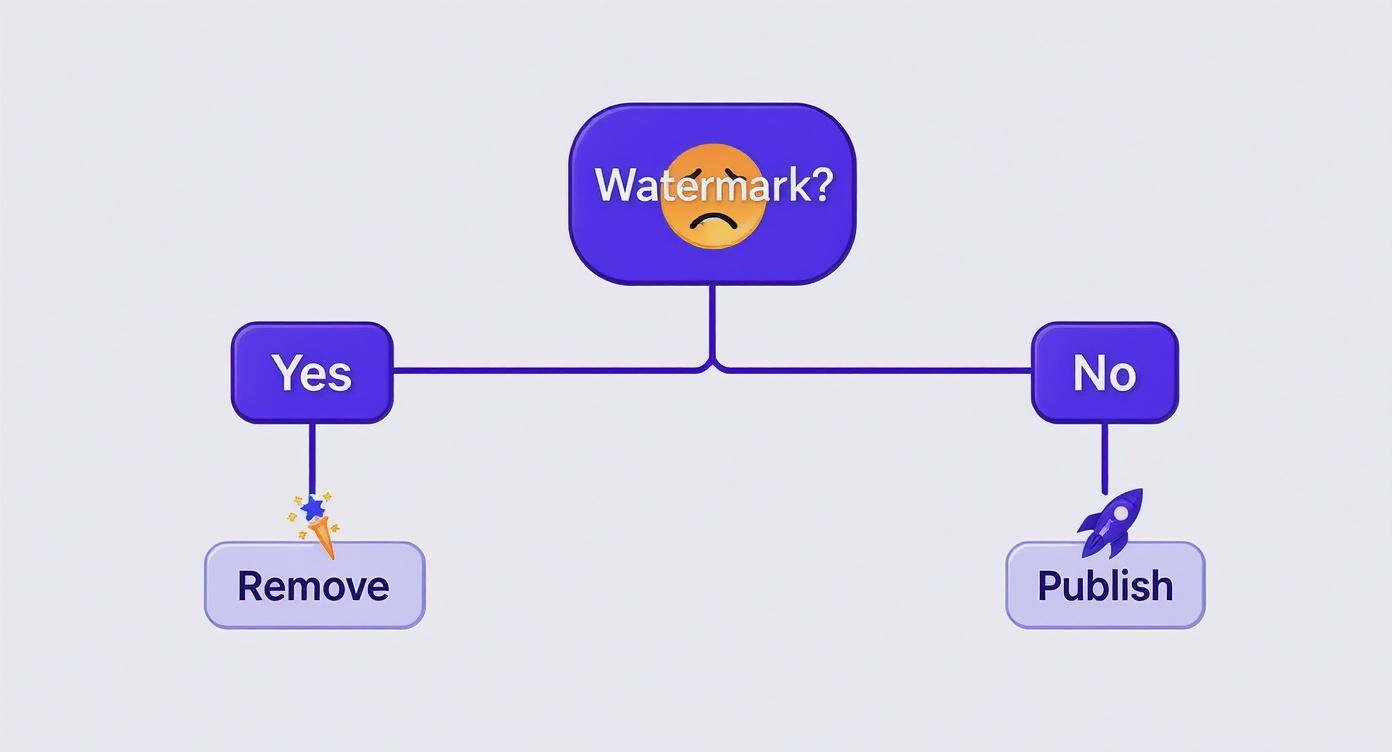
The flowchart makes it plain and simple: if a watermark is there, your best move is to get rid of it to give your video maximum professional polish before it goes live.
AI Removal: The Smart Solution
When you need a flawless finish, especially with those tricky watermarks, AI is hands-down the best method. Modern AI algorithms don't just paste something over the logo; they intelligently reconstruct the background as if the watermark was never there to begin with. This is an absolute game-changer for dynamic videos where the scenery is constantly shifting.
Imagine a travel vlog with a big "TRIAL VERSION" watermark plastered over a shot of rolling ocean waves. Cropping is a non-starter, and a blur would just create an ugly, distracting smudge. An AI tool, on the other hand, analyses the movement and patterns of the waves and fills in the gaps with incredible accuracy. You'd never know the logo was there.
AI-powered removal is the gold standard for keeping your video's original quality and integrity intact. It’s the only real way to handle busy backgrounds and moving watermarks without cheapening the viewer's experience.
Cropping: The Quick and Easy Fix
Sometimes, the simplest fix is the right one. If your video has a static watermark sitting right near the edge of the frame, cropping it out can be an instant and effective solution. All you're doing is trimming the video's dimensions to completely remove the watermarked section.
This works brilliantly if the final aspect ratio isn't set in stone. Let's say you have a 16:9 landscape video with a small logo in the bottom corner, and your plan is to post it as a 4:5 vertical clip on Instagram. You were going to have to crop it anyway, so it's a quick win that requires no special software.
A word of caution, though. Cropping is a destructive edit. You permanently lose that part of your video frame, which could mean cutting out important visual details. It's a poor choice for watermarks placed in the middle of the action or for any video where the original composition is crucial.
Replacement or Blurring: The Cover-Up Method
Your third option is to hide the watermark, either by blurring it into oblivion or by covering it with something else, like your own logo or a title card. This can be a decent workaround when the watermark is small, simple, and parked in a less important part of the video.
Blurring is often a last resort, as it can look a bit amateurish and tends to draw the eye right to the spot you're trying to hide. Replacement is usually a better bet. If you're working with old company footage that has an outdated logo, you can often just place the new logo directly over it. This is something businesses do all the time when repurposing archival content.
To make the decision easier, I've put together a quick comparison of these three techniques.
Comparing Online Watermark Removal Techniques
This table breaks down the pros, cons, and best scenarios for each of the main methods we've covered.
| Method | Best For | Pros | Cons |
|---|---|---|---|
| AI Removal | Dynamic backgrounds, moving watermarks, and getting a seamless, professional look. | Preserves the original frame and video quality; incredibly effective and clean. | Requires a dedicated tool; processing can take a few minutes depending on the video. |
| Cropping | Static watermarks located near the edges of the video. | Instant, easy, and doesn't require any special software. | Destructive editing; you lose part of the original video frame for good. |
| Replacement/Blur | Small, unobtrusive logos; updating your own branded content with a new logo. | Quick and simple to apply; can be used to reinforce your own branding. | Blurring can look unprofessional; replacement isn't always a practical option. |
Ultimately, for most content that really matters, AI offers the most professional and flexible way to remove a watermark from a video online. If you find yourself cleaning up lots of clips, it's worth exploring the different AI tools out there. For high-volume users, you can learn more by checking out SoReel's pricing tiers.
How to Use an AI Watermark Remover Online
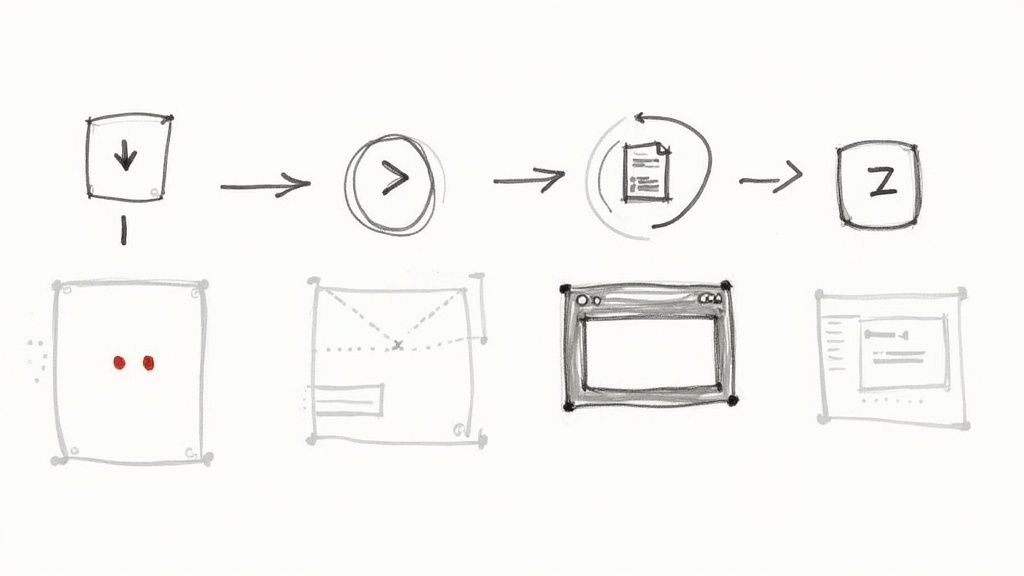
Alright, let's get our hands dirty. Using a good AI tool to strip a watermark from a video is surprisingly straightforward these days. You can forget about wrestling with complex editing software and confusing timelines; modern platforms like SoReel have boiled the whole thing down to a few simple clicks.
The real beauty of these online tools is their flexibility. It doesn’t matter if you have the video file sitting on your desktop or just a URL from TikTok or YouTube—the starting point is identical. This is a massive timesaver, especially if you're a social media manager constantly juggling content from different platforms.
This kind of efficiency is a huge deal in the UK's fast-paced content creation scene. I've seen it time and again: ambition clashes with the clock. In fact, 39 percent of UK marketers admit the sheer time it takes to produce video is their biggest barrier. This friction has pushed many towards smarter solutions, with 51 percent of UK video marketers now using AI tools in their workflows. If you want to dive deeper into the stats, Top Ten AI Agents has a great breakdown of AI adoption among UK creators.
Getting Your Video Ready for Processing
First things first, you need to get your video into the system. Most high-quality platforms give you two main options to suit however you work.
- Direct Upload: The classic method. Just drag and drop your video file (like an MP4 or MOV) from your computer straight into the tool’s interface. This is your go-to when you’re working with original footage or files you’ve already saved.
- Paste a URL: This is the real game-changer for online content. Simply copy the link to a video on TikTok, Instagram, or YouTube and paste it in. The platform does the heavy lifting of downloading and preparing the file in the background, which is a lifesaver for repurposing social media clips.
Once it's loaded, you'll usually see a preview of your video. Think of this as your new workspace.
Selecting the Watermark for Removal
This is where the magic happens. Instead of fiddling with clone stamps or blur effects, you just point the AI at the problem. You'll typically get a selection box or a brush tool that you can drag right over the watermark in the preview.
If you’re dealing with a static watermark—one that sits in the same corner throughout the video—you only need to draw a single box around it. The AI is clever enough to track and remove it from start to finish.
What about those pesky dynamic watermarks, like the TikTok logo that jumps around? The process is just as simple. You draw one box around the logo in its first position, and then another around it in its second spot. The AI understands the movement and will cleanly erase it as it shifts across the screen.
Pro Tip: Be precise, but don't overthink it. Your selection box should cover the entire watermark with a tiny bit of breathing room, but try not to make it massively oversized. A tighter selection helps the AI focus its pixel-rebuilding magic for a much cleaner final result.
Fine-Tuning and Previewing the Result
Once you've marked the target, the AI gets to work. It meticulously analyses the pixels surrounding your selection on a frame-by-frame basis, intelligently rebuilding what’s behind the watermark. This isn't just a lazy cover-up; it's a sophisticated reconstruction job.
The best tools will always give you a preview of the finished video before you download it. Don't skip this step. Watch it carefully, keeping a close eye on the area where the watermark used to be. You're looking for any strange visual artefacts, blurring, or glitches. If the background has a lot of complex detail or fast motion, a top-tier AI will usually nail it, but it’s always worth a quick once-over.
Power Features for High-Volume Workflows
For agencies, marketing teams, and serious creators, removing watermarks one video at a time just isn't sustainable. When you're dealing with dozens of clips, you need tools built for scale. This is where the more advanced features separate the basic tools from the professional ones.
Here are a couple of key features to look for if you have bigger demands:
Batch Processing: This lets you upload a whole folder of videos at once. You can apply the same removal settings across the entire batch or tweak them individually before hitting "go." The tool queues them up and gets to work, often sending you a notification when everything is ready. It turns a mind-numbing manual task into a simple "set it and forget it" operation.
API Integration: For total automation, an API (Application Programming Interface) is the answer. This allows developers to plug the watermark removal service directly into their own websites, apps, or internal content systems. An agency, for example, could build a client portal where videos are uploaded, automatically processed by the API, and delivered back without a single person having to intervene manually.
These are the features that let you remove a watermark from a video online at scale. They save countless hours, freeing up your team to focus on creative work instead of getting bogged down in repetitive editing tasks. Once you're happy with the preview, you're ready to download your clean, professional video.
Keeping Your Video Quality High After Removing a Watermark
Getting rid of a watermark is one thing, but making sure the final video looks sharp and professional is the real prize. It's all too easy to end up with a clean video that's also blurry, pixelated, or full of ugly compression marks. To avoid that, you need to be smart about how you handle the video file before and after the watermark is gone.
It really does start with the source material. You can't expect a masterpiece if you begin with a low-resolution, heavily compressed video. No editing tool, no matter how clever, can magically restore detail that was never there. Always try to get your hands on the highest-quality version of the video you can find.
When you give an AI tool a high-resolution file, you’re giving it more pixel data to work with. This makes a massive difference when it's trying to rebuild the area where the watermark used to be, resulting in a much cleaner, more natural-looking finish.
Mastering Your Export Settings
So, the watermark is gone. Great. Now comes the final, crucial step: exporting. This is where so many people accidentally undo all their hard work. Just hitting the default "export" button might seem quick and easy, but it often leads to a serious drop in quality. You need to be deliberate.
Here's what you need to pay close attention to:
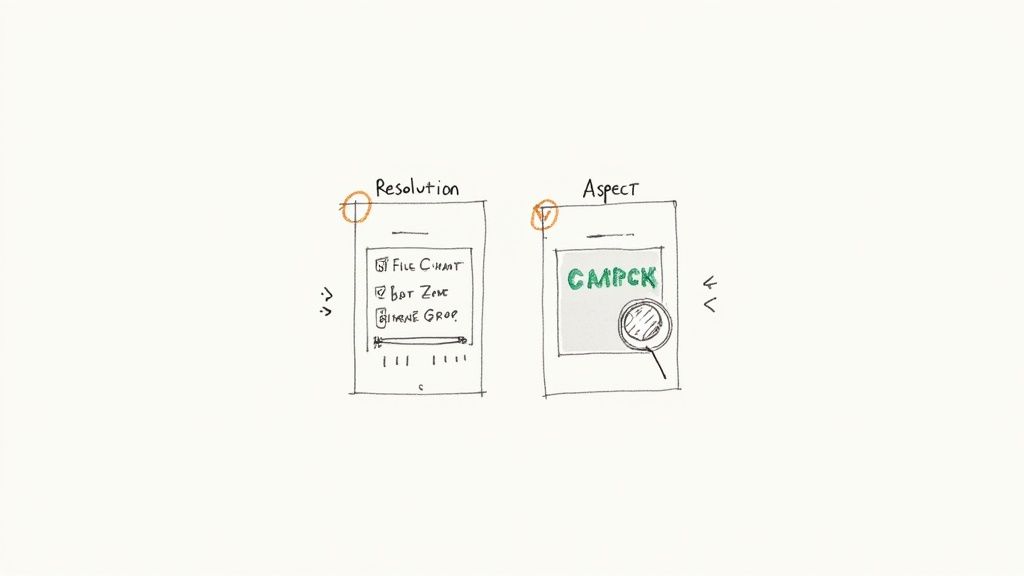
- Resolution: Stick to the original resolution of your video. If you started with a crisp 1080p clip, don't export it at 720p – you'll see an immediate loss of detail.
- Bitrate: Think of this as the data budget for your video's quality. A higher bitrate equals better quality but a bigger file. For platforms like TikTok, a variable bitrate (VBR) is usually your best bet, as it balances quality and file size effectively.
- Format (Container): When in doubt, go with MP4. It's the universal standard for online video, offering a fantastic mix of quality and compression that works on almost any device or platform.
The challenge isn't just removing the logo; it's re-encoding the video without introducing new problems. A high-quality online tool will give you control over these export settings, ensuring your final video looks as good as the original, if not better.
Optimising for TikTok and Instagram Reels
A great-looking video is only half the story. It also needs to be perfectly formatted for its destination. For platforms like TikTok and Instagram Reels, that means one thing: vertical.
The 9:16 aspect ratio is non-negotiable. It's the standard for full-screen mobile viewing. If your original video is in a landscape format (like 16:9), you'll need to crop or reframe it to fit this vertical space after you've removed the watermark.
Don't forget about file size, either. Even if your video is high quality, uploading a massive file can cause the platform to compress it aggressively, which can ruin your efforts. Try to keep short clips under 100 MB by tweaking the bitrate.
The Evolving Challenge of Forensic Watermarks
As the tools to remove a watermark from a video online get better, so does the technology designed to protect content. We're now seeing the rise of sophisticated forensic watermarks, which are completely invisible to the naked eye.
For instance, in March 2024, Netflix expanded its use of NAGRA's NexGuard forensic watermarking across its global service. This technology embeds a unique, imperceptible code into every single frame of a video. This means any leaked content can be traced back to a specific account, even after it’s been screen-recorded or re-encoded.
While these aren't the visible logos you're usually trying to remove, their growing use signals a new frontier in content protection. It’s a cat-and-mouse game, and you can learn more about the impact on the AI watermarking market. This all underscores the importance of using these tools ethically and only on content you have the right to modify.
Navigating the Legal and Ethical Rules
https://www.youtube.com/embed/9UA5YPs25U0
Knowing how to use a watermark remover is one thing; knowing when you should is another thing entirely. As you get more into video editing, it's crucial to have a solid grasp of the rules. The main idea is straightforward: you must have the right to modify the video.
Just because you can remove a watermark doesn't mean you should. These tools are powerful, and with that power comes a responsibility to respect legal and ethical lines, mainly copyright law. Get it wrong, and you could face serious trouble, including legal action from the person who owns the content.
That said, there are plenty of perfectly valid reasons to remove a watermark. My goal here is to help you use these tools with confidence, but only on content you have clear permission to edit.
When Is It Okay to Remove a Watermark?
It’s actually less complicated than it sounds. You just need to ask yourself one simple question: "Do I have the right to use this content?" If the answer is a firm yes, you're usually good to go.
Here are a few common scenarios where you're in the clear:
- You made the video yourself. Maybe you were trying out a new video editor and it slapped a "Made with..." watermark on your project. Once you buy the full licence, you absolutely have the right to remove that temporary stamp from your own creation.
- You’ve licensed some stock footage. It’s common for stock video sites to show you a watermarked preview. Once you pay for the licence, you get the clean, high-quality version. If for some reason you only have the watermarked file saved, you can ethically remove it because you've paid for the rights to the clean version.
- You’re updating your company’s branding. Imagine your company has a bunch of old promo videos with a retired logo. Removing that old watermark to pop the new one on is a totally standard part of keeping brand assets current.
The through-line here is ownership or explicit permission. In every case, you're working on content that either belongs to you or that you have a legal licence to edit. The removal is just a legitimate step in your workflow.
The Red Lines You Should Not Cross
This is where things get serious. You cross a major legal and ethical line the second you remove a watermark from a video you don't own or have permission to use. Plain and simple, that’s copyright infringement.
Trying to remove a watermark from video online to pass off someone else’s work as your own is a direct violation of their intellectual property. Think about downloading a creator's TikTok, erasing their username, and then reposting it on your own channel. Not only is it dishonest, but it can also get your social media accounts banned and open you up to legal claims from the original creator.
It's vital to remember that a watermark is there for a reason. It’s a creator's signature, protecting their hard work and asserting their ownership. Being a good citizen in the creative community means respecting that. Always work with integrity and make sure you’ve got the rights in hand before you start editing.
Common Questions About Removing Watermarks Online
Even with the best tools, you’re bound to have questions. It’s completely normal, especially when you’re aiming for a really polished, professional look. I've put together this section to tackle the most common queries we see, giving you the straight answers you need to get the job done right.
Think of this as your go-to reference for those "what if" moments. We’ll cover everything from the limits of AI to the specific headaches of dealing with platforms like TikTok, making sure you can handle any situation and create top-notch, watermark-free videos.
Can I Perfectly Remove Any Watermark?
This is the big one, and the honest answer is: it depends. While modern AI tools are incredibly sophisticated, getting a 100% flawless removal really comes down to the video itself.
The dream scenario? A simple, semi-transparent watermark on a fairly static background. In cases like that, the AI can analyse the surrounding pixels and rebuild the area with incredible accuracy. The logo just vanishes.
But the job gets much tougher with complex videos. Imagine a big, solid watermark plastered over a scene with fast action, detailed patterns, or shifting light. The AI has far less clean information to work with, which can sometimes leave a faint blur or a slight softness where the watermark used to be.
My Two Cents: The best online tools deliver near-perfect results a lot of the time. But always, always use a service that offers a free preview. This lets you check the final video before you download, ensuring the quality is up to scratch for that specific clip.
Will Using an Online Tool Degrade My Video Quality?
A very fair question. Any time you process and re-encode a video, there’s a risk of some quality loss. The key is choosing the right service. Reputable, professional-grade tools are built to minimise this, using advanced encoding and giving you control over the export settings.
On the other hand, a lot of cheaper or free tools often cut corners. They might aggressively compress your video to save on their server costs, which can lead to some pretty nasty visual problems:
- Pixelation: The video looks blocky, especially in parts with a lot of movement.
- Colour Banding: Smooth gradients, like a sky at sunset, end up looking like clunky, ugly stripes of colour.
- Softness: The whole image just loses its sharpness and crisp detail.
To avoid this, always start with the highest-resolution version of your video you have. When it's time to export, choose settings that match the original resolution and pick a high bitrate. This gives you the best possible chance of getting a clean video that looks just as sharp as the one you started with.
Is It Legal for Me to Remove a Video Watermark?
The legality here boils down to two things: ownership and intent. The technology itself isn't the issue; it's all about how you use it.
You’re generally in the clear to remove a watermark when you have the rights to the content. For instance, if you're removing a trial watermark from a video you created after buying the full software, that’s perfectly fine. Same goes for licensed stock footage—if your licence allows for a clean version, you're good to go.
Where you run into trouble is when you remove a watermark from someone else's content without their permission, especially if you plan to share it or pass it off as your own. That’s a violation of copyright law. That watermark is there for a reason—it’s a credit, a claim of ownership. Being a responsible creator means respecting that.
For a deeper dive into specific scenarios, you can find more answers by checking out our comprehensive FAQ page.
What Is the Best Method for a TikTok Watermark?
For repurposing a video you originally made and posted on TikTok, an AI watermark remover is, without a doubt, the best tool for the job. The TikTok watermark isn't just a static logo in the corner. It includes your username and the logo, and it often jumps from one part of the screen to another during the video.
This moving target makes the old-school methods totally ineffective.
- Cropping would mean chopping off a huge, and changing, part of your video. Your framing would be ruined.
- Blurring just creates a distracting, moving smudge that actually draws more attention to the area you're trying to hide.
A good AI tool, however, can intelligently track and erase the TikTok logo and username as they appear, all while keeping your video's original 9:16 aspect ratio perfectly intact. Most of the top platforms even let you paste the TikTok URL directly, which automates the whole download-and-removal process. It’s a massive time-saver.
Ready to create pristine, professional videos without distracting watermarks? SoReel uses advanced AI to cleanly remove any logo while enhancing your video's overall quality. Paste a link or upload your file and see the difference for yourself. Get your clean video in minutes at SoReel.