How to remove watermark from video: quick, safe tips

Learn safe, legal ways to remove watermark from video with AI-powered tips and step-by-step guidance for professional-looking results.
If you need to get a watermark off your video, the cleanest and fastest way is with one-pass AI processing. This isn't just about covering up a logo; modern software actually analyses the video and intelligently reconstructs the pixels hidden underneath the watermark. The result is a seamless finish that looks like the mark was never there. Tools like SoReel have made this incredibly straightforward—you can just upload a file or paste a link and get a professional-looking video back in minutes.
Why You Might Need to Remove a Watermark
Watermarks certainly have their place, but there are plenty of perfectly good reasons you might need to remove one. It’s not always about doing something shady; more often than not, it's about taking back control of your own creative work or adapting content for a new audience. The aim is simple: to present your videos in the best possible light, free from distracting logos or text.
This isn't just a niche problem, either. The demand for good watermark removal tools is growing fast, right alongside the explosion in video-first marketing and content creation. The global market was valued at around £1.2 billion in 2025 and is on track to hit £4 billion by 2033, with the UK's creative industry being a significant contributor. As we create more and more on our phones, the need for high-quality, cross-platform editing solutions just keeps climbing. You can find more detail on this trend from Data V Tech.
Common Scenarios for Watermark Removal
You've probably run into one of these situations yourself. Each one is a classic example of why you'd need to clean up a video.
- Repurposing Your Own Content: You made a killer video for TikTok and now want to share it on Instagram Reels. Getting rid of that TikTok watermark is crucial because platforms often downrank content that clearly comes from a competitor. It just helps the video feel more native.
- Recovering Lost Project Files: We’ve all been there—your hard drive dies, and the only copy of that project you poured hours into is the exported version with a massive trial watermark from your editing software. Removing it lets you rescue your work for your portfolio or a client.
- Cleaning Up Stock Footage: You’ve properly licensed a stock video, but the version you used to create your rough cut still has the preview watermark. You'll need a spotless version for the final cut, and sometimes the downloaded file isn't quite right.
- Improving User-Generated Content (UGC): A customer sends you a glowing video testimonial, but it's stamped with a logo from their favourite editing app. Taking that off makes the UGC look more polished and cohesive with your brand when you use it in a marketing campaign.
The bottom line is pretty simple: if you own the rights to the video, you have every reason to present it cleanly. It's all about ethical use—enhancing your own content, not stealing someone else's.
This is where the line is drawn. It's important to understand the difference between legitimate use and copyright infringement.
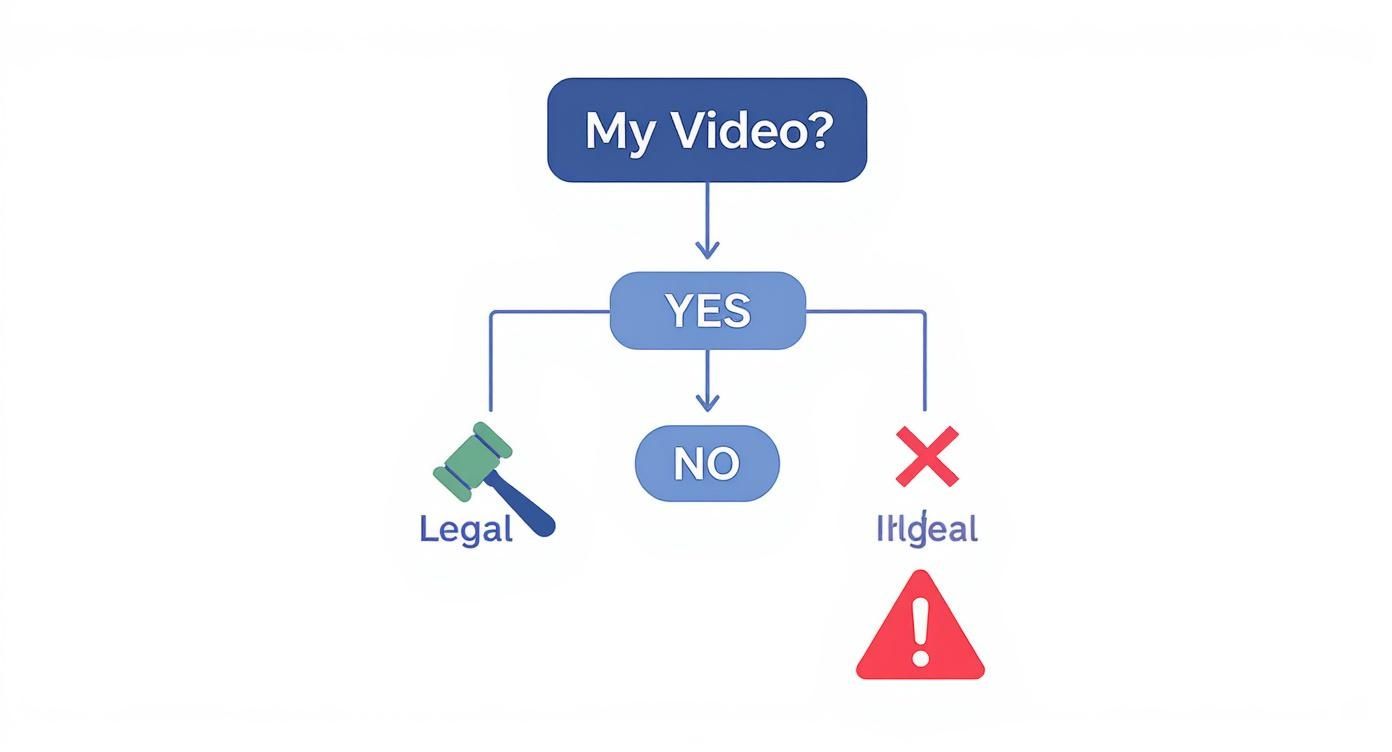
As the chart shows, if it's your content, you're generally in the clear. If it belongs to someone else and you don't have permission, you're crossing into copyright infringement territory.
How AI Makes Watermark Removal Feel Like Magic
The image above gets right to the heart of modern watermark removal. Forget complex timelines and fiddly manual tools. The journey now starts with a simple upload or a copy-pasted link. This elegant simplicity is exactly what makes a once-technical chore accessible to anyone.
Not long ago, if you needed to remove a watermark from a video, you were in for a long afternoon. It meant wrestling with clunky software, manually selecting the watermarked area, and then applying a crude blur or crop. You almost always had to sacrifice video quality. AI has completely flipped the script. It’s no longer about hiding the watermark; it’s about intelligently erasing it and rebuilding the video underneath.
This isn’t just some clever visual trick. It’s a sophisticated process called inpainting. The AI models are trained on millions of videos, so they learn to understand patterns, textures, and motion. When one spots a watermark, it doesn't just smudge it. It accurately predicts and regenerates the pixels hidden behind the logo, perfectly matching them to the surrounding frames.
Think of it like a master art restorer meticulously touching up a tiny damaged section of a classic painting. The AI does the same for your video, but in milliseconds, making sure the final cut is clean, natural, and free from distracting blemishes.
This technology is moving at a breakneck pace, fuelled by the explosion of digital content. The AI watermarking market, valued at £613.8 million in 2025, is forecast to hit an incredible £2.96 billion by 2032. That’s a clear signal of the massive demand from creators and businesses in the UK and globally who need to protect and reclaim their digital assets.
The “One-Pass” AI Workflow in Action
The real beauty of tools like SoReel is their sheer simplicity. The entire complex process is distilled down into a few clicks, with all the heavy lifting happening behind the scenes. We call this a 'one-pass' workflow: you provide the video, and the AI delivers a finished product without demanding any tedious manual input from you.
Let’s walk through a common scenario. Say you’ve made a great promotional video for a client and sent it for review using a platform that automatically stamps its logo on top. Now, you need a clean version for your portfolio.
Get Your Video into the System: First things first, you need to feed the video to the AI. You can upload the file directly from your machine or, if it's already online (like a TikTok or YouTube clip), just paste the URL. This flexibility means you don't even have to download the video yourself.
Let the AI Do Its Thing: Once submitted, the AI engine sparks into life. It analyses the video to pinpoint the watermark's location, shape, and transparency—even if it moves around. Then, the inpainting algorithm meticulously reconstructs the hidden background, frame by painstaking frame.
Check and Download: In just a few minutes, you’ll see a preview of the watermark-free video. Give it a quick look to confirm the removal is seamless, with no weird smudges or blurs. Happy with it? Just hit download, and you’ve got a polished, high-quality video ready to go.
The entire journey is designed to be as hands-off as possible. It frees you up to focus on the creative stuff, not the technical headaches.
More Than Just Removing a Logo
While a clean visual is the primary goal, a truly effective AI tool goes further. It’s not just about what’s removed, but also what’s preserved.
- Keeping Quality High: A big worry with video processing is that you'll end up with a pixelated mess. The best tools are optimised to handle high-resolution footage and ensure the output is just as crisp as the original.
- Leaving the Sound Alone: Your audio is half the experience. A proper removal process leaves the soundtrack completely untouched, so you don’t have to worry about sync issues or degraded sound quality.
- No Telltale Smudges: The ultimate sign of a job well done? No one can even tell a watermark was ever there. The goal is a flawless finish, free from the ghostly blurs or blocky patches that scream “amateur removal job.”
By taking care of these crucial details automatically, AI delivers a complete solution that honours the quality of your original work. It's a powerful ally for any creator who needs to remove a watermark from a video without cutting corners.
Getting Your Hands Dirty: Manual Removal Techniques
While a one-click AI tool is fantastic, knowing your way around the manual methods gives you a much deeper toolkit. Sometimes, a quick fix in your go-to editing software is all you really need. These classic techniques demand more hands-on effort, but they can be surprisingly effective when you need granular control over the final look.
Think of it as the traditional craft of video editing versus an automated process. Instead of asking software to rebuild pixels, you're using clever concealment tricks. If you're already comfortable working on a timeline in a programme like Adobe Premiere Pro or Final Cut Pro, these methods will feel right at home. They're practical skills every video creator should have in their back pocket.
The Cropping Method
The most straightforward way to remove a watermark from a video is, well, to just cut it out. Cropping is a bit of a blunt instrument, but it’s undeniably effective if the watermark is lurking near the edge of the frame. Say you have a logo tucked into the top-right corner of a 16:9 widescreen video; a simple crop can make it disappear entirely.
Of course, this approach comes with a major catch.
- You’ll alter the aspect ratio. Cropping changes your video’s dimensions. That 16:9 clip might become something slightly off, potentially leading to ugly black bars when you upload it to platforms like YouTube or Instagram that expect standard sizes.
- You can ruin the composition. You might chop out crucial visual information. If your subject is standing near the watermarked edge, cropping could cut them out of the shot completely.
This method is best saved for clips where the watermark is far from the main action and a slight change in framing won’t be noticed—think a sweeping landscape shot with a tiny logo in the corner. For that, it's a fast and easy win.
Using Blurring and Masking
For a more subtle touch, you can blur the watermark just enough to make it unreadable. This is far less destructive than cropping because you get to keep your original frame size and composition. Using a masking tool, you can draw a shape around the watermark and apply a gentle effect, like a Gaussian Blur.
The secret here is restraint. A heavy-handed blur just creates an obvious, distracting smudge that often looks worse than the watermark itself. You want to apply just enough fuzziness to obscure the logo without drawing the viewer's eye right to it. It tends to work best on semi-transparent watermarks that are sitting on a busy, textured background where the slight distortion can blend in.
My best tip for this is to use keyframes to make the blurred mask follow the watermark if it moves. It takes more work, but it stops a static blurry box from floating awkwardly over a dynamic scene and gives you a much more professional result.
The Overlay and Replacement Strategy
Perhaps the most creative manual solution is to simply cover the watermark with something else. This involves placing a new graphic—like your own logo, a lower-third title, or a relevant icon—directly over the one you want to hide. It's a common move when repurposing content for a new brand or channel.
For instance, if you're editing a user-generated clip for a compilation video, you could pop a small, branded graphic for your channel over the original watermark. This not only conceals the old mark but also reinforces your own branding at the same time.
Whether this works depends entirely on context. It has to feel natural. A logo that looks randomly slapped onto the screen can be just as jarring as a blurry patch. This is perfect for marketing materials, social media updates, or informational videos where adding extra graphical elements already makes sense.
Here’s a quick breakdown of when to use each approach.
| Technique | Best For | Main Drawback | Effort Level |
|---|---|---|---|
| Cropping | Watermarks near the edge of the frame. | Alters aspect ratio and composition. | Low |
| Blurring | Small, unobtrusive watermarks on busy backgrounds. | Can look messy if not done subtly. | Medium |
| Overlaying | Videos where adding a new graphic feels natural. | Can look forced and out of place. | Medium |
Ultimately, while these manual methods give you control, they also throw the efficiency of AI into sharp relief. Each one requires time, patience, and a good eye for detail. They're valuable skills, but they often remind you just how much effort an AI tool can save when you need to remove a watermark from a video cleanly and quickly.
Solving Common Watermark Removal Problems
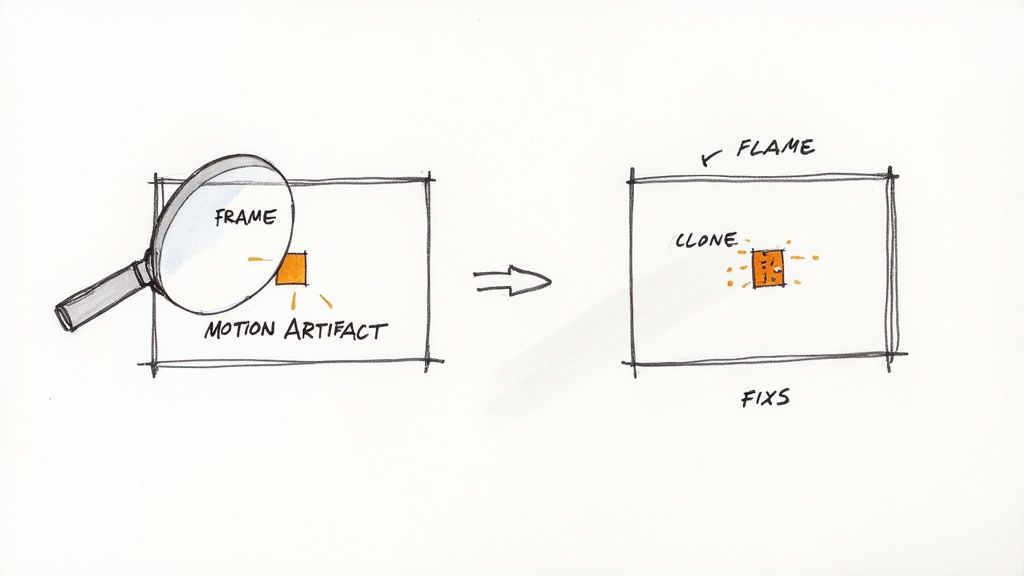
Even with the best AI tools, the process to remove a watermark from a video can sometimes leave a few little imperfections behind. These small quirks are often what separate a good result from a truly professional one. The good news is, most of these issues are surprisingly easy to sort once you know what you’re looking for.
Think of this as your post-production clean-up guide. We’ll cover everything from faint visual glitches to weird audio hiccups, giving you practical fixes for the most common headaches you might run into after the AI has done its job.
Fixing Motion Artefacts and Ghosting
One of the most common things you'll spot is motion artefacts. This is when the area where the watermark used to be looks a bit smudged or blurry, especially when the camera is moving or there’s fast action on screen. It’s almost as if the AI has perfectly rebuilt the static background but can't quite keep up with the movement.
You might also see ghosting, where a very faint outline of the original logo seems to hang around. I find this happens most often with semi-transparent watermarks placed over busy, detailed backgrounds. The AI does a solid job rebuilding the main texture but just misses the subtle edges of the original mark.
For minor ghosting, a quick fix is to hop into a video editor and apply a very gentle, localised blur or even a sharpening filter just over that specific spot. If the artefacts are a bit more stubborn, running the clip through a secondary AI enhancer, like a denoiser or a quality upscaler, can often smooth out those last few blemishes.
Dealing with Complex Backgrounds
Let's face it, watermarks are rarely placed over a clear blue sky. When they're sitting on intricate patterns, detailed textures like clothing, or even someone's face, the removal process gets a lot trickier. The AI has to make some very educated guesses to rebuild those pixels, and occasionally, it doesn't get it 100% right.
If you notice the patched-up area looks a bit flat or less detailed than the rest of the shot, here are a couple of my go-to tricks:
- Add a touch of film grain: Applying a light, consistent layer of grain across the entire video is a brilliant way to blend the repaired patch with the original footage. It makes any texture inconsistencies almost impossible to spot.
- Tweak the local contrast: Using a simple mask in your editor, you can slightly boost the contrast or clarity just in that repaired zone. This helps it match the crispness of the surrounding video.
Honestly, sometimes the best fix is prevention. If you have any choice in the matter, using a version of the video where the watermark is over a simple background will always give you a cleaner result. An AI can handle a logo on a plain wall far more easily than one over a crowd of people.
Correcting Audio Sync Problems
This one can be a real head-scratcher. You remove a watermark from a video, and suddenly, the audio is just a fraction of a second off. This is almost always caused by the re-encoding that happens during the removal process. Tiny shifts in frame rate can be enough to knock the audio track out of alignment.
Thankfully, the fix is usually simple in any decent video editing software. The first step is to unlink the audio and video tracks on your timeline. Once they’re separate, you can manually nudge the audio track forwards or backwards, one frame at a time, until it lines up perfectly again. I recommend focusing on sharp sounds or a person's speech to get the timing spot on. It's a tiny adjustment that makes a massive difference to the final feel.
Navigating the Legal and Ethical Rules
Knowing how to remove a watermark from a video is a useful skill, but knowing when it’s okay to do so is far more important. This isn't just a technical exercise; it's about respecting other creators and staying on the right side of the law.
The line between fair use and copyright infringement is pretty clear, especially under UK law.
Ownership Is Everything
The whole issue really boils down to one simple question: do you own the video?
If you created the content and hold the copyright, you’re generally in the clear. A common scenario I see all the time is creators downloading their own videos from a platform like TikTok, which automatically slaps its logo on the export. Removing that watermark so you can post a clean version on Instagram Reels or YouTube Shorts is a perfectly legitimate way to manage your own content.
But the moment you start working with someone else's content, the game changes completely. Grabbing a video someone else made, scrubbing their watermark off, and passing it off as your own isn’t a clever workaround—it’s copyright infringement, plain and simple. Think of it as intellectual property theft. It can get your accounts banned and, in serious cases, lead to legal trouble.
Understanding Copyright Infringement in the UK
According to the UK's Copyright, Designs and Patents Act 1988, a watermark is legally considered part of the copyright management information. That means intentionally removing it to hide the fact that you're infringing on copyright is illegal.
A watermark is there for a reason: to identify the creator and declare ownership. Erasing it is like sanding an artist's signature off a painting. It doesn’t make the artwork yours; it just proves you’re trying to hide where it really came from.
More Than Just Law: The Ethical Angle
Beyond the legal rules, there's a wider ethical responsibility we all have. Watermarks aren't just for protecting creators; they play a crucial role in fighting the spread of misinformation. In an age where manipulated videos are everywhere, a watermark can be a vital breadcrumb leading back to the original, authentic source.
This is more critical than ever with the explosion of AI-generated content. The UK government has pointed to a projected 1500% increase in deepfake videos by 2025. That’s a staggering figure, and it makes source verification essential. When a watermark is removed, it becomes much easier for bad actors to pass off fake or manipulated footage as real. You can read more about the government's response to deepfake risks to see just how seriously they’re taking this.
Before you remove any watermark, the question shouldn't be "Can I?" but "Should I?" If the content isn't yours, the answer is always no. Respecting the work of others is the foundation of a healthy, trustworthy online community.
Ultimately, the ability to remove a watermark from a video is a tool. Use it responsibly—for cleaning up your own creations, recovering original files, or polishing your portfolio. That way, you’re not only protecting yourself legally but also helping to maintain a more honest and transparent digital space for all of us.
Streamlining Workflows for Creators and Teams
When you move past editing the odd video here and there, your whole process needs to change. For social media managers, agencies, and full-time creators, processing clips one by one is a complete workflow killer. It’s a bottleneck that eats up time you just don't have.
This is exactly where more advanced workflows come into their own. They turn a repetitive, manual slog into an automated, efficient part of your content pipeline. Instead of losing hours just prepping clips, you can get back to the creative work that actually drives growth.
High-Volume Batch Processing
Picture this: you've just received a dozen brilliant user-generated clips for a new campaign, but they're all plastered with different watermarks. Going through them one by one would chew up a huge part of your day. This is the perfect job for batch processing.
This feature is designed so you can upload a whole folder of videos at once and let the AI remove a watermark from each video at the same time. It’s the difference between washing every dish by hand and just loading up the dishwasher. You set it, forget it, and come back when it's all done.
This isn't just about saving a bit of time; it's a genuine workflow multiplier. You can get through an entire week's worth of content in the time it once took to handle a single clip. That’s a massive boost to your creative output.
Automating with a Watermark Removal API
For businesses working at an even bigger scale, an API (Application Programming Interface) is the gold standard for automation. An API lets you plug watermark removal directly into your own apps, platforms, or content management systems.
This really opens up what's possible. For instance, you could:
- Social Media Platforms: Automatically process videos uploaded by users to keep your platform's aesthetic clean and consistent.
- Marketing Automation: Build a workflow that pulls in UGC, cleans it up, and queues it for your editing team without anyone lifting a finger.
- Digital Asset Management (DAM): Make sure every video in your DAM is pre-cleared and ready for any team member to use immediately.
With an API, the entire process to remove a watermark from a video can happen in the background, with zero manual input. For any team serious about scaling, it's worth exploring the options available in the various SoReel pricing plans. It transforms a chore into a seamless, integrated part of your content strategy.
Got Questions? We’ve Got Answers
Still have a few things you’re wondering about? Here are some quick, straightforward answers to the questions we hear most often when it comes to removing a watermark from a video. Think of this as your go-to spot for finding what you need without having to sift through the entire guide again.
Is It Legal to Remove a Watermark in the UK?
This is a big one, and the answer comes down to one simple thing: ownership.
You're in the clear if you own the copyright to the video or have the creator's explicit permission. A classic example is when you want to remove the TikTok watermark from your own video before sharing it on Instagram Reels. That’s perfectly fine.
The line is crossed when you remove a watermark from someone else's content to pass it off as your own. In the UK, that's copyright infringement. Watermarks are legally considered copyright management information, and deliberately removing them is against the law.
Can AI Really Remove Any Watermark Perfectly?
Today's AI is incredibly good, especially with static or semi-transparent watermarks. It works by intelligently rebuilding the pixels hidden behind the mark, giving you a clean result that avoids the tell-tale blurriness of older software.
But it’s not magic. Certain watermarks can still be tricky. A large, solid watermark or one that covers intricate details (like a person's face) might leave behind subtle visual traces or artefacts. The key is using a high-quality tool, which will always give you the most natural-looking finish.
Will Removing a Watermark Reduce My Video Quality?
Not if you use the right tool. A high-quality AI remover is built specifically to preserve your video's integrity. Yes, the video has to be re-rendered, but the best algorithms are designed to maintain the original resolution and bitrate. The result? Your final video looks just as sharp as the original.
On the other hand, manual techniques like cropping or heavy blurring will almost certainly degrade your video's quality or ruin its framing.
For an even deeper dive into these topics, feel free to check out our full watermark removal FAQ page.
Ready to get clean, professional-looking videos in just a few clicks? Give SoReel a try and see for yourself how easy AI makes it. Get started for free at SoReel.app.
Article created using Outrank