Remove TikTok Watermark Free The Ultimate Creator Guide

Discover how to remove TikTok watermark free with our complete guide. Learn about the best apps, online tools, and manual editing tricks for clean content.
If you've ever tried to repurpose a TikTok video, you know the struggle. That little watermark can be a real pain, especially when you want to share your content on platforms like Instagram Reels or YouTube Shorts. The good news is, getting a clean version is easier than you think. The absolute best way to remove the TikTok watermark for free is to grab the video before you even publish it.
This simple step in your workflow means you'll always have a high-quality master copy ready for anything.
Your Quick Guide to Watermark-Free TikTok Videos
Let's be honest: repurposing content is a massive part of any solid social media strategy. But posting a video with a rival platform's logo on it is a surefire way to kill your reach. Instagram has openly said it deprioritises content that's visibly recycled from other apps, so a clean video isn't just about looks—it's about performance.
You essentially have two choices: deal with the watermark before you post to TikTok, or try to remove it afterwards. From my experience, being proactive is always the better route. If you edit your video in an app like CapCut, you can use a free online tool to download the final version without a watermark before it ever goes live on TikTok. This way, you keep the original file in its highest possible quality.
Taking this pre-publish approach has some serious perks:
- It keeps your quality high. You're not re-downloading and re-compressing an already published video, which can often lead to a fuzzy, pixelated mess.
- It's a huge time-saver. Once you build it into your routine, it becomes second nature. No more digging through old posts to try and fix them later.
- You always have a master copy. This is crucial. Having a pristine version of your work on hand is perfect for a professional portfolio or if a new platform pops up tomorrow.
This decision tree gives you a clear visual of the two main paths you can take.
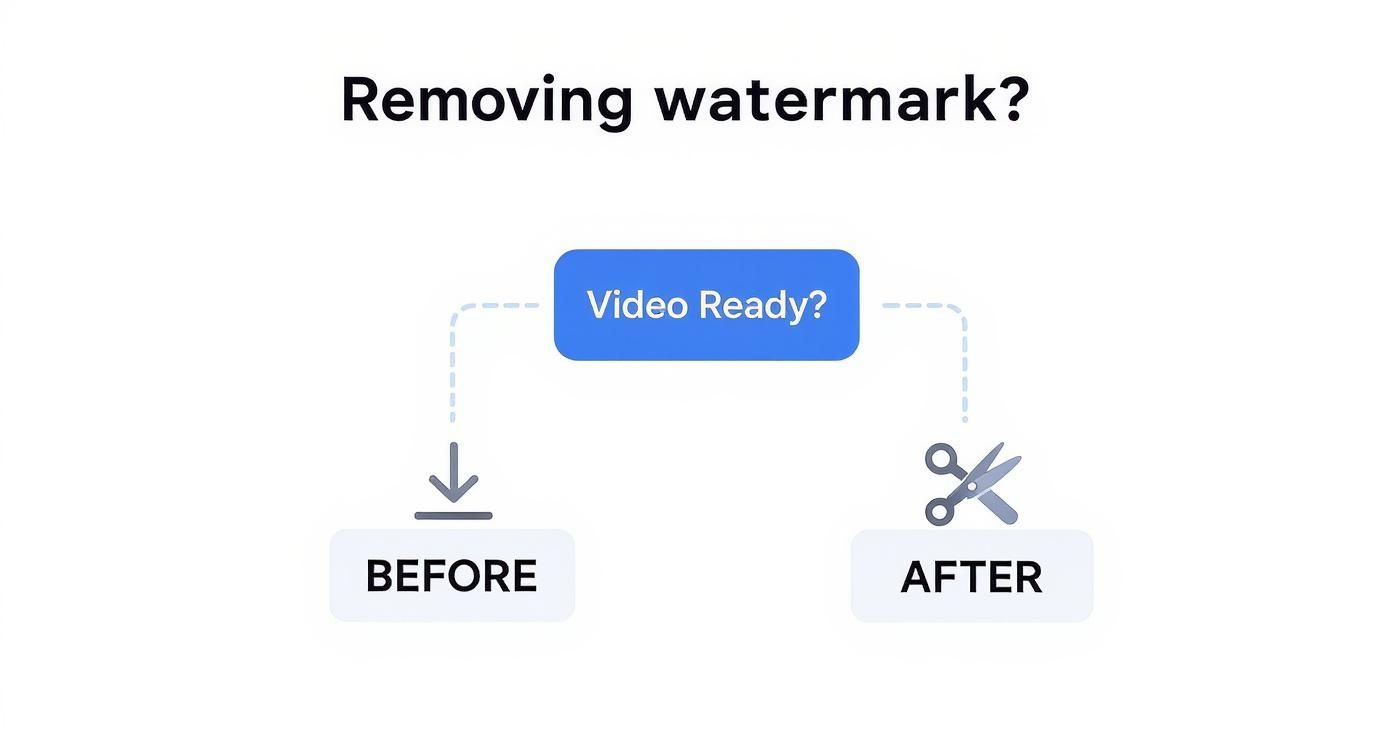
As the flowchart shows, grabbing that clean copy before you publish is the most direct way to get a high-quality, watermark-free video. While you can remove it after the fact, you're often looking at more work and potential headaches.
Comparing Free TikTok Watermark Removal Methods
To help you decide which free method fits your needs, here’s a quick breakdown of the most common approaches.
| Method | Best For | Pros | Cons |
|---|---|---|---|
| Pre-Publish Download | Creators who want the highest quality for repurposing. | Preserves original video quality; creates a clean "master" copy. | Requires an extra step before posting to TikTok. |
| Manual Cropping | Quick fixes where the watermark is near the edge. | Super fast and simple; no extra tools needed. | You lose part of the video frame; can look unprofessional. |
| Online Tools (Post-Publish) | Removing watermarks from already-published videos. | Convenient and doesn't require software installation. | Quality can be reduced; some tools are slow or ad-heavy. |
| Blurring/Covering | When you can't crop but need to hide the watermark. | Hides the logo without changing the video dimensions. | Can be distracting and look obvious to viewers. |
Ultimately, the pre-publish download method stands out as the most professional and reliable option for creators who are serious about their content's quality across all platforms.
So, Why Bother Removing the TikTok Watermark?
Let’s be honest, figuring out how to remove a TikTok watermark for free isn't just about making your video look cleaner. It’s a smart, strategic move for any creator looking to get the most out of their hard work. The biggest reason? Making your content play nice with other platforms.
Social media algorithms are a fickle bunch. Platforms like Instagram are well-known for dialling down the visibility of videos that have a competitor's logo plastered all over them. By sharing a clean, unbranded clip, you're giving your content a fair shot at reaching a wider audience organically, no matter where you post it. You’re essentially playing by the unwritten rules of the social media game.
Creating a Clean Brand and a Polished Portfolio
Think beyond the algorithms for a moment. A watermark-free video is crucial for building a consistent brand. When your content pops up on Instagram Reels, YouTube Shorts, or Pinterest without any distracting logos, it just looks more professional. This cohesive feel strengthens your brand identity, helping your followers recognise your style instantly, wherever they find you.
And if you’re trying to land brand deals or attract new clients, a polished portfolio is non-negotiable. Showcasing your best work in its purest form signals that you’re serious about your craft. A clean collection of your videos proves you have a sharp eye for detail and, most importantly, that you own and control your creative work.
Ultimately, removing the watermark is about taking full ownership of your creations. It puts you in the driver's seat, letting you control how your work is seen and ensuring it fits perfectly on any platform without looking out of place or getting penalised.
Respecting the Creator: Your Content vs. Theirs
Here's where we need to draw a firm line in the sand. While taking the watermark off your own videos is standard practice for repurposing, things get murky when you’re dealing with someone else's content. Lifting another creator's video and stripping their watermark without permission is a huge ethical and legal no-go. It's a fast track to a copyright infringement claim.
The golden rule is simple: only ever remove the watermark from content you made yourself.
If you love someone else's video and want to share it, use TikTok’s built-in tools like "Stitch" or "Duet." These features are designed to give proper, automatic credit to the original creator. This approach not only respects their intellectual property but also contributes to the positive, collaborative community that makes TikTok so special.
After all, that collaborative spirit is what fuels the platform's incredible engagement. Back in 2022, TikTok's engagement rate was a massive 5.96%, leaving Instagram's 0.85% in the dust. You can dig into more of TikTok's impressive stats to see just how powerful genuine user interaction is.
Best Free Online Tools and Apps for Watermark Removal
When you need to get rid of a TikTok watermark, a free online tool or mobile app is usually your fastest bet. The web is absolutely swimming with options, but let’s be honest—many of them are slow, plastered with annoying ads, or just feel a bit sketchy. The trick is to find the ones that are reliable, won’t compromise your privacy, and give you a high-quality video without a headache.
For those times you’re at your desk and just need a quick fix, a browser-based tool is your best friend. There’s nothing to install. The workflow is almost always the same: grab the TikTok link, paste it into the tool, and hit download. The whole process takes seconds, which is perfect when you need to quickly save a clean version of a video you’ve just posted.
Top Browser-Based Savers
A solid, dependable choice I often recommend is SnapTik. It’s popular for a reason: the interface is clean and the process couldn't be simpler, which is exactly what you need when you're in a rush. Just paste your link, and it generates a download for the watermark-free MP4 file almost instantly.
Here’s a quick look at their homepage, which shows you just how straightforward it is.

As you can see, the design is all about function. No clutter, no confusing menus—just a clear focus on getting the job done. This is what makes it a go-to for so many creators.
Of course, it’s always good to have backups. A couple of other strong contenders are SSSTikTok and MusicallyDown. They all work on the same basic principle, but I always keep a few bookmarked. You never know when one site might be down for maintenance or bogged down with traffic. Having a plan B means your workflow doesn’t grind to a halt.
The biggest advantage of these online tools is how accessible they are. You can get a clean video in under a minute on any device with a browser—no downloads, no sign-ups.
Must-Have Mobile Apps for On-the-Go Edits
If you’re a creator who lives on their phone, a dedicated mobile app often feels much slicker. In many cases, you can share a video directly from the TikTok app to the watermark remover, which cuts out a few steps and saves precious time.
Here are a couple of reliable apps to check out:
- For iOS Users: An app like SaveTok is a great shout. It does more than just remove watermarks; it also helps you organise your saved TikToks, bookmark profiles, and even create your own video playlists.
- For Android Users: SnapX gets consistently high ratings on the Google Play Store. It’s a lightweight and fast app that does one thing and does it well: downloading clean TikToks without any fuss.
Ultimately, whether you choose a browser tool or a mobile app will depend on your workflow. If you manage social media from a laptop, a bookmarked website is incredibly efficient. But if you shoot, edit, and post everything from your phone, an app will feel like a much more natural part of your process.
For more deep dives into optimising your video workflow, we've got a whole library of guides for creators over on the SoReel blog.
Manual Tricks to Hide or Crop Out the Watermark

While automated tools are brilliant for getting the job done quickly, sometimes a hands-on approach is what you really need to remove a TikTok watermark for free. Going manual gives you total creative control, which is perfect if you're slotting a clip into a bigger project or trying to keep a very particular aesthetic.
These techniques don't require fancy new software. You can do all of this using standard video editors you probably already have, like CapCut, iMovie, or Adobe Premiere Rush.
The simplest, most direct method is just to crop the video. Think of it as your first port of call. If the watermark is hovering near the edge of the screen and you can afford to lose a bit of the frame, this is the way to go. You just zoom in slightly or pull in the video's boundaries to slice the watermark right out of the picture.
Of course, this isn't a silver bullet. Cropping too aggressively can throw off your video’s composition or even change its aspect ratio, which might leave you with those awkward black bars when you post it elsewhere. It really works best when the main action is front and centre, and the edges of the frame aren't telling a crucial part of the story.
Clever Concealment with Overlays
What if cropping just won't work? Your next best move is to hide the watermark instead of cutting it out. This is a great little trick that involves placing another visual element right on top of the TikTok logo, and it’s surprisingly effective at preserving your video’s original dimensions and quality.
You can get quite creative with what you use for the cover-up:
- Your Own Logo: If you’re a brand or creator, this is a no-brainer. Popping your logo over the TikTok watermark not only hides it but also reinforces your own brand identity.
- Text Boxes or Captions: A well-designed text box with a title, a question for your audience, or a call-to-action can seamlessly cover the watermark.
- Stickers or GIFs: For more laid-back, fun content, a strategically placed sticker or GIF can add a bit of personality while doing the dirty work.
The key here is finesse. You want the overlay to look like it was always meant to be there, not like a clumsy patch-up job. The goal is for the new element to feel completely natural.
Pro Tip: Remember, the TikTok watermark isn't static—it jumps from the top-right to the bottom-left corner during the video. This means you’ll likely need to use two separate overlays timed correctly, or a single element that moves with the watermark.
Using Blur and Clone Stamp Effects
If you're after a more subtle fix, you can dive into more advanced effects like blurring or clone stamping. Most desktop video editors will let you apply a localised blur to a specific area. You can even track this blur so it follows the watermark as it moves, making it unreadable without being overly distracting.
The clone stamp tool is another level up. It works by copying pixels from a clean, nearby area of your video and essentially "painting" them over the watermark. When you do it carefully, the watermark can disappear almost completely. Be warned, though: this is a time-consuming process and gives the best results on videos with simple, static backgrounds.
It’s also crucial to touch on the ethics of this. Using these tricks on your own content is one thing, but always be mindful of creator rights and platform rules. In the UK, TikTok was hit with a £12.7 million fine for misusing children's data, and globally, content removed for minor safety issues made up 31% of all takedowns in early 2023. You can read more about TikTok’s regulatory challenges and its safety commitments. Always respect the original creator’s work.
Upgrading to Professional Watermark Removal Solutions
https://www.youtube.com/embed/cJIQyzwOZeY
While free tools are brilliant for a one-off video here and there, you’ll quickly hit a wall if you're dealing with content professionally. For social media managers, marketing agencies, or creators churning out daily content, the limitations of free options create serious bottlenecks. The time spent manually saving and editing each clip just isn't sustainable.
This is where investing in a proper, advanced solution starts to make a lot of sense.
Professional tools are built for scale and precision. Instead of processing videos one by one, they offer features like batch processing, which lets you upload and clean dozens of clips in one go. Honestly, this feature alone can reclaim hours of your work week, freeing you up to focus on the creative side of things rather than repetitive busywork.
When a Professional Tool Becomes a Necessity
Picture this: a marketing agency needs to repurpose a client's entire TikTok back-catalogue for an Instagram Reels campaign. Manually downloading and cleaning every single video isn't just tedious; it's unprofitable. A paid solution with an API (Application Programming Interface) can automate that entire workflow. You can set it up so that new client videos are automatically pulled in, stripped of their watermarks, and added to a content calendar without anyone lifting a finger.
That level of automation completely changes how you manage content at scale. It brings a consistency, speed, and reliability that you simply won't get from a free, ad-riddled website.
The technology is another key difference. Many free tools just crop the video or slap a blurry box over the watermark, which looks amateurish. In contrast, professional AI-powered platforms like SoReel are designed to cleanly erase it. The AI analyses the pixels surrounding the watermark and intelligently reconstructs the area, leaving no blur or awkward reframing behind. You get a pristine video that looks completely original, preserving the full frame and its quality.
Investing in a professional tool is less about the cost and more about the return on your time and the quality of your final product. For high-stakes content, a flawless finish is non-negotiable.
It's More Than Just Watermark Removal
The benefits often go far beyond just zapping a logo. The best platforms bundle in a whole suite of tools designed to get your content ready for any social media channel. These often include:
- AI Video Upscaling: Boosting the resolution so your video looks sharp and clear, even on larger screens.
- Audio Enhancement: Cleaning up sound, normalising volume, and improving voice clarity for a more professional feel.
- Metadata Stripping: Removing the digital fingerprints that can sometimes lead to algorithmic suppression on other platforms.
This all-in-one approach is a massive time-saver. Having robust tools is especially important given how strictly platforms enforce their rules. For example, the UK ranks in the top ten globally for TikTok video removals, with a rate of 19.65%, showing just how seriously the platform takes its community standards. You can read more about UK content moderation trends on TheJohnFleming.wordpress.com. Using a professional tool ensures your repurposed content is technically perfect and ready to face any platform's scrutiny.
If you’ve found that the methods to remove a TikTok watermark for free are no longer cutting it, looking into a professional service is the logical next step. It’s worth taking a look at a breakdown of features and you can explore the different pricing plans available to find a package that suits your team's workflow and budget.
Common Questions About Removing TikTok Watermarks
Whenever you're looking to repurpose your videos, a few questions always seem to come up. It's only natural. Getting straight answers means you can move ahead with confidence, knowing you’re not just getting a clean video but also staying on the right side of things.
Let's dive into some of the most common queries I hear from creators.
Is It Actually Legal to Remove a TikTok Watermark?
This is probably the biggest one, and for good reason. The short answer is yes... but there's a huge "if" attached.
It's completely fine to remove the watermark from your own original content. After all, you created it. The main reason people do this is to repurpose their hard work on other platforms like Instagram Reels or YouTube Shorts, where a rival platform's logo can seriously throttle your video's reach.
But, and this is crucial, the story changes completely when it's not your video. Ripping the watermark off someone else's content and passing it off as your own is copyright infringement, plain and simple. So, the golden rule is simple: only ever clean up your own creations.
Will I Lose Video Quality?
Another big concern is whether removing the TikTok watermark for free will leave you with a blurry, pixelated mess. Honestly, it all comes down to the method you pick.
A good online downloader is designed to fetch the video file at its original resolution, so the quality drop is often minimal, if there's any at all. On the other hand, manual fixes like cropping aren't really removing anything – they're fundamentally changing the video's dimensions, which is a big hit to its original quality and composition. Blurring the watermark is another trade-off; you keep the frame, but you're intentionally degrading a part of your video.
Key Takeaway: The quality of your final video is directly tied to the quality you start with. Always work from the highest-resolution version of your video and use a trusted tool built for lossless downloading to keep things looking sharp.
Are Free Watermark Removal Tools Safe to Use?
It pays to be careful about the online tools you use. While many free watermark removers are perfectly safe, some dodgy sites are littered with aggressive pop-up ads or, even worse, might be trying to phish for your data.
A good rule of thumb is to stick with well-known websites that have a solid track record and positive user reviews. If a tool asks you to download strange software or demands personal information it has no business asking for, just close the tab. The tools we’ve mentioned in this guide are generally considered reliable, but running antivirus software is always a smart move. For more technical answers, you can usually find a detailed frequently asked questions page about video tools.
The safest workflow, though, sidesteps these worries entirely. Edit your video in an app like CapCut, save the final, high-resolution version to your device, and then upload that master copy to TikTok. This way, you always have a pristine, watermark-free version before any platform gets its hands on it.
When free tools just aren't cutting it for your quality standards or the sheer volume of content you're producing, it's time to look at a professional solution. SoReel uses advanced AI to perfectly erase watermarks without any cropping or blurring, leaving you with a clean, studio-quality finish. You can automate your entire workflow and take your content to the next level by visiting https://soreel.app.