A Creator's Guide to 8K Resolution Video

Explore our complete guide to 8K resolution video. Learn about production workflows, technical needs, distribution, and AI upscaling for creators.
When we talk about 8K resolution video, we’re really talking about the sharpest, most detailed picture you can get right now. Each frame is packed with around 33.2 million pixels. That’s a staggering amount of visual information, giving creators a level of clarity and post-production muscle that was once unthinkable.
What Exactly Is 8K Resolution Video?
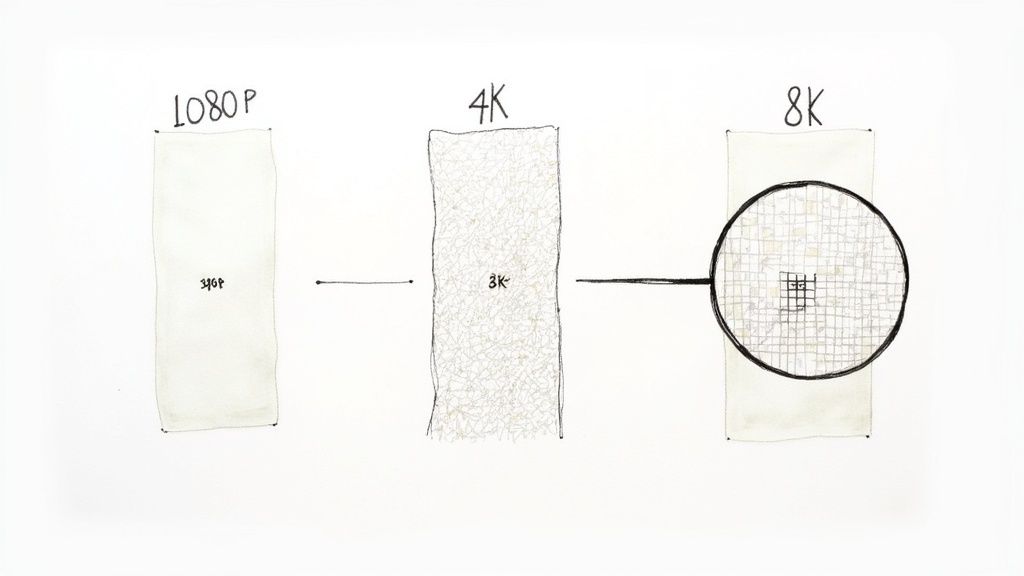
Let's break down what 8K actually means for your projects. Think of it like the thread count in a high-end sheet; more threads (or in our case, pixels) create a smoother, more detailed, and luxurious final product. The difference is immediately noticeable.
An 8K frame measures 7680 x 4320 pixels. This isn't just about making things look sharper on a brand-new 8K TV. For creators, it’s about having a massive digital canvas to play with. This sheer volume of pixels unlocks powerful new creative avenues that simply weren't possible with older formats.
The Power of Pixels
The jump from the once-standard Full HD (1080p) to 8K is genuinely massive. An 8K frame has sixteen times more pixels than a 1080p one. All that extra data translates directly into a sense of realism and depth that pulls viewers right into the scene.
This leap in quality becomes incredibly obvious on larger screens. At lower resolutions, you can start to see the individual pixels, which shatters the illusion. With 8K, the pixels are packed so densely that the image looks completely seamless and lifelike, even when you're standing close.
The real magic of 8K for creators isn't just the final image quality. It’s the incredible flexibility you get in the edit. You can crop, reframe, or stabilise your footage without any obvious drop in clarity.
Creative Freedom in Post-Production
Picture this: you've filmed a perfect wide shot, but in the edit, you realise a tight close-up on the subject would have more emotional punch. With 8K footage, you can simply "punch in" on a small section of the frame and still end up with a crisp 4K or even 1080p image. It’s like having multiple camera angles from a single shot.
Here's how that freedom can transform your workflow:
- Reframing Shots: Easily turn a landscape-oriented video into a vertical cut for social media without losing an ounce of quality.
- Digital Zoom: Create smooth, cinematic pans and zooms in post-production that look like they were executed with a camera dolly.
- Stabilisation: With so much extra resolution, stabilisation software has more data to work with, resulting in buttery-smooth footage without the usual warping or quality loss.
To put it all into perspective, this quick comparison shows just how monumental the leap to 8K really is.
How Video Resolution Standards Compare
| Resolution Standard | Pixel Dimensions | Total Pixels |
|---|---|---|
| Full HD (1080p) | 1920 x 1080 | ~2.1 Million |
| 4K UHD | 3840 x 2160 | ~8.3 Million |
| 8K UHD | 7680 x 4320 | ~33.2 Million |
As you can see, the pixel count grows exponentially, with each step up offering a significant increase in detail.
Ultimately, getting your head around 8K resolution is the first step. It's much more than just a bigger number; it’s a powerful tool that pushes creative boundaries and makes sure your content is ready for the displays of tomorrow.
The Real-World Demands of an 8K Workflow
So, you’re ready to jump into the world of 8K video. It's an exciting step up, but it’s not just about buying a new camera. The sheer amount of data 8K footage creates puts a massive strain on every single part of your production pipeline, from the drives you store it on to the computer that edits it.
If you don't have the right gear, you’ll hit frustrating bottlenecks that will stop your creative flow dead in its tracks. It's like trying to pour a river through a garden hose – that's what it feels like to push 8K files through an underpowered system.
The first hurdle you'll face is simply managing the data. A single minute of 8K RAW video can eat up hundreds of gigabytes, which means a standard hard drive will be full before you’ve even finished your first coffee. To put that into perspective, an hour of uncompressed 8K footage can easily blow past several terabytes. High-speed, high-capacity storage isn't a luxury here; it's an absolute necessity.
Time to Rethink Your Storage
That trusty external hard drive that works just fine for your 1080p projects? It’s not going to cut it. It simply can’t keep up with the constant stream of data 8K demands. To avoid dropped frames when you’re recording or a timeline that stutters and chugs during your edit, you need storage that’s both incredibly fast and massive.
Here’s what you should be looking at:
- NVMe SSDs: These are your new best friend. Non-Volatile Memory Express Solid-State Drives have lightning-fast read and write speeds, making them perfect for running your operating system, editing software, and, most importantly, your active project files. They let your system grab and work with huge 8K files without breaking a sweat.
- RAID Arrays: A RAID (Redundant Array of Independent Disks) setup links multiple hard drives together to act as one. For performance, a RAID 0 configuration is a great choice, as it "stripes" data across several drives at once, giving you the speed needed for smooth 8K playback and editing.
Many pros use a hybrid approach. They'll install a super-fast internal NVMe SSD as a "scratch disk" for the project they're currently working on. Once the job is done, they offload everything to a much larger RAID system for long-term archiving. It's a smart way to balance day-to-day speed with cost-effective storage.
The Powerhouse Processors: GPU and CPU
Once your storage is sorted, you'll hit the next bottleneck: raw processing power. Editing 8K resolution video means your computer has to decode, process, and render 33.2 million pixels for every single frame. It’s a monumental task that falls squarely on the shoulders of your Graphics Processing Unit (GPU) and Central Processing Unit (CPU).
A powerful GPU with plenty of VRAM (Video RAM) is completely non-negotiable. Modern cards from NVIDIA's RTX series or AMD's Radeon PRO line are built for this kind of heavy lifting. Think of 8GB of VRAM as your absolute minimum, but you'll be much happier with 12GB or more, especially if you're doing complex colour grades or visual effects.
At the same time, your CPU is handling all the other tasks that keep your system running smoothly. A multi-core processor, like an Intel Core i9 or an AMD Ryzen Threadripper, has the horsepower to stop your editing software from crashing every five minutes. Investing in a top-tier CPU and GPU is probably the single most important decision you'll make for your 8K workflow.
Working Smarter with Modern Codecs
While brute force hardware is essential, clever software helps make 8K manageable. This is where modern video codecs come into play. A codec (short for coder-decoder) is simply the technology used to compress and decompress a video file.
For 8K, the most important one to know is HEVC (High-Efficiency Video Coding), which you'll often see called H.265. It’s the successor to the old H.264 standard that most of the web has run on for years. The key takeaway? It offers around 50% better compression.
This means you get an 8K file that looks just as good but is half the size of an H.264 equivalent. That’s a game-changer, dramatically cutting down on your storage needs and making it much more practical to stream or deliver 8K content online. By using these smarter codecs, you build a far more efficient and sustainable workflow from start to finish.
How to Capture and Produce Stunning 8K Video
Moving from theory to practice, actually capturing and producing great 8K resolution video is about much more than just hitting the record button. Think of an 8K sensor as an incredibly powerful magnifying glass. It reveals breathtaking detail, but it’s also brutally honest, exposing every tiny flaw in your technique. To get a polished final product, you have to get it right on set.
It all starts with focus. With lower-resolution video, you might get away with a slightly soft shot. In 8K? It’s a critical mistake. The sheer pixel density means even a slightly missed focus will be painfully obvious to anyone watching. Using tools like focus peaking and magnified live view isn't just a good habit—it’s absolutely essential for nailing that tack-sharp look.
Mastering Light for High-Resolution Sensors
Lighting an 8K scene properly requires a different mindset. Modern 8K sensors capture an incredible dynamic range, which means they see far more detail in the brightest highlights and the deepest shadows. This gives you amazing flexibility later on, but only if you feed the sensor good information to begin with.
Soft, diffused lighting is usually your best friend here. It creates gentle, pleasing gradients and helps you avoid harsh, blown-out highlights or muddy, noisy shadows. Here are a few practical tips to keep in mind:
- Use Large Light Sources: A bigger light source relative to your subject—like a large softbox or a light bounced off a wall—will wrap around them for a much more flattering effect.
- Control Your Contrast Ratios: Keep a close eye on the difference between the brightest and darkest parts of your scene. You want to avoid areas that are too extreme for the sensor to handle gracefully.
- Embrace Negative Fill: Sometimes, the best way to add shape and depth is to take light away. Using a black flag or board to absorb light can stop your image from looking flat and uninspired.
By carefully shaping the light on set, you’re setting yourself up for success when it’s time to colour grade.
Streamlining Your 8K Post-Production Workflow
Once you’ve captured your footage, the next major hurdle is editing it without your computer grinding to a halt. This is where a proxy-based workflow isn't just a good idea; it's non-negotiable.
A proxy workflow involves creating low-resolution "stand-ins" of your massive 8K files. You edit with these small, nimble files for a smooth, lag-free experience, then simply switch back to the original 8K files for the final colour grade and export.
This one step will save you countless hours of frustration. Pretty much all professional editing software, including DaVinci Resolve, Adobe Premiere Pro, and Final Cut Pro, has built-in tools to make creating and managing proxies a breeze. It's the single most effective way to keep your creative momentum going when working with 8K resolution video.
The diagram below shows a high-level view of how the hardware works together, from storage to the editing suite.
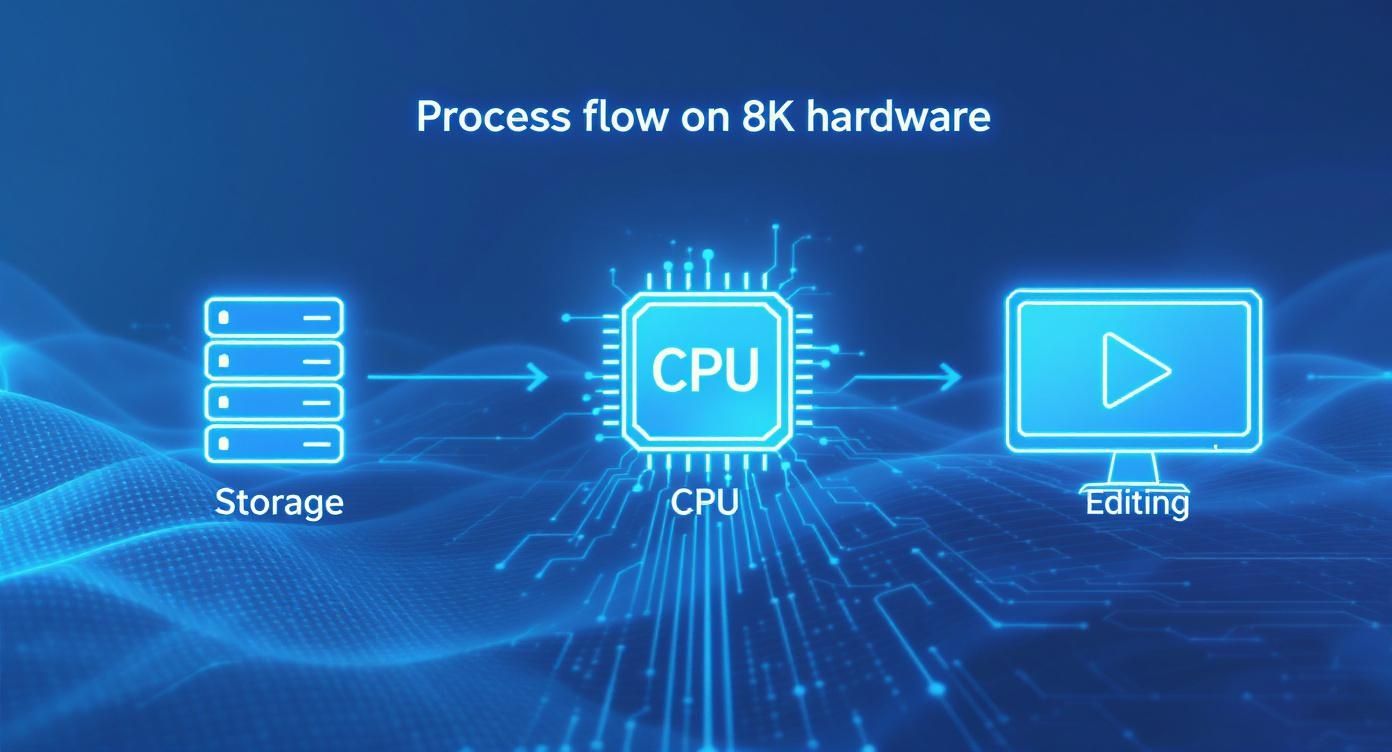
This illustrates how every piece of the puzzle—fast storage, a powerful processor, and a capable graphics card—is a critical link in the chain for a successful 8K production.
Optimising Your Colour Grading Process
Colour grading is where the mood and tone of your story really come alive. Because 8K files hold so much colour information (especially if you shoot in a Log profile), you have an incredible amount of control to shape the final look.
But again, the high bitrate and resolution can put a real strain on your system. For a smoother grading experience, follow these steps:
- Apply a Primary Correction First: Before getting creative, do a basic pass on all your clips to balance the exposure and white balance. This creates a consistent starting point.
- Use GPU Acceleration: Dig into your software’s settings and make sure it’s using your graphics card for processing. This makes a massive difference in playback speed for colour adjustments and effects.
- Render Previews: If you have a particularly demanding section on your timeline with lots of effects, rendering a preview will let you watch it back in real-time without stuttering.
By combining meticulous work on set with a smart post-production strategy, you can sidestep the common headaches of an 8K workflow. This frees you up to unlock the true creative power of the format, turning those 33 million pixels into something genuinely cinematic.
Getting Your 8K Film From Your Timeline to Their Screen
So, you’ve poured your heart and soul into creating a stunning piece in 8K resolution video. That’s a massive achievement, but it's only half the job. Now comes the real challenge: how do you get that masterpiece to your audience so they can actually see it in all its glorious detail?
The path from your editing suite to a viewer's screen isn't always straightforward. It's a journey filled with technical hurdles, from platform support to the reality of the hardware people have in their homes.
Platforms like YouTube and Vimeo have been pioneers, supporting 8K uploads for years. That’s the good news. The catch is that streaming that much data puts a huge strain on the viewer's setup. A rock-solid, high-speed internet connection is absolutely essential for a smooth 8K stream, with most experts recommending a minimum of 50-100 Mbps. And that’s just for one stream.
It's More Than Just the TV
Here's a truth many creators learn the hard way: owning an 8K television is just the first piece of the puzzle. For someone to genuinely experience your work as you intended, their entire setup—from the player to the cable—has to be up to the task.
This is where the chain so often breaks. Here’s what a viewer actually needs to have in place:
- An 8K Display: This is the obvious bit—a TV, monitor, or projector that can physically show a native 7680x4320 image.
- A Beefy Media Player: The built-in smart TV apps often choke on the massive bitrates of true 8K files. Smooth playback usually demands a powerful external player, like a high-spec NVIDIA Shield or a dedicated home theatre PC (HTPC).
- The Right Cable (HDMI 2.1): This is the silent killer of 8K playback. Only HDMI 2.1 cables have enough bandwidth to carry a true 8K signal. If your viewer is using an older HDMI 2.0 cable, they’re capped at 4K, no matter how fancy their screen is.
Think of it like this: a viewer can have a brand-new 8K screen, but if they're using an old cable or a weak streaming stick, they will simply never see your video in its native resolution. This reality has to inform how you plan your distribution.
Understanding Who Can Actually Watch in 8K
Knowing your audience is key to setting realistic expectations. In the United Kingdom, for example, the demand for ultra-high-definition content is definitely on the rise. The adoption of 8K resolution video is growing, pushed by consumers who want the absolute best picture quality. One recent report pointed out that UK audiences are quick to embrace new tech and are watching more video than ever—now averaging over four hours a day. You can read more about the UK’s viewing habits and see what it means for creators.
While this trend is promising, it also tells us the market is still in transition. For the time being, a huge chunk of your audience will still be watching on 4K or even 1080p screens.
This means you need to be smart about delivery. By all means, upload your master 8K resolution video to YouTube. This future-proofs your work and serves that top-tier audience. But your job isn't done yet. You also have to make sure it looks incredible when downscaled. Platforms handle this automatically, but it’s a crucial final step to check the 4K and 1080p versions of your upload yourself. This ensures that every single viewer, regardless of their gear, gets a sharp, detailed, and fantastic experience.
Using AI to Achieve 8K Video Quality
While shooting in native 8K is the dream, the reality is that the hardware comes with a hefty price tag. For many creators, it's just not practical. This is where artificial intelligence comes in, not as a cheap workaround, but as a powerful tool that completely changes how we think about producing 8K resolution video.
AI-powered video enhancement puts ultra-high-resolution content within reach of anyone, no matter what camera they're using. You can take existing 1080p or 4K footage and transform it into a final product that genuinely rivals native 8K in its sharpness and detail. This isn't just about blowing up the file size; it's about making the video better.
Beyond Traditional Upscaling
To really get what AI brings to the table, you have to understand the old-school methods. Traditional upscaling was a pretty basic mathematical trick. Software would stretch a smaller image to fill a bigger frame, guessing what the new pixels should look like by averaging the colours of their neighbours.
This "best guess" approach almost always led to a soft, blurry, and artificial-looking video. Sure, the pixel count was higher, but it couldn’t add any real detail that wasn't there in the first place. AI works on a completely different level.
Instead of just stretching pixels, AI models are trained on vast libraries of high- and low-resolution video pairs. They learn to recognise patterns, textures, and objects, allowing them to intelligently reconstruct and add genuine detail where it was missing.
This is a fundamental shift. An AI upscaler analyses your footage frame by frame, understanding the context of what it's seeing. It doesn't just guess what a new pixel should be; it generates a pixel that makes sense, resulting in a much sharper and more natural final image.
A Holistic Approach to Video Enhancement
Proper AI video enhancement platforms, like SoReel, offer much more than a simple resolution boost. They provide a full suite of tools that tackle a wide range of quality issues, turning a good shot into a spectacular one.
This multi-faceted process is what makes AI such a valuable part of a modern creator's workflow. It typically includes:
- Intelligent Denoising: The AI can tell the difference between fine detail and unwanted digital noise, cleaning up grainy footage (especially from low-light shots) without making everything look soft.
- Artifact Removal: It gets rid of those blocky compression artifacts that often plague online video, leaving you with a clean, smooth image.
- Detail Reconstruction: This is the core of the magic, where the AI adds sharpness and clarity, making textures pop and edges look crisp.
AI Can Even Improve Your Audio
A professional-grade video is about more than just stunning visuals. Let's be honest, bad audio can ruin even the most beautiful 8K resolution video. Recognising this, the best AI platforms now integrate sophisticated audio optimisation tools as well.
These tools can automatically handle tasks that used to require a dedicated audio engineer:
- Reducing background noise to make dialogue crystal clear.
- Normalising volume levels for a consistent, comfortable listening experience.
- Enhancing vocal clarity to make sure your message lands perfectly.
This all-in-one approach means you can elevate both the picture and the sound of your video in one go, creating a platform-ready asset in a fraction of the time. By using AI, creators can now produce content with the premium feel of an 8K production without needing to spend a fortune on new gear.
For a deeper dive into content strategies and other creator tips, feel free to explore the resources over at https://soreel.app/blog.
Is Investing in an 8K Workflow Worth It Today?
Deciding whether to jump into an 8K resolution video workflow is a big deal for any creator or brand. It’s a hefty investment in time, new kit, and skills, so you need to be sure you'll see a return. The honest answer isn’t a simple yes or no—it really boils down to your specific goals and who you're trying to reach.
For some, 8K is already a clear competitive edge. In the world of high-end commercial production, delivering unbelievably detailed footage can be the very thing that lands you a major contract. It’s the same story for immersive virtual reality (VR) experiences, where that extra pixel density is vital for making a digital world feel real and comfortable.
Finding the Immediate ROI
Beyond just impressing clients, 8K has a few key uses that offer immediate value. Picture huge digital signs in public squares or flagship shops—those massive screens need the highest possible resolution to look crisp when people are standing right in front of them. For archivists and documentary filmmakers, shooting in 8K is also a brilliant way to future-proof their work, capturing a level of detail that will stand the test of time.
What do all these have in common? The final viewing experience is controlled, and it demands the absolute pinnacle of image quality.
Investing in an 8K workflow isn't so much about meeting today's viewing standards. It's about positioning yourself as a premium, forward-thinking creator. It sends a message to your audience and clients that you’re serious about quality.
This commitment can really lift your brand. A YouTube channel that consistently puts out stunning 8K content carves out a niche for itself, attracting enthusiasts who have bought top-tier displays and can truly appreciate the difference. Quality becomes a core part of your brand identity.
Forecasting the Future of 8K Adoption
While 8K isn't everywhere just yet, the market is heading that way faster than you might think. Take the UK’s 8K technology market, for instance, which is set for major growth. Analysts are forecasting a compound annual growth rate (CAGR) of over 30% between 2025 and 2031, with big names like Sony and Samsung pushing new 8K displays onto the shelves. You can explore more about the UK market projections on SmartFrame.io.
This is a strong signal that 8K is on a path from niche luxury to a more common expectation. Getting on board with an 8K workflow now—even if it’s by using AI tools to upscale your 4K footage—means you’ll be perfectly placed when that shift happens. It makes sure your content library is ready for tomorrow's technology, not just today's.
For creators wanting to make the leap without the full hardware outlay, you can check out the pricing for AI video enhancement to see just how accessible this approach can be.
Frequently Asked Questions About 8K Video
Even with all the technical details laid out, you probably still have a few practical questions about actually working with 8K resolution video. That's completely normal. Let’s tackle some of the most common queries I hear from creators to clear things up and help you feel more confident.
Can My Eyes Even See The Difference Between 4K And 8K?
This is the big one, isn't it? The honest answer is: it depends. On a tiny phone screen held at arm's length, you’re unlikely to notice much. But on a big-screen TV—say, 75 inches or larger—the difference can be striking, especially if you’re sitting reasonably close.
Think of it this way: the pixels on an 8K display are packed so densely together that the grid completely disappears. You're no longer looking at a screen; you're looking through a window. This gets rid of that subtle "screen door effect" you might see on other displays, creating a far more immersive, true-to-life picture.
Will My Current Computer Be Able To Edit 8K Video?
For most off-the-shelf computers, trying to edit native 8K video files will be a painful, stuttering experience. The sheer volume of data is immense, and you really need a beast of a machine to handle it smoothly. We're talking a powerful multi-core CPU, a modern graphics card with at least 8GB of VRAM (though 12GB or more is ideal), and seriously fast storage like an NVMe SSD.
But don't despair. There's a well-known workaround called a "proxy workflow." This is where you create lightweight, low-resolution copies of your 8K files for the actual editing process. Your computer can handle these small files with ease, giving you a smooth, lag-free experience. When you're ready to export the final video, you simply link back to the original high-quality 8K files.
The real magic of having an 8K master file isn't just for 8K playback. It's about delivering the absolute best 4K video possible. When you downsample from 8K to 4K, the resulting image is significantly sharper and more detailed than if you had shot in 4K to begin with.
How Much Storage Do I Actually Need For An 8K Project?
A lot. There's no sugar-coating it—the storage needs for 8K are massive. The exact file sizes depend on the camera's codec and compression settings, but they are always big. To give you a rough idea, just one minute of 8K footage from a high-end smartphone can eat up around 600 MB.
For professional work using high-bitrate codecs, that number can easily climb to several gigabytes per minute. A solid storage strategy is non-negotiable. This usually means having terabytes of fast SSD storage for your active projects and a much larger RAID system or cloud archive for long-term storage. If you want to dive even deeper into the technical side of things, have a look at our comprehensive FAQ page.
Ready to unlock 8K quality without the expensive hardware? SoReel uses powerful AI to upscale your existing footage, remove watermarks, and optimise audio in minutes. Transform your content into a polished, platform-ready masterpiece at https://soreel.app.