A Creator's Guide to 5K Video Resolution

Is 5K video resolution worth it? Our guide explains how 5K compares to 4K and 8K, its real-world benefits for creators, and how to optimize your workflow.
Fundamentally, 5K resolution is all about having a video format with a horizontal pixel count of around 5120 pixels. It’s a significant step up from the 4K standard that most of us are familiar with, giving creators a much larger and more detailed canvas to play with.
Think of it less as just another jump in numbers and more as unlocking a new level of creative freedom, especially when you get to the editing suite.
So, What Does 5K Actually Mean for Your Workflow?
Let’s get past the abstract pixel counts for a moment. We all know 4K (3840 x 2160) looks sharp, but the most common 5K video resolution of 5120 x 2880 pixels gives you a staggering amount of extra visual information to work with. This isn't just for show; it’s about having nearly 15 million pixels of raw data at your fingertips.
This extra detail is a real game-changer for a few key reasons:
- Flexibility in Post-Production: Ever needed to crop, reframe, or punch in on a shot without it turning into a pixelated mess? 5K gives you that freedom. It’s a lifesaver when you need to pull vertical clips for social media out of a single wide shot.
- Better Digital Stabilisation: All those extra pixels create a buffer zone. This means stabilisation software can work its magic on shaky footage far more effectively, smoothing things out without degrading the final image clarity.
- Future-Proofing Your Work: Display technology is always moving forward. Content captured in 5K today will still look crisp and high-quality on the screens of tomorrow.
Finding the High-Resolution Sweet Spot
The industry's shift towards 5K is happening because it offers a noticeable, practical upgrade over standard 4K. With a resolution of 5120 x 2880, 5K delivers nearly 14.7 million total pixels. To put that in perspective, it’s about seven times more detail than classic 1080p Full HD, providing a serious boost in visual fidelity that you can actually see. If you're interested in the market trends, you can explore the growth of 5K displays.
In a nutshell, 5K resolution occupies a perfect middle ground. It gives you a significant creative edge over 4K without demanding the massive storage and processing power that makes 8K impractical for most of us.
This balance makes 5K an accessible yet powerful choice for producing top-tier video. Understanding these practical benefits helps you make smarter decisions about your production pipeline. For more deep dives into video enhancement and production techniques, check out the articles on the SoReel blog.
How 5K Compares to 4K and 8K
Choosing the right video resolution can feel like a tricky balancing act. You've got the industry-standard 4K, but then there's 5K and even 8K. Is it worth stepping up from 4K? And is jumping all the way to 8K just going to be a massive headache? Let's break down the real-world trade-offs in clarity, file size, and what it actually means for your editing workflow.
For a lot of us in the creative space, moving from 4K to a 5K video resolution isn't just about getting a slightly sharper picture. It's about buying yourself a safety net in post-production. Those extra pixels give you a surprising amount of wiggle room for creative fixes and adjustments that can save a shot or even open up new ideas.
The Post-Production Power of 5K
The biggest, most practical benefit of shooting in 5K over 4K is the freedom it gives you in the edit. You're working with over 50% more pixels than 4K UHD, and that's a huge advantage.
- Reframing for Any Platform: Need to turn that horizontal 5K shot into a vertical 9:16 clip for TikTok or Instagram Reels? No problem. You can crop in aggressively and still export a final video that looks crisp and native 4K.
- Digital Stabilisation: If you've got some shaky footage, stabilisation software has much more visual information to work with. The end result is a smoother shot with far fewer of the weird warping artefacts you sometimes get when stabilising 4K.
- Creative Punch-Ins: Ever wished you could create a close-up from a wider shot? With 5K, you can digitally zoom in quite a bit and maintain fantastic quality. Try that with 4K footage, and you’ll see the quality drop off a cliff.
This chart really puts the pixel count into perspective.
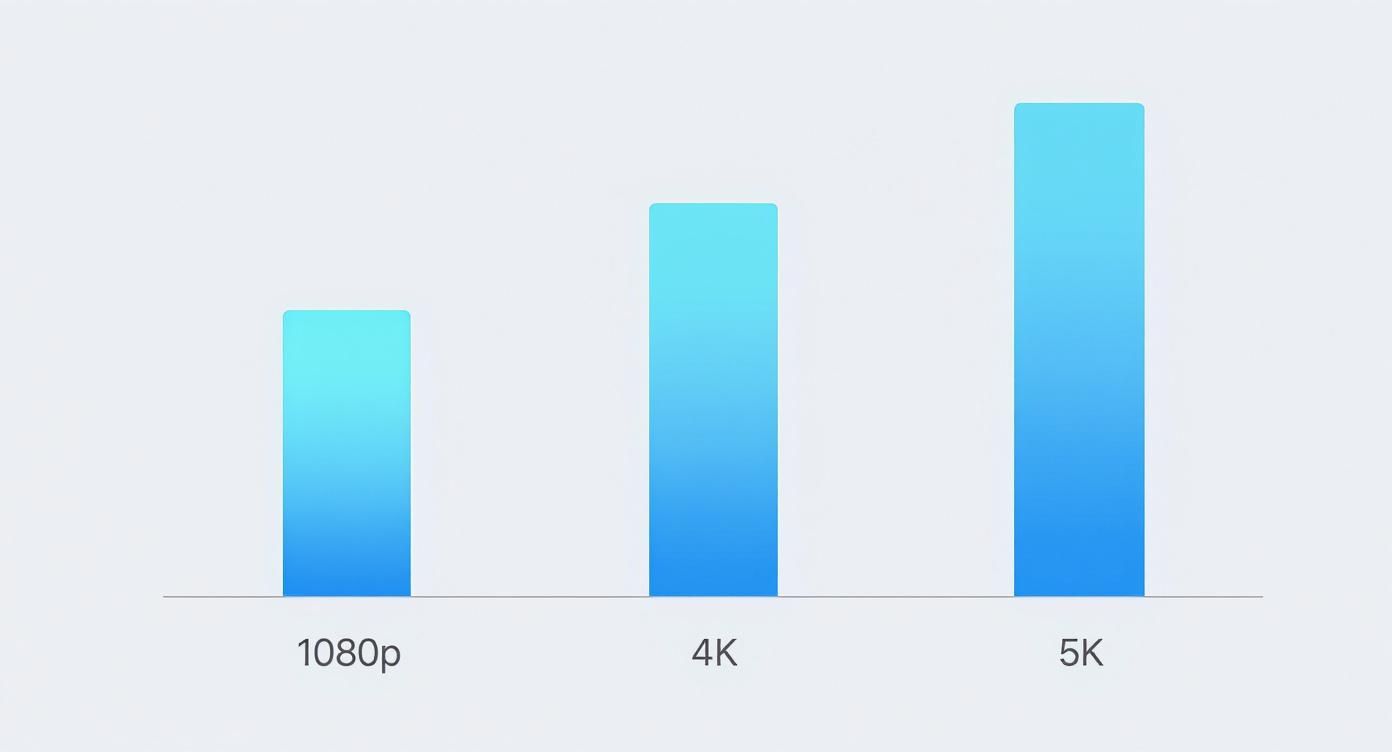
As you can see, the jump from 1080p to 4K is massive, but that extra step to 5K adds another substantial layer of detail and, more importantly, flexibility for creators.
To give you a clearer side-by-side look, here’s a table breaking down the key metrics that matter most when you’re in the thick of a project.
Resolution Comparison 4K vs 5K vs 8K
| Metric | 4K UHD (3840x2160) | 5K (5120x2880) | 8K UHD (7680x4320) |
|---|---|---|---|
| Total Pixels | 8.3 million | 14.7 million | 33.2 million |
| Post-Production Flexibility | Good. The standard for high-quality delivery. | Excellent. Ideal for reframing, cropping, and stabilising. | Extreme. Overkill for most projects, but useful for heavy VFX or massive screens. |
| File Sizes | Manageable with standard hard drives. | Noticeably larger. Requires more storage and faster drives. | Massive. Demands a serious investment in high-speed, high-capacity storage (RAID/NAS). |
| Editing Performance | Smooth on most modern editing computers. | Demanding. A powerful CPU/GPU and ample RAM are essential. | Extremely demanding. Requires a top-tier workstation and often a proxy workflow. |
| Best Use Case | Final delivery for web, streaming, and most broadcast. | Capturing master footage with maximum flexibility for 4K delivery. | Specialised productions for cinema, virtual reality, or extreme reframing needs. |
This table highlights the "sweet spot" that 5K occupies. It offers a significant upgrade in creative options without the truly punishing hardware and storage demands that come with 8K.
Finding the Point of Diminishing Returns with 8K
While 5K offers a clear, practical edge, 8K is a whole different beast. Yes, the level of detail is absolutely incredible, but it comes at a very steep price that can cripple your workflow.
For most of us, 8K is the point of diminishing returns. The tiny bit of extra visual quality you might gain is often completely buried by the massive storage costs and the beast of a machine you need to edit it smoothly.
An 8K video file (7680x4320) has four times the pixels of a 4K file. That’s not a small step up; it’s an exponential leap. This translates directly into colossal file sizes that will chew through hard drives and bring even powerful computers to their knees. Your editing software will chug just trying to play back the footage, and export times can stretch on for hours, creating a bottleneck that kills creativity.
Unless your project has a very specific need for a massive canvas—like for heavy visual effects or a giant digital billboard—5K resolution strikes a much smarter balance. It gives you the post-production superpowers you need without bringing your entire process to a grinding halt. It's the strategic choice for creating high-quality, future-proof content right now.
When Does Using 5K Video Actually Make Sense?
So, we've talked about the numbers, but when does 5K video resolution move from a technical curiosity to a genuine creative tool? It’s not about just chasing the highest resolution possible for every single project. Instead, it’s about knowing when that extra detail can solve a specific problem or unlock a new creative possibility. For many pros, that’s exactly what it is: a problem-solver.
Take visual effects artists or architects, for example. For them, getting things right at a pixel-perfect level isn’t just a nice-to-have; it's a core requirement. The sheer amount of detail packed into a 5K frame gives them a much cleaner canvas for keying out green screens, tracking motion with pinpoint accuracy, and blending computer-generated models into a scene so they look completely real. That extra data makes all the difference.
A Secret Weapon for Content Creators
For YouTubers and social media creators, shooting in 5K is an incredibly powerful workflow strategy. You can film one beautifully composed wide shot and then, in the edit, punch in to create a whole variety of different clips. Need a medium shot? Just crop in. Need a vertical 9:16 clip for Instagram Reels? Easy. You can do all of this and still end up with a final video that looks sharp in 4K or even 1080p.
This "shoot once, deliver everywhere" method is a massive time-saver on filming days and gives you fantastic flexibility later on. Imagine filming a two-person interview with a single camera but being able to cut between perfect close-ups of each speaker without any ugly, pixelated quality loss. That's the practical magic of having a 5K canvas to work with.
It's a shift we're seeing in the hardware people use, too. Here in the UK, roughly 30% of professionals—from video editors to architects—are already using 5K monitors to make the most of this clarity in their daily work. You can read the full research on 5K display adoption for more on that trend.
Future-Proofing Your Work for Tomorrow
In the world of high-end commercial video, you’re always thinking about the long game. Brands pour serious money into creating content, and they want it to look just as stunning in five years as it does today. Filming in 5K is a smart way to future-proof your work, making sure it holds up brilliantly on the next generation of screens and streaming platforms.
Even when your final video only needs to be 4K, starting with a 5K source file gives you a much better master copy. When you downsample from 5K to 4K, the resulting image is often sharper and more detailed than one shot natively in 4K. It’s a subtle boost, but it gives your work a noticeable professional edge.
This technique, known as oversampling, is a staple in professional cinematography because it helps to clean up digital noise and improve the richness of the colours. Of course, you don’t need a 5K camera to get these benefits. By bringing your footage into an AI-powered tool like SoReel, you can upscale a lower-resolution video to get that same crisp, 5K-like quality, making sure your content is ready for any platform.
Optimising Your 5K Recording and Export Workflow
Nailing that gorgeous 5K footage is one thing, but keeping all that incredible detail alive through post-production is where the real work begins. A well-thought-out workflow is the bridge between what you see on your camera’s memory card and what your audience sees on YouTube. It all starts before you even think about hitting the record button.
The first critical decision is your camera's codec. Think of a codec as the language your camera speaks to package up all that visual information. For a demanding 5K video resolution, you need one that can handle a colossal amount of data without throwing away the good stuff.
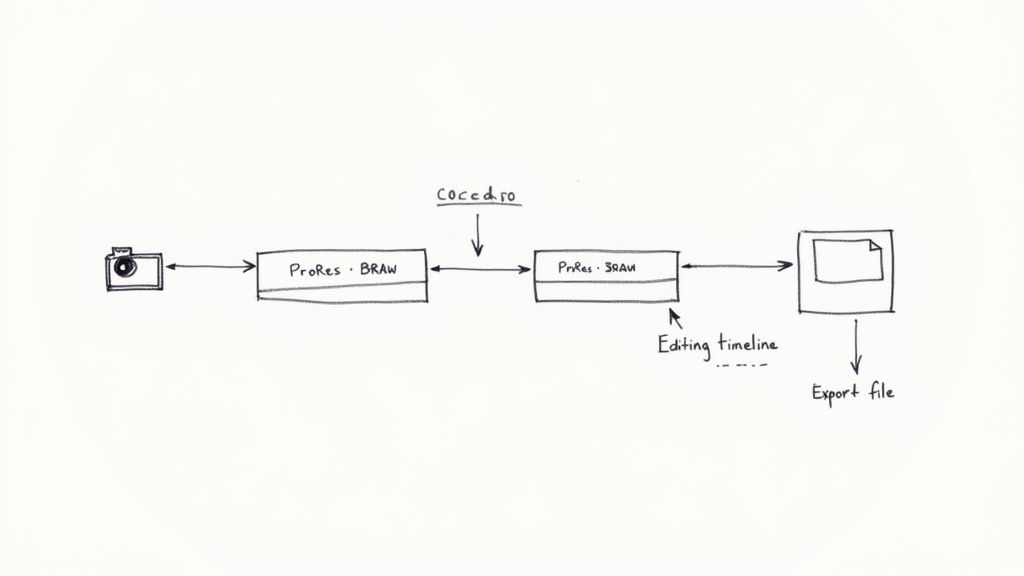
This is why the pros lean on specific formats.
- Apple ProRes: A legendary family of codecs, famous for balancing pristine image quality with surprisingly smooth editing performance. It's a go-to for many, especially in a Mac-based workflow.
- Blackmagic RAW (BRAW): This one gives you all the creative freedom of raw video—letting you tweak colour and exposure to your heart's content—but in a much more manageable file size.
Both of these are what we call "edit-friendly." They're designed to take the strain off your computer, making for a much less frustrating editing session, even when wrangling massive 5K files.
From Timeline to Final Export
Once you've edited your masterpiece, the export settings are the final gatekeeper. Get them right, and your video stays sharp. Get them wrong, and you're left with a blurry, compressed mess. Whether you're cutting in Adobe Premiere Pro or grading in DaVinci Resolve, the mission is to tailor your export for its final destination.
When you’re exporting for a platform like YouTube or Vimeo, don't skimp on the bitrate. A higher bitrate is like giving each second of your video a bigger data budget. It’s absolutely essential for preserving the clarity of 5K footage, especially in fast-moving or highly detailed scenes.
For a 5K (2880p) video heading to YouTube, the platform itself recommends a bitrate between 66-85 Mbps for standard frame rates (24-30 fps). Giving their compression algorithm plenty of data to work with is the best way to avoid those blocky, ugly compression artefacts and protect the quality you worked so hard to capture.
Mastering Your Export Settings
To really stick the landing, you need to get familiar with your export panel. The file format you choose is just as important as the bitrate you set.
For almost any online video platform, the combination of an H.264 or the newer, more efficient H.265 (HEVC) codec inside an MP4 file is the gold standard.
Here's a quick-fire checklist for a top-tier 5K export:
- Set Resolution: Make sure your timeline and your export settings match your native 5120x2880 pixels. No downscaling just yet.
- Choose Codec: Select H.264 for universal compatibility or H.265 (HEVC) if you want a better balance between quality and file size.
- Select Bitrate: Use a Variable Bitrate (VBR) setting. I'd aim for a target of at least 75 Mbps to be safe.
- Enable Maximum Render Quality: This is a key one in Premiere Pro. Ticking this box forces the software to use higher-quality processing, which makes a noticeable difference to the final sharpness.
Following this game plan from camera to final render ensures every last pixel you captured makes it to your audience’s screen, delivering that truly stunning 5K experience you were aiming for.
AI Upscaling: Your Shortcut to 5K Quality
What if you could deliver that stunning, premium look of a 5K video resolution without ever touching a 5K camera? For most creators, the cost of a high-end camera and the beefy computer needed to wrangle native 5K files is a huge hurdle. This is exactly where a smarter, more accessible workflow comes in, using artificial intelligence to make high-resolution video a practical reality for everyone.
This isn't just about stretching a smaller video to fill a bigger frame. Instead, AI-powered tools like SoReel use sophisticated models to intelligently upscale footage from 1080p or 4K. The AI meticulously analyses the pixels you already have and then reconstructs the image with new, convincing detail. The result is a video that genuinely rivals native 5K footage. It’s a process of thoughtful reconstruction, not just crude resizing.
It’s More Than Just Making Pixels Bigger
The real magic of AI upscaling is that it does far more than just add pixels. The algorithms are specifically designed to spot and fix common problems that plague lower-resolution or compressed video, transforming your raw footage into a clean, professional master file.
This intelligent process typically includes a few key steps:
- Detail Reconstruction: The AI generates new, realistic details in textures, edges, and fine lines, adding a level of crispness that simple upscaling could never manage.
- Noise and Artefact Removal: It scrubs away digital noise from low-light shots and gets rid of those ugly, blocky compression artefacts you often see in online videos.
- Watermark and Metadata Stripping: For creators who repurpose content, tools like SoReel can completely remove distracting watermarks by rebuilding the pixels that were hidden underneath. At the same time, they can strip metadata to help avoid platform suppression.
This kind of workflow lets you work with smaller, more manageable files on set and in the edit. It takes a huge amount of strain off your computer, speeds up your entire process, and still delivers a final product that’s ready for the best 5K displays.
The image below gives you a glimpse of how a simple interface like SoReel’s handles all this complex processing behind the scenes.
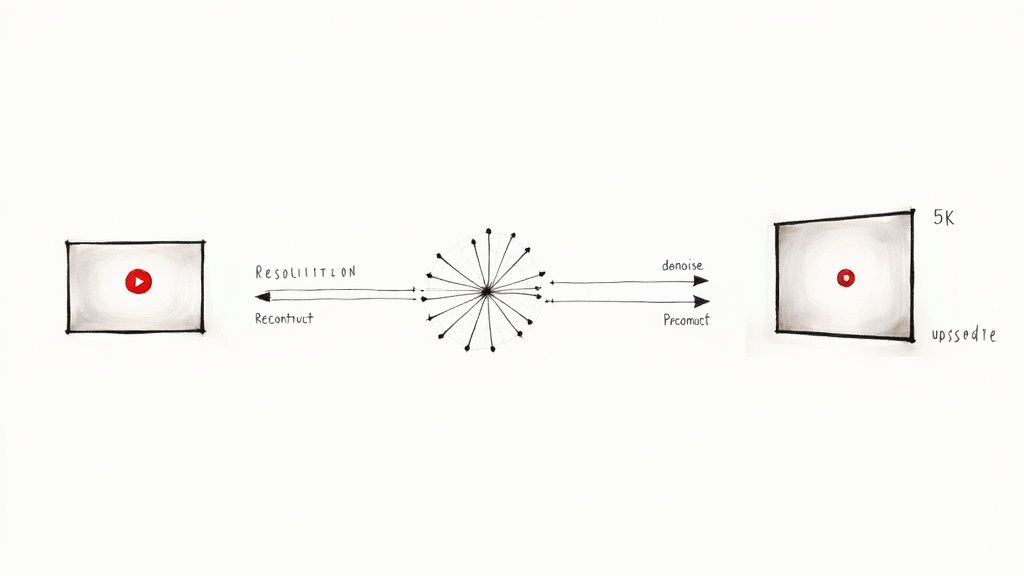
As you can see, the AI tackles multiple enhancement tasks—from denoising to detail reconstruction—all in a single, automated pass to produce that 5K-like output.
A Practical Way to Future-Proof Your Content
Choosing an AI upscaling workflow isn't just a workaround; it's a smart, strategic move. The demand for high-resolution content is only getting bigger. In 2024, the professional content creation scene in the UK drove a huge amount of spending, with about 38.9% of all 5K display sales going to studios and creators who need top-tier colour accuracy and pixel density. You can discover more insights about the 5K display market to see which way the wind is blowing.
By using AI to hit that 5K quality benchmark, you can meet this growing demand without the hefty hardware investment. It’s a genuinely practical and efficient way to future-proof your videos, making sure they look incredible on the next generation of screens while keeping your production pipeline lean and fast.
Common Questions About 5K Video
Jumping into higher resolutions always stirs up a few practical questions. Moving to a 5K video resolution workflow is a big step, so it’s only natural to wonder about things like compatibility, hardware demands, and whether the extra effort is actually worth it. Let's break down some of the most common queries creators have when they start eyeing up 5K.
One of the first things people worry about is their computer. Can it really handle editing massive 5K files without grinding to a halt? The honest answer is… it depends. But you might be pleasantly surprised.
While native 5K footage is certainly a beast, modern editing software and capable hardware have made it more manageable than ever before. You don’t need a Hollywood-grade supercomputer, but having the right tools for the job makes all the difference.
Is My Computer Powerful Enough for 5K Editing?
To get that smooth, frustration-free editing experience, your system really needs to hit a few key benchmarks. Think of these as the building blocks for a solid 5K workflow.
- Processor (CPU): A modern, multi-core processor is your engine. Something in the ballpark of an Intel Core i7/i9 (10th gen or newer) or an AMD Ryzen 7/9 (5000 series or newer) will give you the horsepower needed for slick playback and faster rendering.
- Graphics Card (GPU): Your GPU does a surprising amount of the heavy lifting. A card with at least 8GB of VRAM is a great starting point. You’ll want to look at something like NVIDIA's RTX 30-series or AMD's RX 6000-series and newer for dependable performance.
- Memory (RAM): For 5K video, consider 32GB of RAM your absolute minimum. This gives your editing software enough elbow room to handle large files and complex effects without constantly slowing down. If you’re into long timelines or heavy visual effects, 64GB is even better.
- Storage: Fast storage is simply non-negotiable. An NVMe SSD (Solid State Drive) for your operating system, software, and current project files will slash your load times and make the whole editing process feel incredibly snappy.
The good news? Even if your system isn’t quite top-tier, you can still work with 5K. Using an AI upscaling tool like SoReel means you can edit in a much lighter resolution like 1080p or 4K, and then enhance the final export to get that pristine 5K quality. It's a clever way to sidestep the hardware bottleneck completely.
Will My Audience Even Notice the Difference?
This is a great question, and a fair one. Will someone watching on their phone really appreciate the leap from 4K to 5K? On a pixel-for-pixel level, maybe not. The real benefits, however, are the ones they feel without even realising it.
When you shoot in 5K, any 4K or 1080p video you export from it is dramatically sharper and cleaner than if it were shot natively. This process, called oversampling, naturally reduces image noise and creates a far more detailed picture. So while they aren’t seeing every single 5K pixel, they are absolutely perceiving a higher-quality video.
On top of that, the creative freedom 5K gives you for reframing, cropping, and stabilising your shots means you can deliver a much more polished and professional final cut. Those creative choices, made possible by all that extra resolution, are what your audience will definitely notice.
Is 5K Just for Professional Cinematographers?
Not at all. While 5K is a mainstay in high-end film production, it offers a huge amount of value for creators of all kinds.
A social media manager can pull several high-quality vertical clips from a single horizontal 5K shot. A vlogger can create dynamic "punch-ins" to emphasise a point without losing an ounce of quality. A small business owner can produce promotional content that looks premium and is ready for whatever screen sizes come next. For a closer look at other common questions from creators, you can explore our frequently asked questions.
The truth is, the rise of 5K-capable cameras and AI-powered workflows has levelled the playing field. High-resolution video is no longer an exclusive tool for big-budget studios—it's a practical asset for anyone who’s serious about creating top-notch content.
Ready to elevate your footage to stunning 5K quality without a hardware upgrade? SoReel uses powerful AI to upscale your videos, remove artifacts, and prepare your content for any platform. Try SoReel today and see the difference for yourself.